

Qualtrics vs Google Forms vs SurveyMonkey for Academic Surveys in 2026: Comparison Table
Choosing between Qualtrics vs Google Forms — or wondering whether SurveyMonkey slots in between — is one of the most practical decisions a thesis or dissertation student makes before data collection begins. Get it wrong and you may find yourself unable to export your dataset to SPSS, blocked by institutional ethics requirements on data residency, or locked behind a paywall mid-study when you need advanced branching logic. This guide compares all three platforms on the criteria that matter for academic survey research in 2026: question types, skip logic and randomisation, response limits, data export formats, GDPR compliance, licensing costs and distribution options.
One important framing note before the table: this comparison covers data-collection platforms, not data-analysis software. Qualtrics, Google Forms and SurveyMonkey are survey instruments — they gather responses. What you do with those responses (regression models, structural equation modelling, thematic coding) happens in a separate tool. If you need guidance on the analysis side, the article on structural equation modelling path models and fit indices covers common quantitative pipelines once your dataset is clean.
Feature Comparison Table
The table below summarises the key differences across nine criteria relevant to academic survey methodology. Pricing reflects 2026 published rates; university licensing varies.
| Feature | Qualtrics | Google Forms | SurveyMonkey |
|---|---|---|---|
| Free tier | Free via 2,500+ partner universities; 30-day trial otherwise | Fully free (Google account required) | Free plan: 10 questions, 25 responses max |
| Question types | 100+ types (Likert, matrix, slider, heat map, conjoint, MaxDiff, rank order) | ~15 types (multiple choice, short/long text, linear scale, checkbox grid, dropdown) | ~15 types on free; star rating, Net Promoter Score, A/B on paid |
| Skip / display logic | Multi-level: skip logic, display logic, piping, quota controls, embedded data | Section branching only (multiple choice / dropdown triggers); no individual question logic | Skip logic on Advantage+; piping on Premier; less depth than Qualtrics |
| Randomisation | Question, block and answer-option randomisation built in | Not available natively | Question randomisation on Premier/Team plans |
| Response limits | Unlimited (university license) | Unlimited | 25 (free); 15,000/year (Advantage); unlimited (Premier) |
| SPSS export | Yes (.sav) — all plans | No (Google Sheets / CSV only) | Yes — Premier and Team plans only |
| CSV / Excel export | Yes | Via Google Sheets (CSV / XLSX) | Yes (all paid plans) |
| GDPR data residency | EU (Frankfurt) and UK (London) data centres available | Google Workspace for Education offers EU data region; standard accounts default to US | EU data hosting available on Enterprise plans |
| Ethics-board acceptance | Widely accepted; ISO 27001 and SOC 2 certified; HIPAA BAA available | Variable — some IRBs/ethics boards reject personal data on Google servers | Generally accepted; HIPAA-compliant option on Enterprise |
| Panel / distribution | Email, SMS, QR code, anonymous link, panel integration (Prolific, Research Now) | Link sharing; Google Workspace sharing | Link, email; SurveyMonkey Audience panel (paid add-on) |
| Individual paid pricing | Research Core from ~$1,500/user/year (custom quoting) | Free | Advantage ~$39/mo; Premier ~$139/mo (billed annually) |

Question Types, Branching Logic and Randomisation
Qualtrics leads decisively on survey methodology depth. Its 100+ question types include conjoint analysis, MaxDiff, heat maps and slider scales that are simply unavailable in the other two platforms. More critically for experimental designs, Qualtrics supports multi-level branching: you can combine skip logic (routing respondents to later blocks), display logic (showing or hiding individual questions based on prior answers), piped text (inserting earlier answers into later question stems), and embedded data variables — all within a single instrument. Question, block and answer-option randomisation is built in, making it straightforward to run counterbalanced or between-subjects designs without external workarounds.
Google Forms offers section-level branching: a respondent who selects a specific answer to a multiple-choice or dropdown question can be routed to a different section. That covers a significant proportion of undergraduate dissertation needs. What it cannot do is show or hide individual questions within a section, randomise question or answer order, or pipe earlier responses into later questions. For a straightforward cross-sectional questionnaire with simple skip patterns — say, a consent gate followed by demographic items followed by attitude scales — Google Forms is entirely adequate.
SurveyMonkey sits between them. Skip logic is available from the Advantage plan, and basic piping is available on Premier. Randomisation of question order is on the Premier and Team plans. The platform is substantially more polished than Google Forms for researcher-facing configuration, but it does not approach Qualtrics for complex experimental or adaptive survey designs.
Before you finalise your survey design, it is also worth aligning your questions with your overall sampling strategy. The guide at sampling methods in research 2026 walks through how probability and non-probability sampling decisions shape the kind of survey instrument you need and, consequently, which platform is appropriate.
Cost and Academic Licensing
Cost is where the comparison shifts dramatically. Qualtrics Research Core is expensive for individual buyers — around $1,500 per user per year at a minimum, with Enterprise XM contracts running considerably higher. However, over 2,500 universities worldwide licence Qualtrics at the institutional level, which means students and faculty at those institutions can access the full Research Core functionality for free simply by signing up with their university email address. Before ruling Qualtrics out on cost, check with your IT helpdesk or research office. The majority of students at research-intensive universities already have free access and simply do not know it.
Google Forms is unconditionally free — no response limits, no paid tiers, no institutional dependency. For students at institutions that do not have a Qualtrics licence, this is often the default.
SurveyMonkey’s free plan is too restricted for serious research: 10 questions and 25 responses per survey will not support even a small pilot study. The Advantage plan (approximately $39 per month billed annually) unlocks unlimited surveys, around 15,000 responses per year, skip logic and CSV export. SPSS export requires the Premier plan (approximately $139 per month billed annually) or a Team plan. Those prices represent a meaningful cost for a single student; SurveyMonkey makes more sense when the institution already holds a team licence.
Data Export: SPSS, CSV and Format Compatibility
SPSS export is a methodological requirement for many social science, health and education dissertations — supervisors specify it, ethics protocols reference it, and some journals require that raw data be provided in .sav format. Qualtrics exports to SPSS (.sav), CSV, Excel and JSON directly from the Data and Analysis module, and the export preserves variable labels and value labels, which means your SPSS dataset arrives pre-labelled without manual recoding. You can re-export as many times as you need; existing files are not overwritten.
Google Forms exports data to a linked Google Sheet. From there, you can download a CSV or XLSX file. There is no native SPSS export; you would need to import the CSV into SPSS and manually apply variable and value labels — a non-trivial step for surveys with 30 or more items. For analyses in R or Python, the Google Sheets route is perfectly usable.
SurveyMonkey offers CSV and Excel export on all paid tiers. SPSS export (.sav) is available on Premier and Team Premier plans. If you are on the Advantage plan and need SPSS, you will need to upgrade or convert a CSV manually.
Once your data is exported and cleaned, the next stage is writing up your findings. The guide on writing your results chapter faster with AI covers how to move from a clean dataset to a well-structured quantitative results section without fabricating interpretations.
GDPR, Data Residency and Ethics Approval
For research involving human participants in the EU or UK, your ethics approval submission will typically ask where participant data is stored and under what legal framework. This is where platform choice can become a gate rather than a preference.
Qualtrics operates dedicated data centres in Frankfurt (EU) and London (UK). University licences are typically configured to use the appropriate regional data centre by default, meaning respondent data never leaves the EU or UK without explicit routing choices. Qualtrics holds ISO 27001, SOC 2 Type II, and FedRAMP certifications and can sign a HIPAA Business Associate Agreement for health-related research. Ethics boards across the UK, EU and North America routinely approve Qualtrics as the data processing platform.
Google Forms stores data in Google’s infrastructure. Google Workspace for Education can be configured to restrict data to EU regions, but standard personal Google accounts default to US-based servers. Many university ethics committees in the UK and EU are cautious about approving personal data collection through standard Google Forms for this reason. If your institution runs Google Workspace for Education with EU data regions enabled and provides you with a university Google account, this concern may not apply — but verify with your ethics coordinator before building your instrument.
SurveyMonkey offers EU data hosting on Enterprise plans. Standard individual and Team plans may store data on US servers unless specifically configured otherwise. As with Google Forms, check the data processing agreement and your ethics board’s requirements before proceeding.
If you are collecting sensitive participant data, writing a data management plan is an ethics board requirement at most universities. The step-by-step guide on writing a data management plan for your thesis covers what ethics committees expect you to specify about storage, access control and retention periods.
Distribution and Panel Options
Qualtrics supports distribution via direct link, email (with embedded survey links), QR codes, SMS and embedded website widgets. It also integrates with external participant panels — Prolific and Research Now connections are commonly used by students who need a recruited sample rather than convenience sampling. The Contacts module lets you track individual response status for longitudinal or follow-up surveys.
Google Forms distributes via a shareable link or within Google Workspace. It works well for closed organisational surveys (e.g., surveying colleagues in a company setting) but has no panel integration and no tracking of individual response progress beyond what a Google account login provides.
SurveyMonkey offers link and email distribution and provides access to its own SurveyMonkey Audience panel as a paid add-on for respondent recruitment. The panel is primarily oriented towards market research demographics and may not match academic participant inclusion criteria as precisely as Prolific.
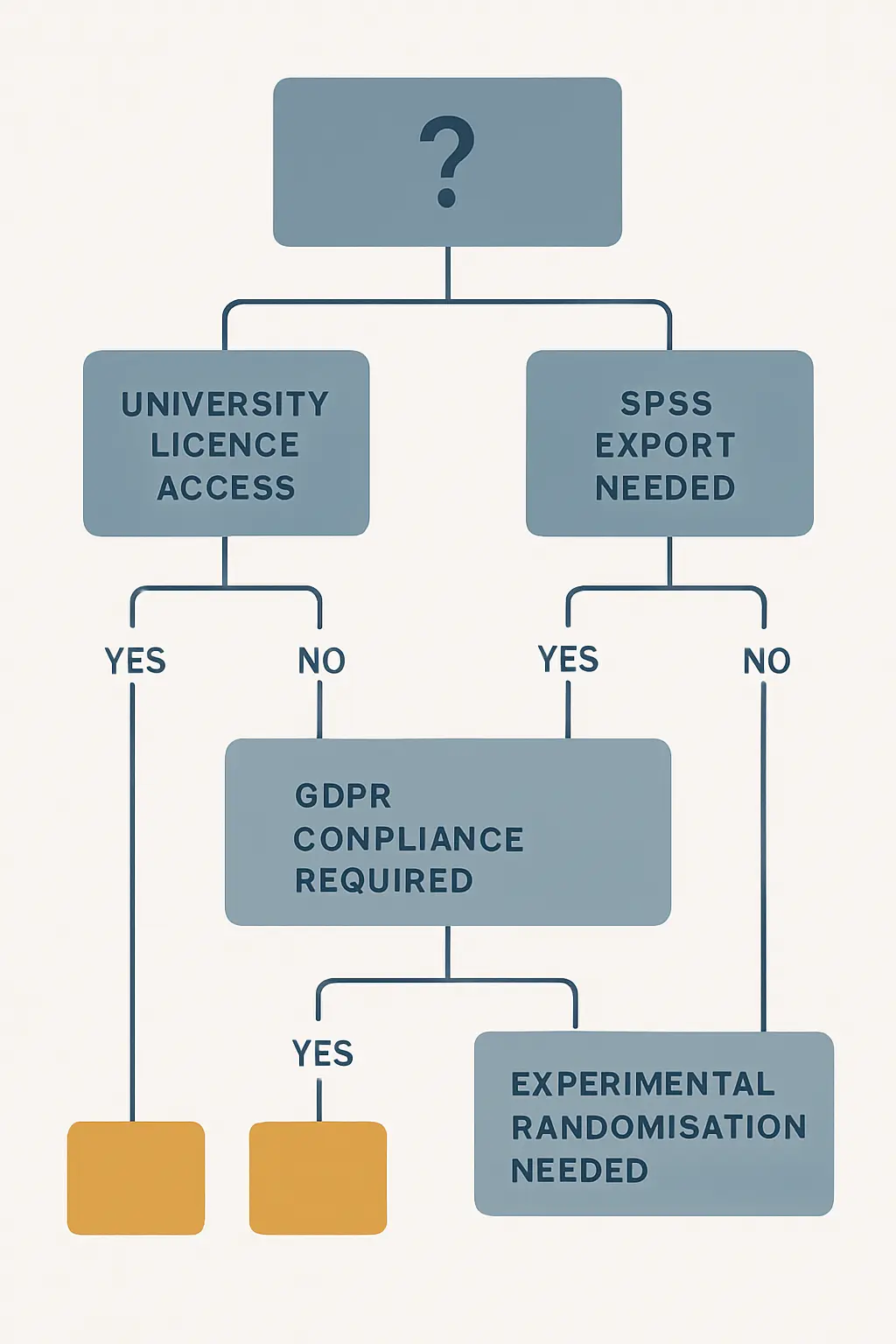
Best for X: Platform Verdicts
If you need to compare a wider range of options — including LimeSurvey (open-source, self-hosted) and JISC Online Surveys (UK institution-specific) — the broader guide on best survey tools for academic research covering GDPR, SPSS, JISC and LimeSurvey extends the comparison to five platforms.
After Data Collection: Writing Up Your Survey Results
Once your survey closes and your data is exported to SPSS or CSV, the writing challenge begins. Describing your questionnaire in the methodology chapter, presenting frequency tables and scale reliabilities in the results chapter, and connecting findings back to your theoretical framework in the discussion are all distinct writing tasks. None of them are solved by your survey platform — that is where an academic writing tool becomes relevant.
Tesify is built specifically for this stage: turning structured data, model outputs and exported tables into thesis-quality prose that matches your institution’s formatting requirements and your field’s reporting conventions. Students working on psychology dissertations, in particular, often find the transition from Qualtrics outputs to APA-formatted results sections the most time-intensive part of the write-up. The guide on writing a psychology dissertation covers the full structure including how to report survey-based quantitative findings in line with APA 7 expectations.
Overall Verdict
The Qualtrics vs Google Forms decision is less about feature trade-offs for most students and more about access. Qualtrics is the correct tool for rigorous academic survey research — its logic capabilities, SPSS export, GDPR-compliant data residency, and ethics-board track record put it ahead on every methodological criterion. The decisive question is whether your institution is one of the 2,500+ that provides it free. Check your university email first.
If Qualtrics is not available through your institution, Google Forms is an entirely legitimate option for simpler cross-sectional designs where SPSS export is not required and GDPR can be managed through your institution’s Google Workspace for Education setup. SurveyMonkey fills a narrow niche: use it if your institution already holds a Team or Premier licence, or if you need a more polished researcher experience than Google Forms and are willing to pay the Premier pricing for SPSS export.
Frequently Asked Questions
Is Qualtrics free for university students?
Qualtrics is free for students at institutions that hold an institutional licence — over 2,500 universities worldwide have this arrangement. Sign up with your university email address at qualtrics.com and the system will verify whether your institution has a licence. Students at non-partner institutions do not get free access beyond a 30-day trial and would need to pay for a personal Research Core plan, which starts at approximately $1,500 per year.
Can Google Forms export to SPSS?
No. Google Forms does not have a native SPSS export. Responses are saved to a linked Google Sheet, from which you can download a CSV or XLSX file. To analyse the data in SPSS you would need to import the CSV and manually apply variable labels and value labels. If your methodology requires SPSS export directly, use Qualtrics (which exports .sav files natively) or SurveyMonkey Premier.
Which survey tool is most accepted by university ethics committees?
Qualtrics is the most consistently accepted platform by university ethics committees in the UK, EU and North America, primarily because it offers verified EU and UK data residency options and holds ISO 27001 and SOC 2 Type II certifications. Google Forms is sometimes queried by ethics coordinators at European institutions when participants provide personal data, because standard personal Google accounts route data to US servers. SurveyMonkey is generally accepted on paid plans. Always confirm the specific requirements with your institution’s ethics board before collecting any participant data.
Does SurveyMonkey support question randomisation for experimental surveys?
SurveyMonkey supports question randomisation on its Premier and Team Premier plans. It does not support the full block-level randomisation and embedded data variables available in Qualtrics. For within-subjects experimental designs that require counterbalanced question presentation or adaptive branching based on embedded data, Qualtrics remains the more appropriate platform.
What is the best free alternative to Qualtrics if my university does not have a licence?
Google Forms is the most practical free alternative for simple cross-sectional questionnaires. For more advanced needs without cost, LimeSurvey Community Edition is open-source and self-hostable, offering skip logic, randomisation and SPSS export — but it requires technical setup on a server. JISC Online Surveys is available free to staff and students at UK higher education institutions that subscribe to JISC services and is explicitly designed for research use with GDPR data residency in the UK.
Can I use Qualtrics and then write up my results in Tesify?
Yes — Qualtrics handles data collection and basic summary statistics, while Tesify supports the writing stage. After exporting your results from Qualtrics (as SPSS .sav or CSV) and running your statistical analysis in SPSS, R or Python, you use Tesify to draft and refine your methodology and results chapters in line with your institution’s academic writing standards. The two tools address different parts of the research workflow and complement each other directly.
Write your thesis with AI
Structure, draft, cite, and format your thesis faster with Tesify’s AI writing tools, automatic bibliography, and plagiarism checker. Free to start, no credit card required.






Leave a Reply