
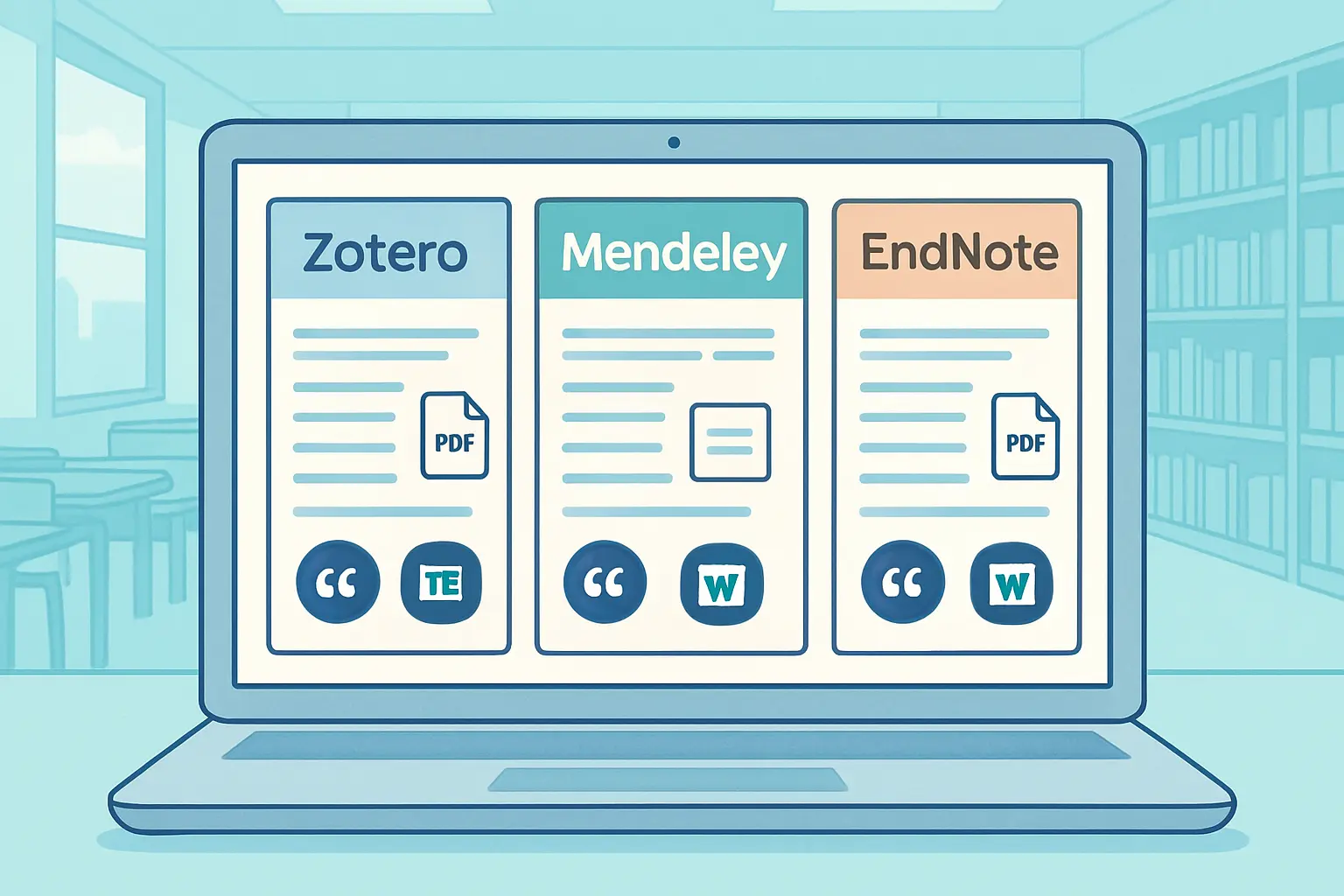
Zotero vs Mendeley vs EndNote 2026: The Best Reference Manager for Word Users Compared
Your reference list is due tomorrow, you have 84 citations across five chapters, and you are still manually checking whether each one matches your institution’s required style. This is the exact problem Zotero, Mendeley, and EndNote all promise to solve — yet they solve it in very different ways, at very different price points, with very different levels of Word and Google Docs compatibility.
Picking the wrong tool costs real time. Mendeley’s plugin can behave unpredictably on Word Online. EndNote’s Cite While You Write (CWYW) feature is unmatched for large STEM documents but carries a price tag that stings unless your library pays for it. Zotero is free and supports both Word and Google Docs natively, but 300 MB of free cloud storage fills faster than most PhD students expect. If you write in Microsoft Word or Google Docs rather than LaTeX — that is a separate decision covered in our Tesify vs LaTeX comparison — this guide gives you the honest 2026 breakdown.
Below is a focused comparison built for students and researchers who live in Word and need a reference manager that keeps up with their workflow.
For most Word users, Zotero is the best free choice — it works in both Word and Google Docs and supports over 10,000 citation styles with no reference limit. Mendeley suits researchers who read and annotate large PDF libraries. EndNote earns its place only if your institution provides a free licence or you manage an exceptionally large, complex reference database in a STEM field.
At a Glance: Feature & Pricing Table
| Feature | Zotero | Mendeley | EndNote |
|---|---|---|---|
| Cost (individual) | Free (storage upgrades from ~$20/yr) | Free (Elsevier account required) | ~$149/yr or ~$274 one-time |
| Free cloud storage | 300 MB | 2 GB | Local/institutional server |
| Reference limit | Unlimited | Unlimited | Unlimited |
| Microsoft Word plugin | Yes (Windows & Mac) | Yes (desktop Word) | Yes — CWYW (desktop + Word Online) |
| Google Docs support | Yes (native add-on) | No (not officially supported) | No |
| Citation styles | 10,000+ (CSL, open) | Thousands (CSL) | 7,000+ (proprietary) |
| PDF reader & annotation | Yes (built-in) | Yes (flagship feature) | Yes (limited) |
| Group collaboration | Yes (shared groups, free) | Yes (research networks) | Yes (with Online Sync) |
| Browser importer | Zotero Connector (Chrome/Firefox/Safari) | Web Importer | Capture Reference (limited) |
| Open source | Yes | No (Elsevier-owned) | No (Clarivate-owned) |
Zotero 2026 — Free, Open-Source & Google Docs Ready
Zotero remains the go-to reference manager for students who need a zero-cost, zero-compromise solution. It is open-source, developed at the Roy Rosenzweig Center for History and New Media, and carries no commercial agenda influencing which databases it integrates with. You can store an unlimited number of references; the 300 MB free-tier cap applies only to file attachments (PDFs, images), not to the citation records themselves. A researcher with 2,000 journal article entries and no attached PDFs stays well within the free tier indefinitely.
Word & Google Docs Integration
Zotero’s word processor plugins install automatically with the desktop app and support Microsoft Word on both Windows and Mac, as well as LibreOffice. The plugin adds a toolbar ribbon from which you search your library, insert citations, and generate or reformat your bibliography with a single click. Switching from APA to Chicago to Harvard takes seconds — Zotero reformats every in-text citation and reference list entry automatically across the entire document.
Critically for students who work across devices, Zotero supports Google Docs natively through a browser connector add-on. You add citations directly inside your Doc without leaving the browser. This is the feature that definitively separates Zotero from EndNote at the student level — and from Mendeley, which does not officially support Google Docs at all.
Storage, Pricing & Limitations
The 300 MB free tier is sufficient for citation records and a handful of PDFs. For a dissertation with dozens of attached full-text papers, you will eventually hit the ceiling. Zotero’s paid storage starts at around $20 per year for 2 GB — still far cheaper than EndNote. Alternatively, you can link Zotero to your own WebDAV server or use local storage to keep costs at zero. For collaboration, shared group libraries are free of charge, making Zotero effective for co-authored projects where multiple researchers need access to the same reference pool.
Mendeley 2026 — PDF Power with Elsevier Strings Attached
Mendeley’s strongest selling point is its built-in PDF reader with annotation tools. If your workflow involves reading, highlighting, and tagging dozens of papers before you sit down to write, Mendeley’s interface handles that better than a plain file folder. The 2 GB free storage tier is also more generous than Zotero’s, which matters when you are storing full-text PDFs alongside citation records.
Word Integration & Collaboration
Mendeley’s Word plugin works on Windows and Mac desktop versions of Word and allows you to insert citations and auto-generate bibliographies in the same way as Zotero. The social features — research networks, shared libraries, public publication profiles — can support large research groups and help with literature discovery by surfacing what peers in your field are reading.
The main friction points are Elsevier’s ownership model and the Google Docs gap. Mendeley is owned by Elsevier, meaning your reading activity and library data inform Elsevier’s research intelligence products. This is a consideration for researchers who value data privacy. On a practical level, Mendeley does not provide a native Google Docs add-on. If even part of your writing or collaboration happens in Google Docs, you will need manual workarounds. Reports of reliability issues with the Mendeley plugin on Word Online — the browser-based version increasingly used in Microsoft 365 environments — add another friction point for students on university-managed systems.
Storage & Pricing
Beyond the 2 GB free tier, Mendeley does not offer a simple tiered paid storage upgrade in the way Zotero does. Managing a very large PDF library requires selective syncing or institutional accounts. This is less flexible than Zotero’s model once your collection grows beyond a few hundred papers with attachments.
EndNote 2026 — CWYW Power for STEM Researchers
EndNote has been the institutional standard in STEM research environments for decades. Its Cite While You Write (CWYW) plugin for Microsoft Word is widely regarded as the most stable and feature-rich Word integration of the three — particularly for managing very large reference databases (hundreds or thousands of sources), complex multi-document projects, and customised output styles that deviate from standard CSL formats.
CWYW Plugin Performance in Word
EndNote’s CWYW plugin is available for desktop Word on Windows and Mac, and since 2022 has also been available for Word Online through the Microsoft AppSource marketplace. In desktop Word, CWYW lets you search your library, insert formatted citations, and generate reference lists without leaving the document. For clinical researchers managing several hundred references across a systematic review, or academics writing a book chapter that draws on a large personal reference database, EndNote’s performance in complex Word documents is genuinely more robust than Zotero or Mendeley for edge cases involving field codes, footnotes, and multi-document merges.
The significant limitation: EndNote has no Google Docs integration. If your writing or collaboration involves Google Docs at any point, you face an export-reimport cycle that is disruptive to workflow. For researchers using numbered citation styles in clinical writing — where citation management is critical — see our AMA citation style guide for detail on how superscript numbered citations are structured and how they interact with reference manager output.
Pricing & Institutional Access
EndNote costs approximately $149 per year or $274 as a one-time perpetual licence for individual buyers. However, many UK, US, Australian, and Canadian universities provide EndNote free to enrolled students and staff through institutional licences managed through the library. Before paying out of pocket, check your institution’s software portal or library website. If your institution covers it, the cost objection disappears and you should seriously consider whether EndNote’s CWYW stability in Word is worth using over the free alternatives.
Word & Google Docs Integration Side by Side
For Word users specifically, all three reference managers handle the core task — insert citation, generate bibliography, reformat styles — reliably in desktop Word. The differences become most apparent at the edges:
- Word Desktop (Windows/Mac): All three work well. EndNote has a stability edge in documents with 200+ citations and complex field-code interactions. Zotero and Mendeley are both reliable for standard thesis-length documents.
- Word Online (Microsoft 365 in browser): Zotero and EndNote both have Word Online add-ins. Mendeley’s Word Online compatibility is not officially supported and has reported inconsistencies.
- Google Docs: Zotero only. Neither Mendeley nor EndNote offers native Google Docs support.
- LibreOffice: Zotero only, making it the only viable choice for students on Linux or those avoiding the Microsoft ecosystem.
- Style switching: All three support reformatting from one citation style to another, but Zotero’s CSL library (10,000+ community-maintained styles) is larger than EndNote’s proprietary catalogue and significantly larger than Mendeley’s.
- Browser capture: Zotero Connector (Chrome, Firefox, Safari) captures metadata from journal sites, catalogues, and databases with high accuracy. Mendeley’s Web Importer works similarly. EndNote’s browser capture is more limited and designed primarily for use with Web of Science.
- Word + Google Docs
- 10,000+ citation styles
- 300 MB free storage
- Unlimited references
- Word desktop only
- 2 GB free storage
- Best PDF annotation
- Elsevier-owned
- Word + Word Online
- ~$149/yr individual
- 7,000+ styles
- Free at many universities
Key specs per 2026 vendor documentation. Verify current pricing at each vendor’s site.
Which Should You Choose? Recommendations by Use Case
| Your situation | Recommended tool |
|---|---|
| Undergraduate or taught postgraduate writing in Word or Google Docs | Zotero — free, flexible, works on both platforms |
| PhD researcher in sciences or medicine with free institutional EndNote access | EndNote — best CWYW plugin for large Word documents |
| Researcher who reads and annotates many PDFs before writing | Mendeley — best built-in PDF reader and 2 GB free tier |
| Co-writing a thesis or dissertation with collaborators in Google Docs | Zotero — only option with native Google Docs support |
| STEM PhD producing a systematic review with 300+ references in desktop Word | EndNote (if free via institution) or Zotero (if paying yourself) |
| Privacy-conscious researcher who prefers open-source software on any OS | Zotero — open-source, no Elsevier or Clarivate data collection |
How Tesify Auto Bibliography Complements Your Reference Manager
Zotero, Mendeley, and EndNote all assume you already have a reference library built and organised. They manage citations once you have collected them. What they do not do is help you draft the actual written content of your thesis chapter — the argumentation, transitions between literature, or first-draft text built around your sources.
That is the gap Tesify Auto Bibliography was designed to fill. Rather than manually collecting references one by one into a Zotero or Mendeley library, Tesify generates properly formatted bibliographies alongside the draft text, producing APA, MLA, Chicago, and Vancouver-formatted reference lists that you can paste directly into your document or export into your existing reference manager for final polishing. It is not a replacement for Zotero or Mendeley — it is the drafting layer that sits upstream of them, giving you structured written content with citations already formatted before you hand the list off to your reference manager.
For a broader look at how AI thesis tools work alongside traditional writing environments, the Tesify AI thesis writer guide on Tesify.pro covers responsible-use guidelines and practical workflows for 2026.
Generate a draft chapter with properly formatted references in APA, MLA, Chicago, or Vancouver — then export to your reference manager or paste directly into Word.
Frequently Asked Questions
Is Zotero better than Mendeley for thesis writing in Word?
For most students writing in Microsoft Word, Zotero is the stronger choice. Both tools insert citations and auto-generate bibliographies reliably in desktop Word, but Zotero also works in Google Docs, has a larger citation style library (10,000+ CSL styles versus thousands in Mendeley), and is fully open-source with no commercial data-sharing concerns. Mendeley has an edge if PDF annotation and a 2 GB free storage tier are your priorities.
Does EndNote work with Google Docs?
No. EndNote does not have native Google Docs integration. It supports Microsoft Word on desktop (Windows and Mac) and Word Online via a Microsoft AppSource add-in, but there is no direct Google Docs connector. If you write collaboratively in Google Docs, Zotero is the only one of the three reference managers that supports this workflow natively.
Which reference manager is completely free for students?
Both Zotero and Mendeley are free to use with no subscription required, though both have cloud storage limits (300 MB and 2 GB respectively on free accounts). EndNote costs approximately $149 per year for individuals but is provided free at many universities through institutional licences — check your library’s software portal before purchasing. For students who want to pay nothing, Zotero is the most capable free option.
Can I import my Zotero or Mendeley library into EndNote?
Yes. All three tools support import and export via standard formats including RIS (.ris) and BibTeX (.bib). To move from Zotero to EndNote, export your Zotero library as a RIS file and import it into EndNote. PDF attachments may require manual re-linking after migration, so switching tools works best at the start of a project rather than mid-thesis.
Which reference manager works best with Microsoft Word Online?
Both Zotero and EndNote have add-ins available for Word Online — the browser-based version of Word in Microsoft 365. Zotero’s connector works via the browser extension, while EndNote has a dedicated Word Online CWYW add-in on the Microsoft AppSource marketplace. Mendeley’s Word Online compatibility is not officially supported and has reported inconsistencies. If you use Word primarily in the browser, Zotero or EndNote are the safer choices.
Write your thesis with AI
Structure, draft, cite, and format your thesis faster with Tesify’s AI writing tools, automatic bibliography, and plagiarism checker. Free to start, no credit card required.




Leave a Reply