
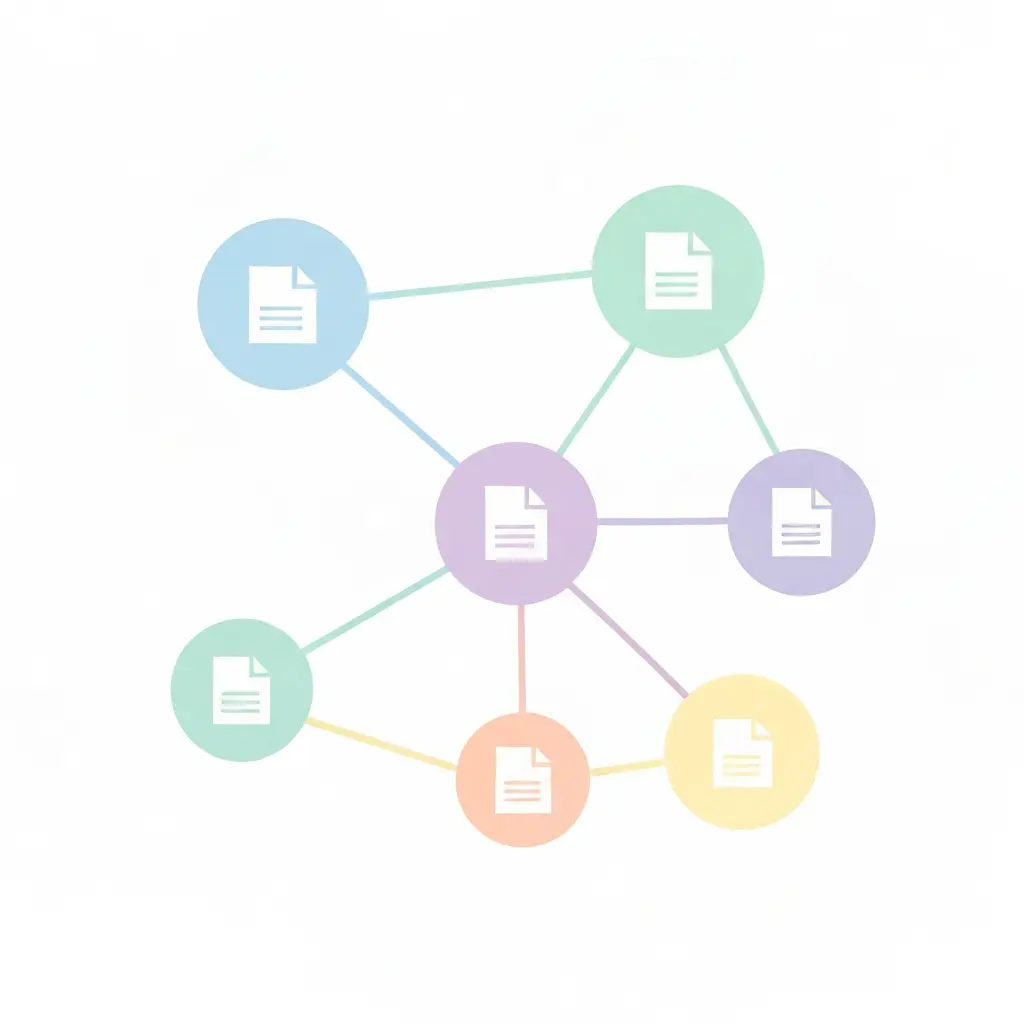
Best AI Tools for Thesis Literature Mapping in 2026: Litmaps vs Connected Papers vs ResearchRabbit vs Inciteful vs Open Knowledge Maps
Your thesis literature review has a hidden problem: keyword searches alone miss up to 40–60% of the relevant papers in your field. The reason is structural. Academic knowledge does not spread through keywords — it spreads through citations. A seminal paper from 2009 may share no keywords with a 2024 follow-up study, yet the two are directly linked through a chain of citations that traditional database searches never surface. Literature mapping tools — tools that build visual citation networks around seed papers — were designed to close exactly that gap. Choosing the best AI tools for thesis literature mapping can be the difference between a literature review your examiner calls thorough and one that misses the papers your entire committee expects to see.
This comparison covers the five leading literature-mapping platforms as of mid-2026: Litmaps, Connected Papers, ResearchRabbit, Inciteful, and Open Knowledge Maps. We reviewed each tool’s current feature set, pricing, data sources, and ideal use cases, with a clear verdict for every researcher profile at the end.
At-a-Glance Comparison Table
The table below summarises the key dimensions for each tool based on their current 2026 plans.
| Tool | Free Tier | Paid Plan | Data Source | Map Type | Alerts | Zotero Integration | Best For |
|---|---|---|---|---|---|---|---|
| Litmaps | 1 map, 100 articles, monthly alerts | $10/mo (Pro) — unlimited maps + daily alerts | OpenAlex, Semantic Scholar, Crossref | Temporal citation timeline + network | Daily (Pro) / Monthly (Free) | Yes | Ongoing monitoring; long-term projects |
| Connected Papers | 5 graphs/month, full features | ~$6/mo — unlimited graphs | Semantic Scholar | Force-directed co-citation graph | No | No (export only) | Quick visual orientation; new fields |
| ResearchRabbit | Unlimited searches, 50 seed papers, collaboration | $10/mo (RR+) — up to 300 seeds, advanced controls | Semantic Scholar (280M+ articles) | Interactive citation + author network | Yes (free + paid) | Yes (bidirectional) | Free comprehensive review; team collaboration |
| Inciteful | Fully free, no account needed | Free (no paid plan currently) | Semantic Scholar, OpenAlex | Citation graph + Literature Connector bridge | No | No | Citation bridge between two specific papers |
| Open Knowledge Maps | Fully free, no account needed | Free (non-profit) | BASE (300M docs), PubMed, OpenAIRE | AI-clustered concept bubble map | No | No (export to RMS) | Topic orientation; open-access discovery |
What Is Literature Mapping — and Why It’s Not the Same as Literature Discovery?
Before diving into the tools, a distinction matters. Literature discovery tools like Elicit or Consensus take a query and return ranked papers matching your keywords. They answer the question “which papers discuss X?” Literature mapping tools take one or more seed papers and build a visual graph of how scholarly work in a field connects through citations. They answer a different question: “which papers are structurally central to the field around paper X, even if they use completely different terminology?”
The practical difference is significant for thesis writers. A keyword search for “cognitive load theory” returns papers that use that phrase. A citation map built from Sweller’s original 1988 paper reveals every major theoretical development, debate, and application in the field — including papers that never use the phrase at all because they operate under related but distinct labels. For a thorough literature review methodology, mapping tools and discovery tools are complements, not substitutes. The strongest workflows use both.
All five tools covered here approach literature mapping, though they differ substantially in how they build their graphs, what data they draw on, and what additional features they layer on top. Understanding those differences is what makes the comparison below actionable.
Source: Andy Stapleton (290K subscribers) — ResearchRabbit vs Connected Papers head-to-head comparison
Litmaps — Best for Ongoing Monitoring and Long-Term Projects
Litmaps takes a temporal approach to citation mapping that sets it apart from every other tool on this list. When you add seed papers to a Litmap, the platform generates not just a static network graph but a timeline-based visualisation that shows how a research field evolved across decades. Papers are plotted on a timeline according to publication date, with citation links drawn between them, making it immediately obvious which papers seeded the field, which ones sparked major debates, and where current research clusters are forming.
Core Features
- Dynamic citation maps: Add one or more seed papers and Litmaps builds an interactive graph pulling data from OpenAlex, Semantic Scholar, and Crossref — giving coverage of over 250 million academic papers.
- Literature alerts: Once you save a map, Litmaps monitors the academic literature daily (Pro) or monthly (Free) and notifies you when new papers are published that cite your seed papers or match your network’s citation patterns.
- Zotero integration: Import existing Zotero libraries directly, and export discoveries back to Zotero, BibTeX, or RIS formats.
- Multi-seed mapping: Unlike Connected Papers, Litmaps lets you combine dozens of seed papers into one unified map — critical for thesis writers with established reading lists who want to see the structural gaps.
Pricing
The Free plan allows 1 Litmap with up to 100 articles and monthly alert emails — workable for a narrow project. The Pro plan at $10/month (or $8/month billed annually, with a 75% educational discount available for verified students) unlocks unlimited maps, unlimited articles per map, daily alerts, and advanced discovery features. There is also a Team plan at custom pricing for lab groups.
What Litmaps Does Best
The alerts system is Litmaps’ strongest differentiator. For PhD students working on a thesis over 12–36 months, manually re-running searches every few weeks is unsustainable. Litmaps automates that process: set up your map once, and you receive curated notifications when the field moves. No other tool in this comparison offers this level of ongoing tracking without significant manual effort.
The temporal visualisation also makes Litmaps exceptional for understanding a field’s intellectual history — a key requirement when writing the “development of the field” section of a thesis literature chapter.
Limitations
The free tier is restrictive: a single map with a 100-article cap will feel confining within a day of serious use. The interface is also more complex than Connected Papers’ single-graph simplicity, which can feel like overhead for a quick orientation task.
Connected Papers — Best for Quick Visual Overviews of a New Field
Connected Papers built its reputation on doing one thing exceptionally well: take a single paper and return a beautiful, force-directed visual graph of the papers most conceptually related to it — in under 60 seconds. The algorithm does not simply trace direct citations. It analyses bibliographic coupling (papers that share many references) and co-citation patterns (papers that are often cited together), surfacing relationships that a pure citation chain would miss.
Core Features
- Visual graph generation: Each node represents a paper, sized by citation count and coloured by publication year. The closer two nodes are on the graph, the more closely related those papers are based on citation co-patterns.
- Prior Works and Derivative Works panels: The graph is supplemented by two list panels — seminal prior papers that feed into the topic, and recent derivative work that builds on it — giving a structured narrative alongside the visual.
- No account required: The free tier (5 graphs/month) requires no registration, making it the lowest-friction entry point of any tool on this list.
- Export: Graphs can be exported as images or saved as shareable links for embedding in project documents.
Pricing
The free tier gives 5 graphs per month with full feature access — generous for a targeted task. The paid plan (approximately $6/month) removes the monthly limit for unlimited graph generation. Connected Papers does not offer a Zotero integration or alert system.
What Connected Papers Does Best
The first hour of working on a new topic. When a supervisor hands you a key paper in a field you have not encountered before, generating a Connected Papers graph immediately gives you the intellectual landscape: the five to ten most important papers to read first, the founding texts, and the recent developments. No other tool delivers this orientation speed.
Limitations
Connected Papers is intentionally single-paper focused — there is no multi-seed functionality. You cannot combine your entire reading list into one evolving map, and there are no monitoring alerts. It is a snapshot tool, not a longitudinal research companion. Researchers working through a complete thesis literature review will exhaust its use cases quickly and need to graduate to Litmaps or ResearchRabbit for ongoing work.
ResearchRabbit — Best Free All-Rounder with the Strongest Zotero Integration
ResearchRabbit markets itself as “Spotify for researchers,” and the analogy lands: the more papers you add to collections, the more the algorithm learns your research taste and surfaces increasingly relevant recommendations. It is the most feature-complete free literature mapping tool available in 2026, combining citation network visualisation, author network mapping, collaboration tools, and Zotero integration in a single platform.

Core Features
- Collection-based workflow: You organise papers into collections (think: Zotero folders with live recommendation engines attached). Add a paper, and ResearchRabbit immediately suggests related papers, organises them by citation relationship, and adds them to an interactive network graph.
- Author networks: Beyond paper-to-paper citations, ResearchRabbit visualises author collaboration networks — useful for identifying the leading researchers in a subfield whose entire publication lists are worth scanning.
- Collaboration: Share collections with supervisors or co-researchers. Collaborators can add papers, annotate, and explore the network independently.
- Zotero integration (bidirectional): Import an existing Zotero library into ResearchRabbit, explore its citation network, and export new discoveries back to Zotero — the most seamless roundtrip of any tool tested.
- 280 million+ article database: Powered by Semantic Scholar, giving broad coverage across STEM and social sciences.
- Literature alerts: Available on the free tier — ResearchRabbit notifies you when new papers are published that match your collections.
Pricing
The Free Forever plan includes unlimited searches, unlimited collections, collaboration, and up to 50 seed papers. For most master’s thesis students, the free tier is sufficient for a complete literature review. The RR+ plan at $10/month (or $12.50/month billed monthly) expands seed paper capacity to 300, adds advanced search controls, and multiple project workspaces — relevant for PhD students juggling concurrent research threads.
What ResearchRabbit Does Best
The combination of robust free features and Zotero integration makes ResearchRabbit the default recommendation for students already using Zotero as their reference manager. The collection-based workflow also makes it the most practical tool for students who have already read 20–30 papers and want to systematically identify what they are still missing — rather than starting cold from a single seed. For those running a systematic review or meta-analysis, ResearchRabbit’s export to BibTeX and RIS makes it easy to pipe discoveries directly into screening workflows. If you need to go deeper on tracking individual citation trails, see our comparison of the best citation chasing and snowball search tools in 2026.
Limitations
The visualisation, while functional, is less visually polished than Connected Papers. The 50-seed limit on the free tier can feel restrictive for late-stage PhD work where a reading list has grown to 80–100 papers. ResearchRabbit also lacks Litmaps’ temporal timeline view, making it less useful for tracing the historical evolution of a field.
Inciteful — Best for Citation Bridge Searches Between Two Specific Papers
Inciteful serves a narrow but distinctive use case with unusual precision: given any seed paper, it uses graph analysis algorithms — specifically adapted from network science — to rank papers by their structural importance within the citation network. The platform also offers a unique Literature Connector tool that takes two papers and finds the citation pathway connecting them, surfacing the intermediate papers that are intellectually central to both.
Core Features
- Paper Discovery: Enter a seed paper (by DOI, title, or arXiv ID) and receive a ranked list of related papers based on citation graph analysis — the most influential papers in the citation neighbourhood, not just direct references.
- Literature Connector: Input two papers from different parts of your reading list and Inciteful finds the papers that sit in the citation space between them — ideal for finding the “bridge” literature between two theoretical frameworks.
- Important Papers view: Highlights the structurally central papers in a citation network — a different ranking than “most cited overall,” since it weights network position rather than raw citation count.
- Fully free, no account required: As of mid-2026, Inciteful remains completely free with no usage limits and no registration required.
Pricing
Inciteful is free. There is currently no paid tier.
What Inciteful Does Best
The Literature Connector is genuinely unique. Imagine you are writing a thesis that draws on both Actor-Network Theory and organisational resilience literature. You have a key ANT paper and a key resilience paper, and your thesis argues they speak to each other — but you need the intermediate scholarship that bridges them. Literature Connector finds it. No other tool on this list has a direct equivalent to this functionality.
Limitations
Inciteful has no collection management, no alerts, no Zotero integration, and no collaboration features. It is a precision instrument for specific tasks, not a full workflow platform. The interface is sparse by modern standards. Use it alongside ResearchRabbit or Litmaps, not instead of them.
Open Knowledge Maps — Best for Topic Orientation and Open-Access Discovery
Open Knowledge Maps occupies a different philosophical position from the other four tools. It is a non-profit organisation, based in Vienna, committed to making scientific knowledge accessible. Its search engine indexes over 300 million documents via BASE (Bielefeld Academic Search Engine), PubMed, and OpenAIRE, with a strong emphasis on surfacing open-access papers that students can actually read without institutional library access.
Core Features
- Concept bubble maps: Search by keyword (not seed paper) and receive a visual map where related papers are grouped into labelled concept clusters. Each bubble represents a sub-topic, and clicking it reveals the papers within.
- Open-access highlighting: Papers with open-access versions are prominently flagged, making it the most student-friendly tool for researchers without full institutional database access.
- AI-powered clustering: The clustering algorithm groups papers by semantic similarity, not just keyword frequency — making it useful for ambiguous search terms that span multiple disciplines.
- Export to reference managers: Selected papers can be exported to reference management systems.
- No account required, completely free: Open Knowledge Maps has no registration requirement and no usage limits.
Pricing
Open Knowledge Maps is entirely free and run as a non-profit. There is no paid tier.
What Open Knowledge Maps Does Best
The first 30 minutes of a brand-new research topic, especially when you do not yet know which specific papers to use as seeds. Unlike the citation-network tools, Open Knowledge Maps does not require you to already know any papers in a field — you search by concept and receive an instant thematic overview. It is also the single best tool for students at institutions with limited database subscriptions, since its open-access emphasis maximises what you can actually read.
Limitations
Because Open Knowledge Maps uses keyword-based clustering rather than citation network analysis, it can miss structurally central papers that use non-standard terminology. Coverage in highly specialised niche fields can also be thin compared to the Semantic Scholar-powered tools. Think of it as the starting gun, not the finishing tape.
How to Combine These Tools in a Real Thesis Workflow
The researchers who get the most from literature mapping tools do not commit to a single platform. They use each tool at the stage where it performs best.
Recommended Thesis Literature Mapping Workflow
- Orientation (Day 1–2): Run your research topic through Open Knowledge Maps to identify the main sub-themes. Run each key paper your supervisor recommended through Connected Papers to get the structural landscape fast.
- Deep exploration (Week 1–2): Import your first 20–30 papers into ResearchRabbit collections. Use the citation network and author network views to systematically identify gaps. Export new discoveries to Zotero.
- Bridge searches (ongoing): When your thesis draws on two theoretical frameworks, use Inciteful’s Literature Connector to find the papers that sit between them. Run Paper Discovery on any paper that keeps appearing in multiple contexts.
- Long-term monitoring (throughout thesis): Set up a Litmaps Pro map with your core seed papers to receive daily alerts when new relevant papers are published. This is especially important in the final 6 months before submission, when missing a recent paper can become an examiner comment.
Once your mapping phase is complete, the next challenge is managing what you have found. A reference management tool comparison for thesis writers can help you decide how to organise, annotate, and cite your collected sources effectively.
Which Tool Is Right for You? Final Recommendation
| Your Situation | Best Tool | Why |
|---|---|---|
| Starting a new topic with no seed papers yet | Open Knowledge Maps | Keyword-based clustering gives thematic overview without needing prior knowledge |
| Supervisor gave you 1–2 key papers; need context fast | Connected Papers | Fastest visual orientation from a single seed paper; no account needed |
| Master’s student on a budget needing a full literature review | ResearchRabbit (free) | Unlimited searches, collaboration, Zotero integration at zero cost |
| PhD student needing long-term field monitoring | Litmaps Pro | Daily alerts, unlimited multi-seed maps, temporal visualisation |
| Thesis bridges two distinct theoretical frameworks | Inciteful (Literature Connector) | Unique bridge-finding tool; finds intermediate scholarship between two papers |
| Limited institutional library access | Open Knowledge Maps | Prioritises open-access papers; covers 300M+ documents via BASE |
Where Does Tesify Fit In?
Literature mapping tools excel at finding what to read. Tesify picks up where they leave off: once you have identified your sources, Tesify’s AI Editor helps you synthesise and write your literature chapter, while Auto Bibliography formats every reference you discovered — whether you found it via ResearchRabbit, Litmaps, or Inciteful — into APA, MLA, Chicago, or any other style your university requires. No manual reformatting. No missed citations.
Before submitting your final chapter, it is also worth running your work through a plagiarism checker to ensure proper attribution on all the sources your mapping tools surfaced. Tesify’s Plagiarism Checker cross-references your submission against academic databases to catch any unintentional similarity issues before your examiner does.
Frequently Asked Questions
What is the difference between literature mapping and literature discovery?
Literature discovery tools (like Elicit or Consensus) find papers by matching your query keywords to paper content. Literature mapping tools (like Litmaps, Connected Papers, or ResearchRabbit) build visual citation networks around seed papers you already have, surfacing related papers through structural citation relationships rather than keyword matching. The two approaches are complementary: discovery finds papers by topic; mapping finds papers by intellectual lineage, including papers that use entirely different terminology but are structurally central to the same research conversation.
Is ResearchRabbit really free for a complete thesis literature review?
Yes. ResearchRabbit’s Free Forever plan includes unlimited searches across 280 million articles, unlimited collections, bidirectional Zotero integration, collaboration features, and literature alerts — all at no cost. The only meaningful limitation is a 50 seed paper cap, which is sufficient for the vast majority of master’s thesis literature reviews. PhD students working across multiple large projects may benefit from the $10/month RR+ plan, which raises the seed limit to 300 and adds advanced search controls.
Which literature mapping tool has the best Zotero integration?
ResearchRabbit has the most seamless Zotero integration — it supports bidirectional sync, meaning you can import your existing Zotero library into ResearchRabbit for citation network exploration, then export new discoveries back to Zotero automatically. Litmaps also offers Zotero import and export to BibTeX/RIS. Connected Papers, Inciteful, and Open Knowledge Maps do not offer native Zotero integration, though all allow some form of export for manual import into reference managers.
Can I use these tools for a systematic literature review?
Literature mapping tools are a valuable supplement to systematic review workflows but are not a replacement for systematic database searches. For a formal systematic review following PRISMA guidelines, you still need to search structured databases (PubMed, Scopus, Web of Science) with documented search strings. However, tools like ResearchRabbit and Litmaps are useful for citation chasing — the PRISMA-endorsed technique of identifying additional relevant papers by following citation trails from included studies. Their BibTeX/RIS export also makes it straightforward to pipe discoveries into screening tools like Rayyan or Covidence.
Does Litmaps offer a student discount in 2026?
Yes. As of 2026, Litmaps offers a 75% educational discount on the Pro plan for verified students, which brings the monthly cost to approximately $2.50/month. You need to sign up with a verified academic email address to access the educational pricing. The Pro plan includes unlimited maps, unlimited articles per map, and daily literature alerts.
What data sources do these tools use, and does it affect coverage?
Data source matters significantly for coverage. ResearchRabbit, Connected Papers, and Inciteful all draw primarily from Semantic Scholar (280+ million papers), which has strong STEM coverage but can be thinner in humanities and social sciences. Litmaps combines Semantic Scholar with OpenAlex and Crossref, giving broader cross-disciplinary coverage. Open Knowledge Maps uses BASE (300+ million documents including grey literature) and PubMed, making it the best option for clinical research and for finding open-access preprints. For humanities disciplines with older corpora — where foundational texts may predate modern academic databases — coverage gaps exist in all five tools, and traditional library catalogue searches remain essential.
Write your thesis with AI
Structure, draft, cite, and format your thesis faster with Tesify’s AI writing tools, automatic bibliography, and plagiarism checker. Free to start, no credit card required.




Leave a Reply