
Best Citation Chasing & Snowball Search Tools Compared 2026
You have a handful of highly relevant papers for your systematic review — but you know there are dozens more you are missing. Database keyword searches have plateaus: they only surface what is indexed under your chosen terms. Citation chasing, also called snowball searching, breaks that ceiling by following the web of references forwards and backwards. The problem is that the landscape of tools for doing this has fragmented sharply. Scopus, Web of Science, Google Scholar’s “Cited by” link, Connected Papers, the citationchaser R package, and Lens.org each handle the task differently — and the gap between them matters enormously when your review’s completeness is under peer scrutiny.
This comparison covers every major option available to thesis writers and research students in 2026. For each tool you will find what direction of chasing it supports, what it costs, how reproducible the output is, and where it fits in a PRISMA-compliant workflow. If you have fifteen minutes, you will leave knowing exactly which combination to use.
What is citation chasing and why does it matter?
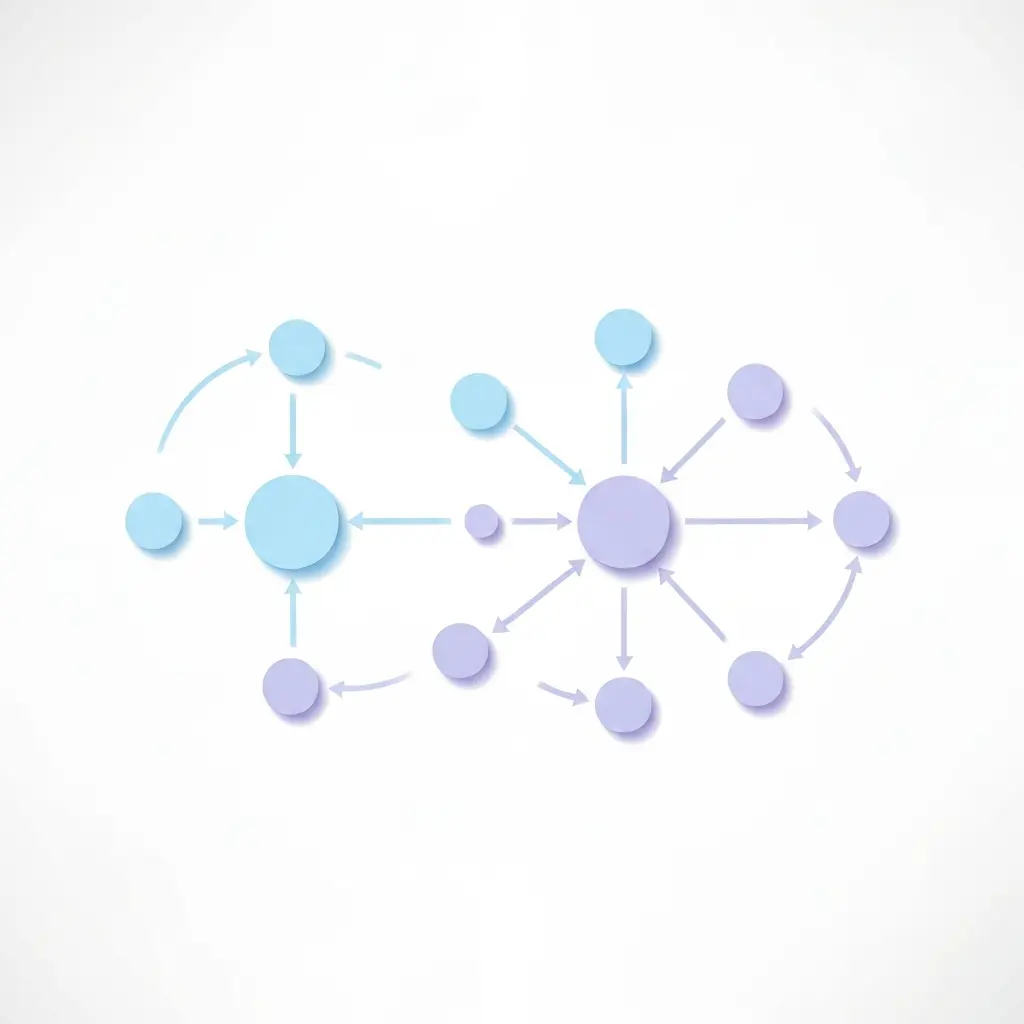
Citation chasing exploits the explicit relationships between research articles. When a paper’s reference list is read to locate related earlier work, that is backward citation chasing. When you identify every subsequent publication that has cited a key article, that is forward citation chasing. Together, the two passes constitute what Wohlin (2014) formalised as the snowballing method — a structured alternative or supplement to keyword database searches in systematic literature reviews.
Wohlin’s guidelines, published in the Proceedings of the 18th International Conference on Evaluation and Assessment in Software Engineering (EASE 2014), describe a four-component process: start set selection, backward snowballing, identification of cardinal papers, and forward snowballing. His replication study showed that snowballing alone can retrieve results comparable to traditional database searches — but most systematic review protocols, including PRISMA, treat citation chasing as a complement to, rather than a replacement for, a structured database query.
A 2020 cross-sectional study published in Research Synthesis Methods found that citation searching appeared in only a minority of Cochrane systematic reviews, despite being recommended in Cochrane’s own methodology handbook. That gap is partly a tool problem: many researchers default to manually scanning PDFs rather than using the automated citation-chasing tools that now exist. This comparison is designed to close that gap. For context on what the citation networks you will be chasing actually look like — and how visual mapping tools complement systematic chasing — see our guide to the best literature mapping tools for thesis writers in 2026.
Source: Grad Coach (338K subscribers) — what literature snowballing is and how to apply it in a systematic review
Full tool comparison table
The table below rates each tool on the features that matter most for a PRISMA-compliant snowball search. “Reproducible export” means the tool produces a structured file (RIS, CSV, or NBIB) that can be logged in a PRISMA flow diagram.
| Tool | Backward chasing | Forward chasing | Reproducible export | Automation / bulk | Cost | Best for |
|---|---|---|---|---|---|---|
| Scopus | Yes | Yes | Yes (RIS/CSV) | Manual per-article | Institutional subscription | STEM/social science, PRISMA audits |
| Web of Science | Yes | Yes | Yes (RIS/plain text) | Manual per-article | Institutional subscription | Deep citation history, h-index work |
| Google Scholar | Manual only | Yes (“Cited by”) | No (no bulk export) | No | Free | Grey literature, preprints |
| Connected Papers | Visual (related works) | Visual (derivative works) | Limited (graph JSON) | Single seed per graph | Free (5 graphs/month); Pro plan available | Scoping, field mapping |
| citationchaser (R/Shiny) | Yes (automated) | Yes (automated) | Yes (RIS, deduplicated) | Yes — batch input list | Free (Shiny); API token for R version | Transparent, reproducible systematic reviews |
| Lens.org | Yes (reference list) | Yes (citing works) | Yes (RIS/CSV/JSON) | Manual UI; API for bulk | Free (scholarly); API free with token | Open-access, multi-discipline coverage |
Scopus — the structured gold standard
Scopus, published by Elsevier, holds more than 2.4 billion cited references and is widely regarded as the most consistently structured citation index for journal literature in STEM, social science, and humanities. For citation chasing, its workflow is straightforward: open any indexed record, scroll to the “References” tab for backward chasing, and click “View all citing documents” for forward chasing. Both directions produce a result set that can be filtered, deduplicated, and exported to RIS or CSV in bulk.
What distinguishes Scopus from free alternatives is metadata quality. Every reference is normalised against a controlled source list, which means you get clean DOIs, ISSN-matched journals, and correctly attributed authors rather than the noisy string-matching common in Google Scholar. That cleanliness matters when you are reconciling thousands of records across a Marked List before import into a reference manager.
The main constraint is cost. Scopus requires an institutional subscription — individual access is not available at a consumer price point. Students at universities without a Scopus licence will need to fall back to one of the free options. Access through your library’s VPN or Shibboleth login is worth confirming before you plan your search strategy.
Practical tip for citation chasing in Scopus
Build a Marked List from the reference tabs of all your included articles, then run a single bulk de-duplicate pass before exporting. Scopus will flag and remove records that appear in multiple reference lists, preventing inflated hit counts in your PRISMA flow.
Web of Science — deep citation history
Web of Science (WoS), now part of Clarivate, was the original citation index and remains the tool most frequently cited in systematic review methodology literature. It holds deep backward-citation coverage going back to 1900 for some core journals — a relevant advantage when your research topic has historical roots that predate the digital era.
For citation chasing, WoS provides a “Times Cited” count on every record, and clicking that number opens the full list of forward-citing papers. The “Cited References” view provides the backward direction. Results can be added to a Marked List and exported as plain text or RIS. WoS also has an automatic duplicate-removal feature when building marked lists across multiple searches, which is useful for large-scale snowballing runs.
Web of Science has historically had narrower coverage than Scopus for non-English journals and conference proceedings. However, the Clarivate-owned platform added significant conference and preprint indexing in 2024, narrowing this gap. For humanities and social science researchers, the Arts & Humanities Citation Index (AHCI) within WoS offers coverage that Scopus does not match.
When to choose WoS over Scopus
- Your topic spans literature published before 1996 (Scopus’s main coverage start year).
- You need humanities citation tracking through AHCI.
- Your institution subscribes to WoS but not Scopus.
Google Scholar — broad but unruly
Google Scholar’s “Cited by X” link next to every record is the world’s most-used forward citation tool — partly because it is free and requires no login. Its coverage is unusually broad: grey literature, preprints, theses, and conference papers appear in Scholar results that would be absent from Scopus or WoS. For some disciplines, especially computer science and education, this breadth is a genuine research advantage.
The critical limitation for systematic reviews is the absence of bulk export. Google Scholar does not allow researchers to download a complete citing-papers list as an RIS or CSV file. Individual records can be exported one by one (up to ten at a time through Zotero’s browser connector), but for a key article with hundreds of citing papers, this becomes unworkable. There is also no de-duplication tooling native to Scholar, and citation counts can shift unpredictably as Google updates its index without versioning.
For a PRISMA-compliant methodology section, relying on Google Scholar alone for forward citation chasing is difficult to defend: reviewers will ask how you documented and deduplicated the results. Use Scholar as a supplementary check or to surface preprints and grey literature missed by subscription databases.
Connected Papers — visual discovery, not chasing
Connected Papers generates a force-directed graph of semantically similar and co-cited papers from a single seed DOI or title. The “Prior Works” panel approximates backward chasing and the “Derivative Works” panel approximates forward chasing — but neither panel is a complete citation list. Connected Papers uses Semantic Scholar’s API and applies a similarity algorithm that surfaces the most-connected papers, not all papers in the citation network.
After being acquired by Litmaps in late 2025, ResearchRabbit transitioned to a freemium model (free tier: 50 seed papers per search), and the broader Litmaps/ResearchRabbit ecosystem now occupies the visual-discovery space alongside Connected Papers. Connected Papers remains the fastest single-seed scoping option: one DOI, one graph, under ten seconds.
For evidence synthesis, the limitation is reproducibility. Two researchers generating a Connected Papers graph from the same seed on different days may get slightly different results as the underlying similarity scores are recalculated. This makes it unsuitable as a primary citation-chasing method for a registered systematic review. It is, however, an excellent tool for the scoping phase — helping you identify sub-fields, key authors, and landmark papers before you design your formal search strategy.
citationchaser (R/Shiny) — the automation answer
citationchaser, developed by Haddaway, Grainger, and Gray (2022, Research Synthesis Methods) and available on GitHub and CRAN, is the only tool on this list built specifically for transparent and reproducible citation chasing in evidence synthesis. You supply a list of article titles or DOIs, choose backward and/or forward direction, and the tool queries the Lens.org scholarly API to return all referenced records and all citing records respectively, with duplicates removed in the output.
Two access modes exist. The Shiny web app version requires no software installation, no API token, and no Lens account — you paste your article list into a browser form and download the deduplicated RIS output. The R package version offers programmable automation (useful when running multiple snowballing iterations) but requires a free Lens.org API token.
For any systematic review submitted to a journal or ethics committee, citationchaser’s output is inherently documentable: you have an input list, a method (Lens.org API, specified date), and a structured output file. That auditability is what sets it apart from manually clicking “Cited by” links in a browser session.
Step-by-step: running citationchaser via the Shiny app
- Collect DOIs or article titles from your included studies into a plain-text list, one per line.
- Open the citationchaser Shiny app.
- Paste your list, select “Backward” and/or “Forward”, and click Run.
- Download the RIS file and import it into Zotero or Mendeley.
- Screen titles and abstracts; add eligible records to your next snowballing iteration if required.
Lens.org — the free infrastructure layer
Lens.org, maintained by the non-profit Cambia, aggregates scholarly records from Crossref, PubMed, PubMed Central, CORE, and OpenAlex. A 2024 comparative study found Lens serves over 200 million scholarly records, the largest freely accessible scholarly database by coverage at the time of that analysis. Every record displays its reference list (backward chasing) and a “Cited by” count linking to forward-citing papers.
Lens operates as both a standalone search interface and the data backend powering citationchaser. As a direct tool, it allows researchers to run a citation search, filter results by year, field, or open-access status, and export up to 1,000 records per query in RIS or CSV. The scholarly API is free with a token and supports programmatic bulk queries — making Lens the best infrastructure choice for researchers building custom citation-chasing pipelines.
Its weakness relative to Scopus and WoS is citation completeness for older literature. Records published before the main Crossref era (roughly pre-2000) have sparser citation linkages. For historical systematic reviews, Lens is better used as a forward-chasing tool (finding recent citing papers) than as the primary backward-chasing source.
Recommended workflows by review type
Scenario A: Institutional access to Scopus or WoS
Run your keyword search in Scopus (or WoS). Export all included articles as RIS. For each included article, open the record, export its “Cited References” (backward) and “Citing Documents” (forward). Merge all exports in your reference management software, deduplicate, and screen. This is the gold-standard workflow for a PRISMA-reportable search.
Scenario B: No institutional subscription — open-access route
Run your primary search in Lens.org and Google Scholar. Collect your included articles’ DOIs. Paste them into the citationchaser Shiny app (both backward and forward). Download the deduplicated RIS. Use Google Scholar “Cited by” to supplement forward chasing for any article not found in Lens. Log your search date and tool version in your methodology section.
Scenario C: Scoping review or rapid evidence map
Use Connected Papers (or Litmaps) to generate a visual map from your two or three most-cited seed papers. This surfaces the structural shape of the literature — key clusters, influential authors, and pivotal decades — before you invest time in a full snowballing run. After the scoping pass, proceed with Scenario A or B for the formal citation-chasing phase.
Iterating snowball rounds
Wohlin’s guidelines recommend iterating until no new eligible papers are found — the “saturation” principle. In practice, most systematic reviews complete the snowball in two or three rounds. After each round, any newly included papers become seeds for the next backward/forward pass. Using citationchaser’s R package, this process can be scripted so each iteration’s input and output are logged automatically.
Where Tesify fits in your literature pipeline
Citation chasing generates raw material — often hundreds of additional records. The challenge that follows is writing: synthesising those records into a coherent, well-argued literature review chapter or systematic review manuscript. That is where Tesify’s AI writing platform picks up.
Once your deduplicated citation-chasing results are screened and your final included set is confirmed, Tesify’s AI Editor helps you draft the synthesis narrative: grouping findings by theme, identifying contradictions, and maintaining a consistent academic voice throughout. The Auto Bibliography feature formats every reference you import according to your required citation style — APA, Harvard, Vancouver, or any of the supported formats — so you are not manually reformatting RIS exports at 2am the night before submission.
For researchers concerned about originality after incorporating newly discovered papers into their draft, Tesify’s Plagiarism Checker scans your literature review section against an academic corpus, flagging any passages that need paraphrasing or additional citation before you submit. Run a free plagiarism check on your current draft.
Frequently asked questions
What is snowball citation chasing in a systematic review?
Snowball citation chasing is a supplementary search method where you identify additional relevant papers by (a) reading the reference lists of already-included articles (backward chasing) and (b) finding all subsequent papers that have cited those articles (forward chasing). The method was formalised by Wohlin (2014) and is widely recommended in systematic review guidance.
Is Google Scholar good enough for citation chasing?
Google Scholar’s “Cited by” link provides broad forward citation coverage, including grey literature and preprints, and it is free. However, it lacks export-to-NBIB/RIS batch functionality and cannot be searched systematically without manual effort. For a rigorous systematic review, pair it with at least one structured database such as Scopus or Web of Science.
What is the best free tool for citation chasing?
For fully free automated citation chasing, citationchaser (the Shiny app version) backed by Lens.org is the strongest option in 2026. It automates both backward and forward passes and exports deduplicated RIS files, requiring no subscription or API token in Shiny mode.
Does Connected Papers do forward and backward citation chasing?
Connected Papers builds a visual graph of semantically similar and co-cited papers from a single seed, but it does not expose a clean backward (reference list) or forward (citing papers) toggle in the way Scopus or citationchaser does. It is best used for scoping and discovery, not as a standalone citation-chasing tool for a PRISMA-compliant search.
Can I use citation chasing as my only search strategy?
Wohlin (2014) showed snowballing alone can retrieve a comparable set to database searches, but most systematic review guidelines — including PRISMA — recommend it as a supplement to a structured database search, not a replacement. Using both maximises recall and makes your methodology reproducible.
How do I manage duplicates when citation chasing across multiple tools?
Export all results to RIS or CSV, then deduplicate in your reference manager. Zotero and Mendeley both have duplicate-detection features, and citationchaser’s export pipeline already removes duplicates within its own results. A dedicated deduplication tool such as Deduklite or the ASySD R package can handle cross-tool merges.
References
- Wohlin, C. (2014). Guidelines for snowballing in systematic literature studies and a replication in software engineering. Proceedings of EASE 2014. https://dl.acm.org/doi/10.1145/2601248.2601268
- Haddaway, N. R., Grainger, M. J., & Gray, C. T. (2022). Citationchaser: A tool for transparent and efficient forward and backward citation chasing in systematic searching. Research Synthesis Methods, 13(4). https://onlinelibrary.wiley.com/doi/full/10.1002/jrsm.1563
- Goossen, K., Tenckhoff, S., Probst, P., & Büchler, M. W. (2020). Conduct and reporting of citation searching in Cochrane systematic reviews. Research Synthesis Methods. https://www.ncbi.nlm.nih.gov/pmc/articles/PMC7079050/
- Lens.org Scholarly Search. https://about.lens.org/scholarly-search-analysis/
- citationchaser R package. CRAN. https://cran.r-project.org/package=citationchaser
Write your thesis with AI
Structure, draft, cite, and format your thesis faster with Tesify’s AI writing tools, automatic bibliography, and plagiarism checker. Free to start, no credit card required.




Leave a Reply