
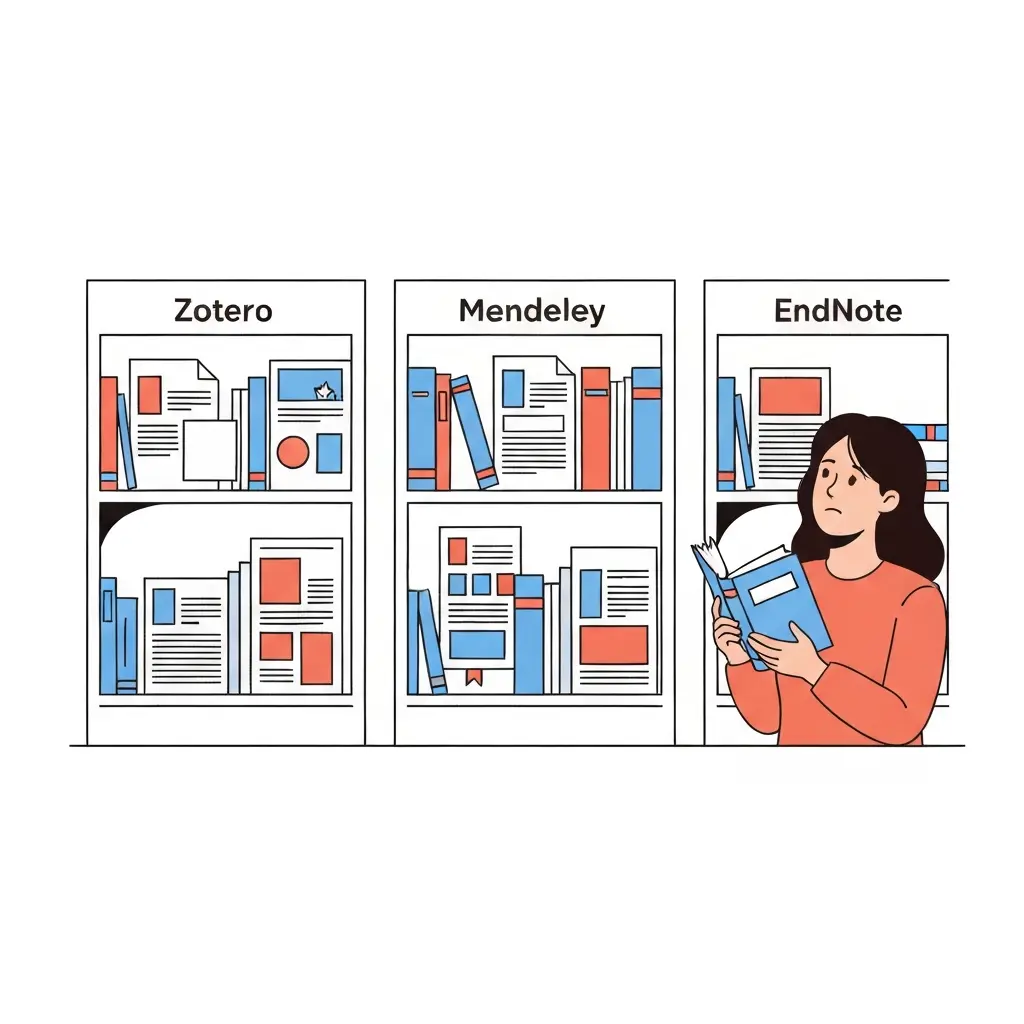
Best Reference Management Software Compared 2026: Zotero vs Mendeley vs EndNote
Managing hundreds of sources for a thesis or dissertation is one of the most practically challenging aspects of academic writing. Without dedicated reference management software, students spend enormous amounts of time manually formatting citations, re-finding sources they have already read, and ensuring consistency across a bibliography. In 2026, three reference managers dominate academic use: Zotero, Mendeley, and EndNote — each with distinct strengths, pricing models, and ideal users.
This comparison provides a detailed, honest assessment of all three tools to help you choose the right reference manager for your specific needs.
Feature Comparison Table
| Feature | Zotero | Mendeley | EndNote |
|---|---|---|---|
| Price | Free (storage upgrade paid) | Free | ~£170 perpetual / ~£80/year |
| Browser extension | Excellent (Zotero Connector) | Good (Web Importer) | Good (Capture Reference) |
| Word processor plugin | Word, LibreOffice, Google Docs | Word, LibreOffice | Word (CWYW plugin) |
| PDF annotation | Good (built-in) | Excellent | Good |
| Citation styles supported | 10,000+ | ~8,000 | 7,000+ |
| Collaboration features | Good (group libraries) | Good (shared groups) | Excellent (team features) |
| Open source | Yes | No (Elsevier owned) | No (Clarivate owned) |
| Mobile app | iOS and Android (Zotero 7) | iOS and Android | iOS only |
Zotero: Free Open-Source Reference Manager
Zotero is the most popular choice among academic researchers worldwide, largely because of its cost (free), flexibility (open-source), and the breadth of its browser integration. The Zotero Connector browser extension captures reference metadata from almost any academic database — Google Scholar, JSTOR, PubMed, Scopus, and most library catalogues — with a single click.
Key strengths:
- Free with 300MB cloud storage (additional storage at affordable rates)
- Over 10,000 citation styles available, including any custom format your institution requires
- Google Docs integration (important for students who write in Google Docs rather than Word)
- Active open-source development community means regular updates and new features
- Excellent for managing large literature libraries with tags, collections, and searches
Limitations:
- PDF annotation was limited in older versions (significantly improved in Zotero 7, released 2024)
- Sync storage is limited to 300MB on the free plan (enough for metadata; tight if you store full PDFs)
- Interface is less visually polished than Mendeley
Mendeley: PDF Annotation and Academic Networking
Mendeley, now owned by Elsevier, is particularly popular for its PDF annotation and academic social networking features. It allows researchers to connect with peers, share papers, and discover related work. For students who heavily annotate research papers, Mendeley’s PDF reader is excellent.
Key strengths:
- Best-in-class PDF annotation — highlight, comment, and link across documents
- Academic social network features help students discover relevant work
- Good browser importer across major databases
- Well-maintained Word processor plugin
Limitations:
- Requires an Elsevier/Mendeley account, raising privacy concerns for some users
- Some users report frustration with Elsevier’s ownership and data practices
- Google Docs integration is weaker than Zotero’s
- Sync occasionally has issues with large libraries
EndNote: Power Features for Large Libraries
EndNote is the most powerful of the three, designed for researchers managing very large reference libraries and working in institutional teams. It is particularly strong in the STEM and biomedical fields, where it has been the standard for decades. Its Cite While You Write (CWYW) plugin for Microsoft Word is industry-standard.
Key strengths:
- Handles very large reference libraries (10,000+ references) efficiently
- CWYW Word plugin is the most stable and feature-rich of any reference manager
- Strong institutional support and integration with university library systems
- Excellent for biomedical and clinical researchers familiar with NLM/Vancouver styles
Limitations:
- Expensive — approximately £170 for a perpetual license or £80/year for subscription
- Steeper learning curve than Zotero or Mendeley
- No Google Docs integration
- Less necessary for students managing a single dissertation library
For students writing in German, guides on reference management in academic contexts are available at Tesify DE. French students can find similar guidance at Tesify FR. AI-driven reference management is also part of the broader AI transformation in professional writing — see how AI is changing content workflows.
Pricing Comparison (2026)
| Tool | Free Plan | Paid Options | Institutional License |
|---|---|---|---|
| Zotero | Yes (300MB storage) | Storage upgrades only ($20–120/year) | Unlimited groups (free) |
| Mendeley | Yes (2GB storage) | Elsevier institutional access | Institutional subscription available |
| EndNote | No (trial only) | ~£170 perpetual / ~£80/year | Often free through university library |
Important note: Many universities provide free access to EndNote through institutional site licenses. Check your library’s software provision before purchasing. Most Russell Group and Ivy League institutions include EndNote in their student software packages.
Which Is Best for Thesis Writing?
For most students writing a thesis or dissertation:
- Undergraduate students: Zotero — free, easy to learn, sufficient for 30–50 sources
- Master’s students: Zotero or Mendeley — both are free and sufficient for a 20,000–50,000-word thesis
- PhD students: Zotero (for flexibility and open-source benefits) or EndNote (if institution provides access and you need to manage 100+ sources over several years)
- STEM/biomedical researchers: EndNote — the CWYW plugin and institutional integration make it the standard in these fields
How Tesify Integrates Citation Management
For students using Tesify’s academic writing platform, citation management is built into the writing workflow itself. Tesify’s Auto Bibliography feature generates citations in APA 7th, MLA 9th, Chicago 17th, Harvard, and Vancouver directly within the platform, eliminating the need for a separate reference manager for many students. This is particularly valuable when writing shorter dissertations or when the primary tool for academic writing is Tesify itself.
For PhD students managing very large reference libraries, combining Tesify (for writing assistance, plagiarism checking, and AI support) with Zotero (for comprehensive reference management) provides an excellent combined workflow.
Frequently Asked Questions
Is Zotero completely free?
Zotero’s core application is completely free and open-source — you can manage an unlimited number of references without paying anything. The only cost is cloud storage: the free plan includes 300MB (enough for metadata and a modest PDF library), with additional storage available for $20–120/year. For most undergraduate and master’s students, the free plan is sufficient.
What happened to Mendeley after Elsevier acquired it?
Elsevier acquired Mendeley in 2013. Since then, Mendeley has remained free to use, though some users have concerns about data privacy given Elsevier’s commercial interests in academic data. In 2022, Mendeley was significantly restructured, with some features changed or removed. The desktop application remains functional, but some researchers have migrated to Zotero following changes to the platform. Mendeley continues to be actively developed in 2026.
Does my university provide free EndNote access?
Many universities — particularly research-intensive institutions — provide free EndNote access to students and staff through institutional site licenses. Check your university library’s software and resources page, or ask at the library helpdesk. If your institution provides free EndNote access, it is worth using given its capabilities. If not, Zotero provides similar functionality for free.
Can I switch reference managers mid-thesis?
Yes, it is possible to export your library from one reference manager and import it into another using standard formats (RIS, BibTeX). However, switching mid-thesis can cause disruption if you have already inserted in-text citations in your document using the original manager’s plugin. It is strongly recommended to choose your reference manager at the start of your project and stick with it. If you must switch, do so before inserting citations into your document.
Does Zotero work with Google Docs?
Yes, Zotero has a Google Docs integration that allows you to insert citations directly from your Zotero library into Google Docs documents. This is a significant advantage over Mendeley (which has limited Google Docs support) and EndNote (which has no Google Docs integration). The Zotero Google Docs plugin is installed through the Zotero Connector browser extension and works similarly to the Word plugin.
Generate Citations Automatically with Tesify
Don’t spend hours manually formatting references. Tesify’s Auto Bibliography feature generates APA, MLA, Chicago, Harvard, and Vancouver citations automatically within your writing workflow. Combine with Zotero for the most efficient academic writing setup in 2026.
Write your thesis with AI
Structure, draft, cite, and format your thesis faster with Tesify’s AI writing tools, automatic bibliography, and plagiarism checker. Free to start, no credit card required.




Leave a Reply