
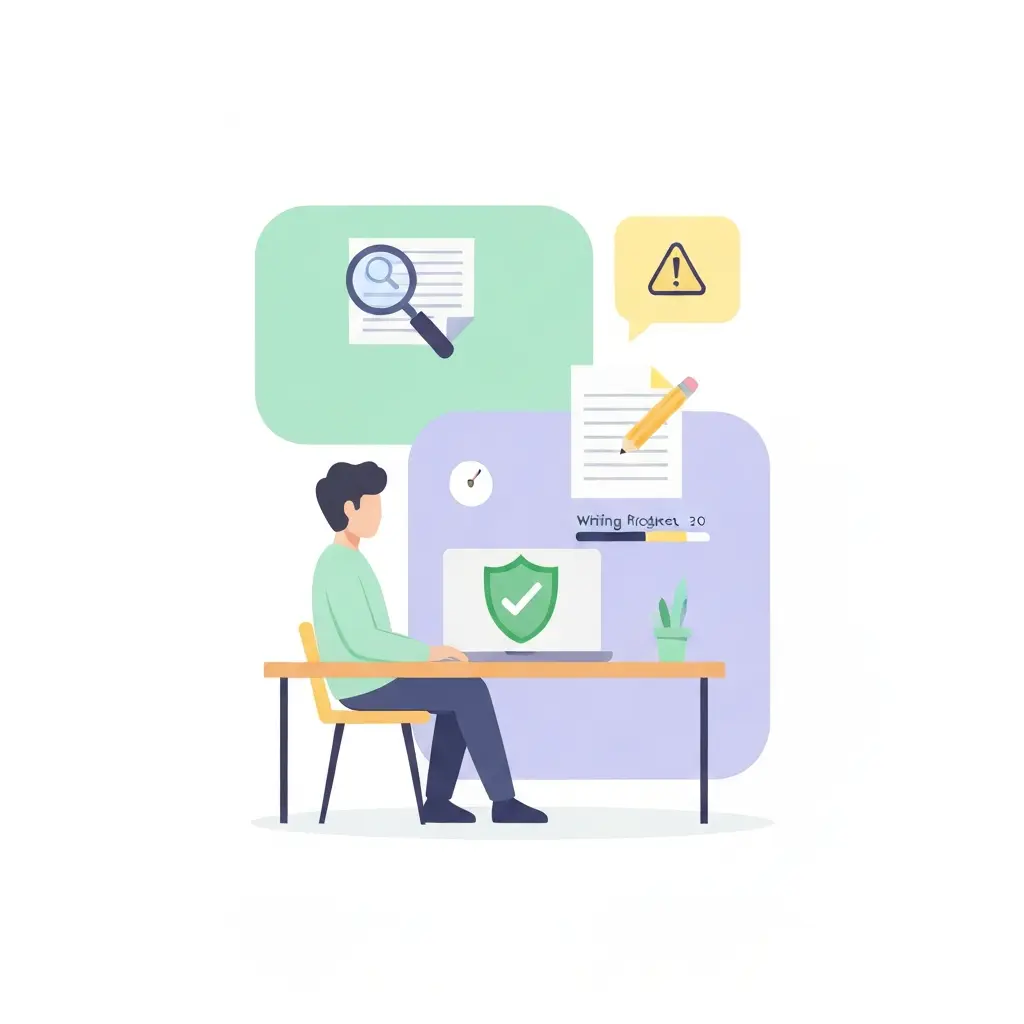
Best Tools to Reduce AI-Detection False Positives in 2026 (Compared)
You spent six months writing your thesis. Every sentence is yours. Then Turnitin returns a 34% AI probability score and your university opens a misconduct investigation. This is not a hypothetical: peer-reviewed research published in PNAS Nexus found that leading AI detectors flagged the majority of authentic essays written by non-native English speakers as AI-generated — a systematic bias, not random error. For ESL students, neurodivergent writers whose prose patterns differ from neurotypical norms, and anyone who writes in a clear, structured academic style, false positives are a real and documented threat.
This article is about protecting legitimately human-written academic work from wrongful AI flags. It compares tools that help you (a) run your own pre-submission detection check, (b) ethically self-edit for naturalness while documenting that the writing remains yours, and (c) preserve process evidence — version history, drafting timelines — that proves authorship when challenged.
The AI Detection False Positive Crisis
AI content detectors work by measuring statistical patterns in text — chiefly “perplexity” (how surprising each word choice is) and “burstiness” (whether sentence complexity varies). AI-generated text tends to be low-perplexity and low-burstiness. The problem is that so does competent academic writing. Structured arguments, passive voice, disciplinary jargon, and concise syntax are hallmarks of good academic prose — and they look identical to an AI detector’s statistical model.
The institutional fallout has been significant. Vanderbilt University disabled Turnitin’s AI detection feature outright in August 2023, stating directly: “we do not believe that AI detection software is an effective tool that should be used.” The university calculated that even at Turnitin’s claimed 1% false positive rate — widely considered optimistic — roughly 750 of its 75,000 annual submissions would be incorrectly flagged. At higher real-world false positive rates, the number of wrongly accused students climbs sharply. Vanderbilt also cited documented bias: AI detectors are significantly more likely to flag text written by non-native English speakers. For a full breakdown of detection accuracy data across major tools, see our AI detection accuracy statistics for 2026.
Source: Turnitin (official channel) — how false positives occur inside AI writing detection
Who is most at risk?
- Non-native English speakers (ESL/EFL students): Clear, simple sentence structure to aid comprehension matches AI output distributions closely.
- Neurodivergent writers: Autistic writers in particular often produce consistent, direct, low-variability prose that detectors misread as machine-generated.
- Students who use grammar tools like Grammarly: Post-Grammarly edits smooth out the idiosyncratic variation that detectors use to confirm human authorship.
- STEM and social science writers: Formulaic methodology sections and statistical results paragraphs have inherently low perplexity regardless of authorship.
A peer-reviewed study in the Serials Librarian (Taylor & Francis, 2024) documented that false positives constitute a genuine harm — not a minor inconvenience — causing wrongful academic misconduct investigations that damage students’ standing and mental health. The study concluded that institutions should abandon punitive use of AI detectors until accuracy issues are resolved.
If you have already received a flag and need to understand your options, our step-by-step guide on what to do when your thesis is flagged as AI-generated walks through the appeal process and ethical revision strategies in detail. For a broader look at why false positives happen and the documented risk factors by writer profile, see our guide on how to reduce AI detection false positives on your thesis.
2026 Tool Comparison Table
The following table ranks the most relevant tools across four use cases: pre-submission detection, ethical self-editing, process documentation, and plagiarism checking. Tools are scored on false-positive fairness, ESL suitability, transparency, and price.
| Tool | Use Case | Free Tier | Paid From | FP Risk (ESL) | Transparency | Verdict |
|---|---|---|---|---|---|---|
| GPTZero | Pre-submission scan | 10,000 words/mo | ~$9.99/mo (annual) | Moderate | High — sentence-level highlighting | Best scanner |
| Tesify AI Editor | Transparent editing + version history | Yes | Included in plan | Low — disclosure-first design | Highest — tracks all edits | Best overall |
| QuillBot Premium | Self-editing / paraphrase | 125 words/query | ~$8.33/mo (annual) | Low — if you review outputs | Medium | Best budget paraphraser |
| Originality.ai | Pre-submission scan (professional) | No (pay-per-credit) | $14.95/mo (2,000 credits) | High for ESL (30–50%) | Medium — overall score | ESL students: use Lite model |
| Winston AI | Pre-submission scan | Limited trial | ~$18/mo (Essential) | Moderate | High — sentence-level + shareable reports | Best for appeal evidence |
| Copyleaks AI Detector | Pre-submission scan | Limited free checks | Per-page / subscription | Moderate (independent tests: ~5% FP) | Medium | Good secondary check |
| Google Docs Version History | Process documentation | Free (with Google account) | Free | N/A | Highest — timestamped edit trail | Best free evidence tool |
| Grammarly (grammar only) | Post-edit smoothing check | Yes | ~$12/mo (annual) | Caution: heavy use increases FP risk | Low — no authorship tracking | Use sparingly; grammar corrections only |
FP Risk = false-positive risk for the user’s own writing. Pricing sourced from vendor websites, May 2026; verify before purchasing.
Pre-Submission Scanners: Check Before They Do
The single most effective thing you can do to protect yourself is run your own AI detection check before submitting. If you flag passages, you can revise them in your own words before your institution’s scanner ever sees them. This is not evasion — it is quality control over how your writing reads.
GPTZero — Most Reliable Free Scanner
GPTZero is the go-to pre-submission tool for most students. Its free tier allows 10,000 words per month and 10,000 characters per scan, which covers most individual chapters or assignments. The paid Individual plan (approximately $9.99 per month on annual billing) removes limits and adds a batch scan mode useful for full dissertations.
What makes GPTZero particularly useful for false-positive protection is its sentence-level highlighting. Rather than returning a single score for your document, it marks the specific sentences it considers “AI-like.” This lets you identify whether the flag is concentrated in one paragraph (perhaps your methodology section, which all methodology sections resemble) or distributed throughout — and respond accordingly.
GPTZero is not infallible. Independent benchmarks place its real-world accuracy at around 85–90% on standard academic content, and its false-positive rate for ESL writers is meaningfully higher than for native speakers. For a detailed comparison of detector accuracy benchmarks, see our article on AI detection accuracy statistics 2026.
Winston AI — Best for Appeal Documentation
If you are already in the process of appealing a false-positive finding, Winston AI offers a distinct advantage: shareable, professional-grade reports that clearly display which content is flagged and at what confidence level. These PDF reports carry more weight in a formal appeal than a screenshot of another detector’s score. Winston AI’s Essential plan runs approximately $18 per month. Independent benchmarks place its real-world accuracy at 87–92%, above the industry average of 80–85%.
Copyleaks AI Detector — Good Secondary Cross-Check
Running two detectors on the same document is valuable because different detectors flag different passages — a passage that clears GPTZero may trip Copyleaks, and vice versa. Copyleaks officially claims a false-positive rate below 0.2%, but independent testing suggests a higher real-world rate of roughly 1 in 20 human-written documents. Use it as a cross-check rather than a primary tool.
Originality.ai — ESL Warning
Originality.ai is widely used by content agencies checking for ghostwritten AI content, but its standard model has documented ESL false-positive rates in the 30–50% range according to independent reviewers. If you are a non-native English writer, use the Lite model, which trades some sensitivity for a substantially lower false-positive rate (approximately 0.5%). Originality.ai’s base plan costs $14.95 per month.
Ethical Self-Editing Tools
When a pre-submission scan flags passages in your own writing, your goal is to revise those passages so they more clearly reflect your natural voice — not to disguise AI-generated content as human-written. The distinction matters both ethically and practically. Rewriting a passage you genuinely wrote, in your own words, with different phrasing, is normal academic editing. It is the same process you perform when your supervisor asks you to “rephrase this more clearly.”
QuillBot Premium — Best Budget Paraphraser for Self-Editing
QuillBot’s paraphraser is the most widely used self-editing tool among students globally. Its free tier is limited to 125 words per query, which makes it impractical for longer passages. The Premium plan, at approximately $8.33 per month on annual billing, unlocks unlimited word count and nine paraphrasing modes — including Formal, Academic, and Creative modes that let you specify the register.
The correct workflow with QuillBot is to treat its output as a starting point, not a final draft. Take the paraphrased version, compare it to your original, and select the phrasing that best represents what you actually meant to say. Do not submit QuillBot output verbatim — this creates a different kind of voice inconsistency that supervisors notice.
One important caution: do not use QuillBot’s paraphraser to rewrite entire sections. Use it selectively on the two or three sentences that the detector flagged. Heavy paraphrasing of large sections reduces the distinctiveness of your voice in ways that can actually increase subsequent detection flags, as the output of paraphrasers is itself detectable by newer models.
Grammarly — Use With Caution
Grammarly’s grammar and spelling correction features are generally considered safe to use for academic work (check your university’s specific policy). However, Grammarly’s “rewriting” and “full sentence correction” features can systematically normalize your prose toward a flatter, more predictable style that detectors associate with AI output. If you use Grammarly, restrict it to grammar, punctuation, and spelling suggestions. Disable full sentence rewrites when working on submission drafts.
Process Documentation: Your Best Defense
Every tool comparison article in this space focuses on scanners and paraphrasers. Few mention the most powerful false-positive defense available: a documented writing process. No AI detector, however accurate, can flag work that you can demonstrably prove was written incrementally over weeks or months.
Google Docs Version History
Google Docs automatically saves a timestamped version history of every edit you make. If you write your thesis in Google Docs, you have a forensic record of every paragraph appearing, growing, and being revised over your writing timeline. This is the single most persuasive piece of evidence in a false-positive appeal — more persuasive than any counter-detection report.
Best practice: share your document with your supervisor as a collaborator (not just a viewer) so that access timestamps from their account also appear in the history. This creates a corroborating second party in the document’s audit trail.
Tesify AI Editor — Transparent Editing With Built-In History
Tesify AI Editor is specifically designed for academic work under disclosure-first principles. Rather than obscuring the role of AI assistance, it tracks every suggestion made by AI tools and every edit accepted or rejected by you, creating a transparent record of the human-AI collaboration. This record can be exported and presented to a supervisor or integrity panel as direct evidence of authorship.
For students writing dissertations or theses, this matters because most university policies in 2026 do not prohibit all AI assistance — they require disclosure. Tesify’s approach makes disclosure straightforward: the editor generates a summary of AI-suggested versus human-written content that you can include in your methodology or appendix as required.
Our Recommendation: Tesify AI Editor for Academic Work
Among all the tools compared here, Tesify AI Editor stands apart because it addresses the false-positive problem at its root rather than treating the symptom. Other tools help you reduce your detection score; Tesify helps you prove that your work is genuinely yours.
This distinction is critical in the current institutional climate. Several universities that have retained AI detectors as advisory tools — rather than the strict enforcement tools that Vanderbilt and others have abandoned — now evaluate contested cases by asking students to demonstrate their writing process. A student who can produce a Tesify edit history showing their argument developing paragraph by paragraph over three months is in a fundamentally different position from a student who can only submit a low GPTZero score.
Tesify also integrates plagiarism checking, so you can address both the AI-detection and the plagiarism risks in one platform. You can explore the full thesis writing suite here.
For a direct comparison of how Tesify’s plagiarism detection stacks up against Turnitin — the tool most commonly used by universities to flag students — see our Turnitin vs Tesify plagiarism detection comparison.
Recommended Workflow: From Draft to Safe Submission
The following workflow combines the tools above into a practical pre-submission routine for any student concerned about false positives.
- Write in Google Docs or Tesify AI Editor from the start — not Word, not a local editor. This creates the timestamped version history that is your primary defense.
- Run GPTZero on each completed chapter before final edits. Note which paragraphs are highlighted.
- For flagged paragraphs: re-read your original writing and ask whether the phrasing is the most natural expression of what you meant. If not, revise it in your own words. Use QuillBot sparingly to generate alternatives, then select and modify the best one.
- Run GPTZero again after revisions. Cross-check flagged passages with Copyleaks for a second opinion.
- Run Tesify’s plagiarism checker to confirm no inadvertent overlap with published sources has been introduced during revision.
- Export your version history from Google Docs or your Tesify edit log before submitting. Store it in a dated folder. If you are ever challenged, this is your evidence package.
- If your university requires disclosure: use Tesify’s AI usage summary to generate the required statement for your appendix or methodology section.
Frequently Asked Questions
Is it dishonest to use tools to lower your AI detection score?
It depends entirely on whether the writing is genuinely yours. If you wrote the text and are revising it to express your ideas more naturally — the same thing you do when your supervisor asks for clearer phrasing — that is not dishonest. If you generated text with AI and are using tools to disguise it as human-written, that is academic misconduct regardless of which tools you use. The ethical question is about the origin of the ideas and words, not the detection score.
Why do AI detectors keep flagging my writing when I didn’t use AI?
AI detectors flag your writing when it shares statistical properties with AI-generated text — chiefly low perplexity (predictable word choices) and low burstiness (uniform sentence length). Academic writing is trained to be clear and structured, which produces exactly these properties. ESL writers, STEM methodology sections, and anyone who has edited their draft heavily with Grammarly are all at elevated risk. The detectors are measuring writing style, not authorship.
Which universities have stopped using Turnitin AI detection?
Vanderbilt University disabled Turnitin’s AI detection in August 2023, explicitly stating they do not believe AI detection software is an effective tool. UCLA temporarily opted out of the feature. Australian Catholic University (ACU) abandoned it after finding it ineffective across nearly 6,000 misconduct cases in 2024. More broadly, a pattern of institutions across the US, UK, and Australia have moved away from using AI detection scores for punitive enforcement, relying instead on instructor judgment and direct conversations with students.
Are “AI humanizer” tools legal to use?
Paraphrasing and self-editing tools are legal software products. Whether using them is permitted under your university’s academic integrity policy depends on the policy — and crucially, on what you are editing. Using a paraphraser to refine wording in your own writing is generally no different from any other editing activity. Using it to process AI-generated text and pass that text as your own would typically violate academic integrity policies regardless of what the detector subsequently scores.
How do I prove my writing is human-written if I get falsely flagged?
The strongest evidence is a documented writing process: timestamped version history from Google Docs, a Tesify AI Editor edit log, draft files with creation/modification timestamps, and any correspondence with your supervisor referencing content that later appears in your submission. A counter-detection report from Winston AI can supplement this evidence but should not be your primary defense — process documentation is far more convincing to an academic integrity panel than a second detector’s score.
Is GPTZero the same detector that Turnitin uses?
No. GPTZero and Turnitin are independent companies with separate detection models. Running your work through GPTZero before submission gives you an indication of how AI-like your writing appears to detection models in general, but a clean GPTZero score does not guarantee a clean Turnitin score — and vice versa. Different detectors weight different signals differently, which is why cross-checking with two tools (GPTZero plus Copyleaks, for instance) gives a more reliable pre-submission picture.
Write transparently with Tesify
Tesify AI Editor tracks your editing process from first draft to final submission — so you always have proof that the work is yours. Built for students navigating the AI detection era with integrity.
Write your thesis with AI
Structure, draft, cite, and format your thesis faster with Tesify’s AI writing tools, automatic bibliography, and plagiarism checker. Free to start, no credit card required.





Leave a Reply