

Reference Management Tools: Organize 1,000 Refs in 48 Hours
You’re staring at 1,000 PDFs scattered across three hard drives, a browser with 47 open tabs, and a thesis deadline that’s moving faster than your cortisol levels. Every researcher knows this exact feeling — that sinking moment when “I’ll organize these later” becomes a genuine crisis. The good news? With the right reference management tools and a structured workflow built on sound research methodology, you can go from chaos to a fully indexed, citation-standards-compliant library in 48 hours flat.
This isn’t a theoretical exercise. It’s a battle-tested workflow grounded in how reference managers actually process data, where they break down, and how academic integrity requirements shape every organizational decision you make.
Why Reference Management Is a Research Methodology Issue
Most researchers treat reference management as an administrative chore. That’s a mistake. How you organize, track, and cite sources is inseparable from your core research methodology — it affects reproducibility, academic integrity, and the credibility of your entire scholarly output.
The 2019 National Academies report Reproducibility and Replicability in Science identifies inadequate documentation of sources and analytical decisions as a primary contributor to the replication crisis across disciplines. When your reference library is disorganized, you’re not just wasting time — you’re creating conditions where citing retracted papers, misattributing findings, or losing provenance data becomes almost inevitable.
Web of Science and PubMed both now flag retracted articles in their databases, but only if your reference manager pulls live metadata updates. That’s reason enough to think carefully about tool selection before you import a single PDF.
Choosing the Right Tool: Zotero vs. Mendeley vs. EndNote
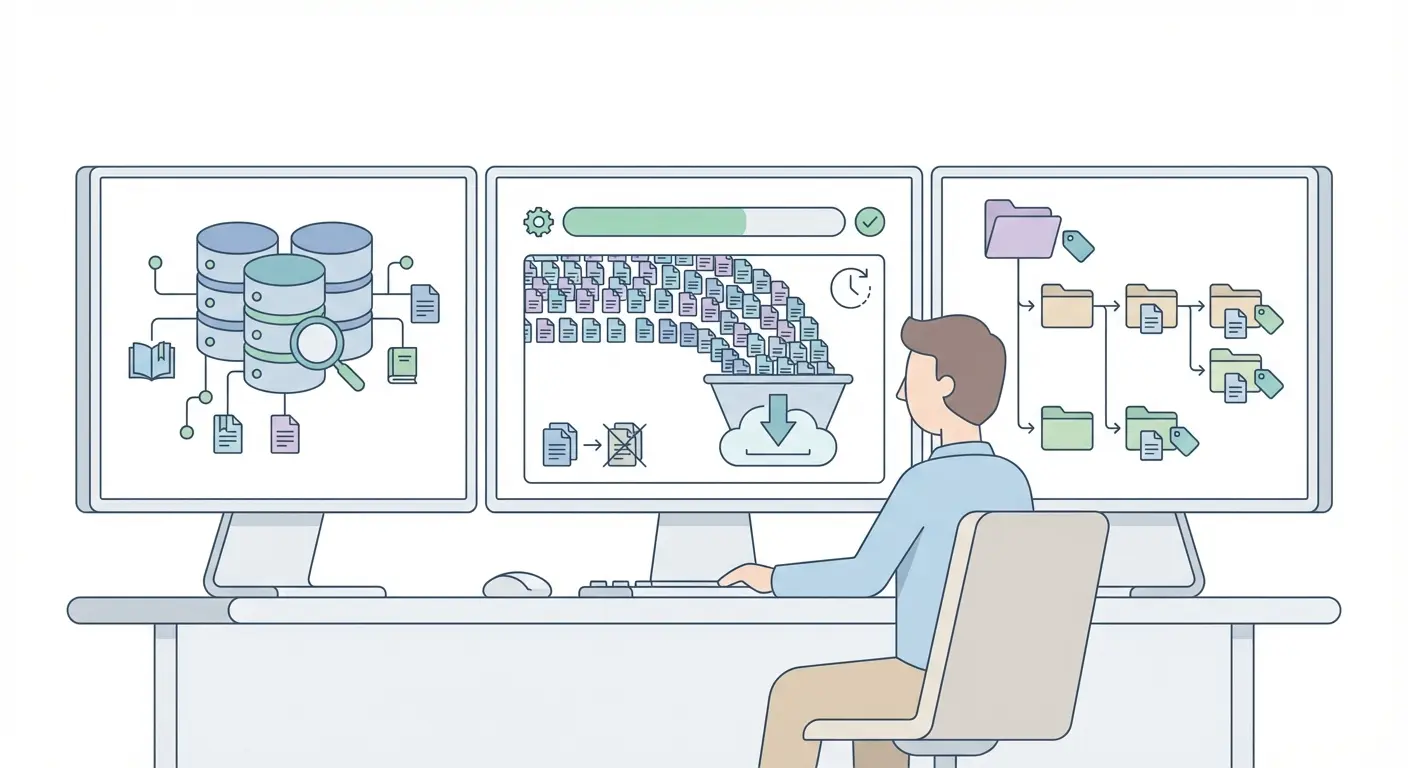
The reference manager you choose shapes every downstream decision — from how you batch-import 1,000 sources to how cleanly your final citations export into APA 7th or Chicago format. Here’s an honest comparison based on practical use in high-volume literature reviews.
| Feature | Zotero (Free) | Mendeley (Free/Paid) | EndNote (Paid) |
|---|---|---|---|
| Batch Import (RIS/BibTeX) | Excellent — 1,000+ records stable | Good — occasional duplicates | Excellent — enterprise-grade |
| Duplicate Detection | Built-in, one-click merge | Basic — misses DOI variants | Advanced — multi-field matching |
| Citation Styles (APA, MLA, Chicago) | 9,000+ CSL styles | ~7,000 styles | 7,000+ styles, Cite While You Write |
| PRISMA-Compatible Tagging | Tags + Collections | Tags only | Smart Groups |
| Cost (annual) | £0 (storage add-on optional) | £0–£45 | £170–£250 |
| Retraction Watch Integration | Via plugin | None | Partial (Web of Science sync) |
What most people miss is that for large-scale systematic reviews — the kind that follow PRISMA 2020 guidelines — Zotero’s combination of free storage expansion, open CSL citation style architecture, and browser connector makes it the practical choice for most PhD candidates and early-career researchers. For institution-wide deployments or large research teams, EndNote’s Cite While You Write function in Microsoft Word still has an edge.
The 48-Hour Workflow: Step-by-Step
Here’s where theoretical advice usually stops and this guide keeps going. The following workflow accounts for the messiest real-world conditions: multiple databases, mixed file formats, inconsistent metadata, and duplicate records from overlapping database searches.
Phase 1: Mass Import (Hours 0–6)
- Export RIS files from every database simultaneously. Google Scholar, JSTOR, Web of Science, PubMed, and Scopus all support RIS export. Export with full metadata including abstracts and DOIs. Do not manually add records at this stage — that’s a time sink.
- Create database-specific collections before importing. In Zotero, label these “WoS_import,” “PubMed_import,” etc. This preserves provenance data — critical for PRISMA flow diagrams and methodological transparency.
- Run batch DOI metadata retrieval. Select all imported items → right-click → “Retrieve Metadata for Selected Items.” This corrects malformed author names, missing page numbers, and truncated journal titles automatically.
- Keep the Zotero Quick Start Guide open in a browser tab. The keyboard shortcuts alone save 45 minutes over a 1,000-item session.
Phase 2: Deduplication (Hours 6–10)
- Use the built-in duplicate finder first. Zotero → Tools → Find Duplicates. Merge conservatively: always keep the record with the most complete metadata.
- Manual sweep for near-duplicates. Sort by title, then scan for records where the same paper appears under different journal abbreviations (e.g., “J. Appl. Psych.” vs. “Journal of Applied Psychology”). This catches what automated deduplication misses — typically 3–8% of records in multi-database imports.
- Record your deduplication numbers. Pre-deduplication total minus post-deduplication total = your PRISMA “removed as duplicates” figure. Document this now; recreating it later is painful.
Phase 3: Tagging and Folder Architecture (Hours 10–24)
This is where your research methodology thinking becomes structural. Tags should mirror your research questions, not your personal filing instincts.
- Define 5–8 primary thematic tags aligned with your research questions before you start tagging anything. Examples: #methodology, #ethics, #longitudinal, #meta-analysis, #include_screen1, #exclude_outofscope.
- Use coloured tags for screening stages. Red = excluded, Green = included, Yellow = uncertain. This maps directly onto PRISMA screening phases.
- Create nested collections for subtopics. A flat structure breaks down above 300 items. Hierarchy matters: Research Project → Subfield → Methodology Type.
- Add brief notes to any record with complex provenance — preprints later published elsewhere, translated works, or dataset papers with associated journal articles.
Phase 4: Quality Audit (Hours 24–36)
- Cross-check 10% of records manually against original database entries. Metadata errors cluster in older records (pre-2000) and conference proceedings.
- Check for retracted papers. Search each included paper in Retraction Watch’s database. This takes time, but including a retracted source in a published systematic review is a serious academic integrity issue.
- Verify author disambiguation. “Smith, J.” appears more than you’d think. Use ORCID identifiers where available to disambiguate authors with common surnames.
Phase 5: Citation Output Configuration (Hours 36–48)
- Set your citation style globally — one style, configured correctly, applied to all. Mixing styles across a project creates errors that Turnitin and journal editorial systems will flag.
- Test with 20 representative records before committing. Export a sample bibliography and compare against a verified example from the Purdue OWL APA 7th Edition guide.
- Export a backup in BibTeX and RIS formats. Never store your entire research library in a single proprietary format. Interoperability is part of responsible data management.
Configuring Citation Standards Correctly
Getting citation style configuration right at the start saves hours of reformatting later. The differences between APA 7th, MLA 9th, Chicago 17th, and Harvard aren’t cosmetic — they reflect distinct scholarly traditions with different assumptions about what metadata matters most.
For researchers managing large libraries, the practical question is: which aspects of each style does your reference manager handle automatically, and which require manual intervention? Understanding this boundary matters for the standardization of citations across your research projects.
APA 7th introduced several changes that older CSL style files don’t handle correctly: up to 20 authors before truncation (previously 7), DOI formatted as hyperlinks, and the removal of location from publisher information. Always verify your Zotero or EndNote APA style file version. The CSL repository timestamps matter here — use files updated post-2020.
What most automated tools still get wrong — and this is documented in research on the accuracy of automatic citation tools — is handling edge cases: edited volumes, translated works, government reports, datasets, and preprints. Flag these record types in your library and verify them manually before final submission.
Academic Integrity Safeguards Within Your Reference Library
Reference management and academic integrity are more tightly coupled than most researchers acknowledge. A well-maintained library is itself an integrity document — it records what you read, when, and from which source.
Three specific practices distinguish integrity-conscious reference management from casual filing:
- Provenance tagging: Record the database from which each item was sourced. This is not just PRISMA housekeeping — it enables verification of search strategy reproducibility, which journal reviewers increasingly request.
- Version control for preprints: If you cite a preprint from bioRxiv or SSRN, add a note field with the date accessed and a flag to check for a final published version before submission. Preprint metadata is volatile.
- Retraction monitoring: Set a calendar reminder to re-check your included sources against Retraction Watch three months before submission. Retractions happen on timelines that don’t respect your writing schedule.
The replication crisis, which extends well beyond psychology into medicine, economics, and ecology, has made source provenance tracking a methodological imperative rather than a procedural nicety. Researchers who can demonstrate a documented, reproducible search and citation process are increasingly distinguishing themselves in peer review.
Frequently Asked Questions
What is the best free reference management tool for PhD researchers?
Zotero is widely regarded as the strongest free option for PhD researchers, combining open-source CSL citation style support, browser-based PDF capture, batch RIS import, and built-in duplicate detection. Its plugin ecosystem — including the Retraction Watch integration — makes it particularly well-suited to systematic reviews and integrity-conscious research workflows.
How do I handle duplicate references when importing from multiple databases?
Use your reference manager’s built-in duplicate finder first (Zotero: Tools → Find Duplicates), then do a manual sweep sorted by title to catch near-duplicates with variant journal abbreviations or DOI formats. Always document pre- and post-deduplication counts — this data is required for PRISMA 2020 flow diagrams in systematic reviews.
Can reference managers automatically apply APA 7th edition formatting?
Yes, but with important caveats. Most reference managers apply APA 7th correctly for standard journal articles and books, but struggle with edge cases including datasets, preprints, translated works, and government reports. Always verify a 20-record test export against the Purdue OWL APA 7th guide before finalizing a manuscript bibliography.
How does reference organization relate to academic integrity?
Reference organization directly supports academic integrity by enabling provenance tracking, retraction monitoring, and reproducible search documentation. A disorganized library increases the risk of citing retracted papers, misattributing findings, or failing to document search strategies — all of which have methodological and ethical consequences. COPE guidelines and PRISMA standards both implicitly require systematic reference management as part of transparent research reporting.
What is the difference between a reference list and a bibliography in academic writing?
A reference list (used in APA and Harvard styles) includes only sources directly cited within the text. A bibliography (used in Chicago and MLA styles) may include sources consulted but not directly cited, providing a broader record of scholarly engagement. Reference managers can generate both formats from the same library — the distinction is set in the citation style configuration, not the library itself.
Build Your Research Authority
Organizing references efficiently is one part of a broader commitment to rigorous research methodology. If this workflow helped you, three resources will sharpen your practice further:
- Explore the Research Methodology Guide 2026 for a full framework covering research design, ethical protocols, and data management.
- Review how to standardize your citation approach across APA, MLA, Chicago, and Harvard formats for 2025 submissions.
- Share this article with your research group or department — a shared reference management protocol benefits every co-authored project and institutional repository.
Methodological rigour starts with the sources you track. It ends with the citations you publish.
References
- National Academies of Sciences, Engineering, and Medicine. (2019). Reproducibility and replicability in science. The National Academies Press. https://www.nationalacademies.org/projects/DBASSE-BBCSS-17-03/publication/25303
- Page, M. J., McKenzie, J. E., Bossuyt, P. M., Boutron, I., Hoffmann, T. C., Mulrow, C. D., … Moher, D. (2021). The PRISMA 2020 statement: An updated guideline for reporting systematic reviews. BMJ, 372, n71. https://www.prisma-statement.org/
- Wager, E., & Williams, P. (2011). Why and how do journals retract articles? An analysis of Medline retractions 1988–2008. Journal of Medical Ethics, 37(9), 567–570. https://www.ncbi.nlm.nih.gov/pmc/articles/PMC2802086/
- Zotero. (2024). Zotero quick start guide. https://www.zotero.org/support/quick_start_guide
- Purdue Online Writing Lab. (2023). APA formatting and style guide (7th edition). https://owl.purdue.edu/owl/research_and_citation/apa_style/apa_formatting_and_style_guide/index.html
Write your thesis with AI
Structure, draft, cite, and format your thesis faster with Tesify’s AI writing tools, automatic bibliography, and plagiarism checker. Free to start, no credit card required.





Leave a Reply