
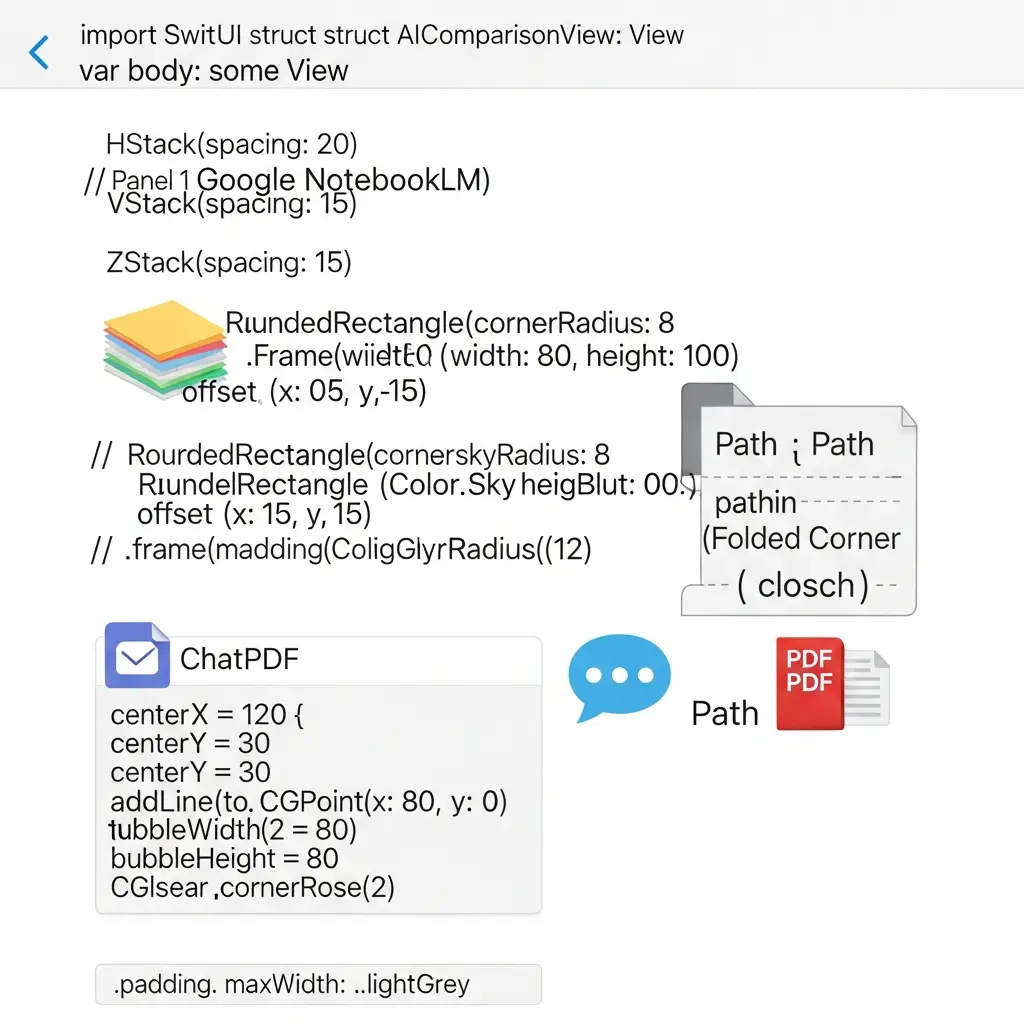
NotebookLM vs ChatPDF vs Tesify for Thesis Research in 2026
Three AI tools are competing for your research workflow right now, and choosing the wrong one costs you hours at the worst possible moment — when a deadline is looming and your literature pile is still 40 papers deep. NotebookLM vs ChatPDF is the comparison most students start with, but the real question is where Tesify fits alongside both — because document Q&A alone does not get your thesis written. This guide tests all three against what thesis researchers actually need: interrogating PDFs, synthesising across sources, generating citations, and protecting your data privacy.
Google’s NotebookLM is the newest serious contender, having moved from experimental project to a structured product with tiered pricing in early 2026. ChatPDF has been the default single-PDF chat tool for several years. Tesify occupies a different position — it is built specifically for the thesis writing workflow, combining writing assistance, citation management, and integrity checking under one roof. The three overlap in document reading; they diverge sharply everywhere else.
Side-by-Side Comparison Table
The table below summarises the most decision-relevant dimensions for a thesis researcher in 2026. Pricing is as of June 2026; check official pages for changes.
| Feature | NotebookLM | ChatPDF | Tesify |
|---|---|---|---|
| Free tier | Yes — 50 sources/notebook, 100 notebooks, 50 daily chats | Yes — 2 PDFs/day, 120 pages max, 10 MB | Yes — Start Free, no credit card required |
| Paid plans | Plus $7.99/mo, Pro $19.99/mo, Ultra $99.99/mo | Plus from $5/mo (2,000 pages, 32 MB, 1,000 questions/day) | Premium tier available; see app.tesify.app |
| Source types | PDF, Google Docs/Slides/Sheets, .docx, .txt, .md, .csv, .pptx, EPUB, web URLs, YouTube, audio files | PDF only | In-app writing + DOI/URL/ISBN input for citations |
| Multi-document chat | Yes — up to 50 sources simultaneously (free) | Plus only — folders up to 50 PDFs | Not applicable (writing tool, not PDF chat) |
| Formatted academic citations | No — inline [Source N] labels only | Page references only, no citation styles | Yes — APA 7th, MLA 9th, Harvard, Chicago, IEEE, Vancouver + more |
| Thesis writing / drafting | No | No | Yes — structured writing assistant with academic tone |
| Plagiarism / integrity check | No | No | Yes — identifies uncited passages, shows % non-original |
| Export formats | Notes and study guides only | Copy/paste answers only | PDF, Word, LaTeX with correct academic formatting |
| Audio overview / podcast | Yes — AI-generated audio summary | No | No |
| Built for thesis workflows | Partial — research synthesis only | Partial — reading only | Yes — end-to-end thesis assistant |
NotebookLM In Depth: Google’s Source-Grounded Research Assistant
NotebookLM is powered by Google’s Gemini model and operates on a Retrieval Augmented Generation (RAG) architecture — meaning every answer it gives is grounded in, and attributed to, the documents you upload rather than its general training data. That single design choice makes it unusually reliable for academic work: it will not hallucinate citations from sources outside your notebook, because it only draws on what you have given it.
What NotebookLM does well for thesis researchers
Multi-source synthesis. The free tier allows 50 sources per notebook and 100 notebooks, with each source holding up to 500,000 words or 200 MB. You can load your entire literature corpus — 30, 40, or 50 papers — and query across all of them at once. Prompts like “what methodological approaches appear across more than five papers?” or “which studies contradict the consensus on X?” return synthesised answers with inline source labels showing exactly which documents contributed each claim.
Broad source type support. As of early 2026, NotebookLM accepts PDF, Google Docs, Google Slides, Google Sheets, Drive URLs, .docx, .txt, .md, .csv, .pptx, EPUB files, web URLs, YouTube videos (public, with captions), and audio files. This is the most diverse source acceptance of any tool reviewed here. A researcher can upload a seminal book chapter (EPUB), a dataset metadata file (CSV), several web-published reports (URLs), and a conference talk recording (audio) alongside their PDF papers — all in one notebook.
Audio Overviews. NotebookLM’s most distinctive feature transforms your source set into a two-host AI podcast summarising the material. Free users get 3 Audio Overviews per day; Ultra users get up to 200. For auditory learners or researchers who spend hours commuting, this is genuinely useful for literature familiarisation.
Study materials generation. In 2026, NotebookLM’s Studio panel can produce mind maps, flashcards, quizzes, infographics, and slide deck outlines from your uploaded sources. These are useful for thesis defence preparation and note organisation.
Where NotebookLM falls short for thesis work
The gap that matters most for graduate students: NotebookLM does not generate formatted academic citations. When it attributes a claim, it uses inline labels like [Source 3] tied to whichever document it drew from. It will not produce a properly formatted APA 7th, Harvard, MLA 9th, Chicago, or IEEE reference list. Every reference you intend to use in your thesis must still be formatted through a separate tool or process.
There is also no thesis writing or drafting mode. NotebookLM organises and synthesises notes; it does not help you write chapter prose, check academic tone, or structure a methodology section. The workflow ends with good notes — the writing remains entirely on you.
Finally, NotebookLM has no open literature discovery — it only works with documents you have already found and uploaded. It cannot search databases like Scopus or Web of Science to identify papers you might have missed.
ChatPDF In Depth: Fast Single-Paper Interrogation
ChatPDF takes a sharply focused approach: upload one PDF, ask questions, get answers with page-level citations. It has been widely used since 2022 and in 2026 remains one of the simplest entry points for students encountering AI-assisted reading for the first time. The interface has no learning curve — upload, type, receive.
What ChatPDF does well
Speed and simplicity. For a researcher who has just found a 40-page methods paper they need to understand in 20 minutes, ChatPDF delivers. You paste a PDF URL or upload a file and immediately begin interrogating it. Questions like “summarise the findings of this study in three bullet points” or “what limitations do the authors acknowledge?” are answered quickly with page references so you can verify claims in context.
Cross-language reading. ChatPDF supports all languages and allows you to upload a paper in French, Spanish, or German and ask questions in English — a practical advantage for researchers working across international literature.
Multi-document folders (Plus). The Plus plan adds document folders that can hold up to 50 PDFs, enabling cross-document querying similar to NotebookLM. At $5/month, this is the most affordable route to basic multi-PDF chat.
Where ChatPDF falls short for thesis work
Single-PDF limitation on free tier. The free plan caps at 2 PDFs per day with a 120-page, 10 MB limit. For a researcher processing dozens of papers, this is quickly exhausted. A typical literature review covering 40–80 sources is simply not viable without upgrading.
No formatted citation output. Like NotebookLM, ChatPDF identifies which page a piece of information comes from but does not output formatted references in any academic citation style. Page numbers are useful for verification but are not the same as a formatted APA or Harvard reference ready to paste into your bibliography.
Weak figure and table handling. Academic papers rely heavily on charts, tables, and statistical figures. ChatPDF’s handling of embedded images and graphical content is poor — it frequently skips or misinterprets visual data, which matters significantly when methodological papers present results graphically rather than in prose.
No writing, drafting, or export. ChatPDF is a reading and comprehension tool. It produces no structured output — no exportable notes in .docx, no thesis chapter drafts, no reference lists. Answers exist only within the chat interface and must be manually extracted.
Tesify In Depth: The End-to-End Thesis Platform
Tesify is not a PDF chat tool — it is an AI-assisted thesis writing platform built specifically for graduate students in the UK, US, Australia, Canada, Ireland, and New Zealand. The distinction is important. Where NotebookLM and ChatPDF help you read and understand sources, Tesify helps you produce the thesis itself. It addresses the writing workflow from outline to final formatted export.
Writing assistant with academic tone guardrails
As you write within Tesify’s editor, the platform checks academic register in real time. It flags informal phrasing, suggests more formal alternatives, and identifies structural inconsistencies — the kinds of issues that supervisors circle in red during early draft reviews. The writing assistant is designed to keep your voice and reasoning intact: Tesify’s philosophy is that “the ideas, analysis, and arguments remain entirely yours.” It is an editor, not a ghostwriter.
Auto Bibliography and citation generation
This is Tesify’s most direct answer to the citation gap in NotebookLM and ChatPDF. Paste a DOI, URL, or ISBN, and Tesify returns a correctly formatted reference in your chosen citation style — APA 7th edition, MLA 9th edition, Harvard, Chicago, IEEE, Vancouver, and additional styles. Add it to your bibliography with one click. For researchers managing 60–80 references across multiple citation styles, this eliminates the manual formatting work that typically consumes hours in the final submission week. You can learn more about getting citations right in our guide to referencing correctly with AI in 2026.
Integrity checker
Tesify analyses your thesis text against academic databases, identifies passages that may lack proper attribution, shows their exact location in your document, and displays a global percentage of non-original content. This is not a replacement for institutional plagiarism detection (Turnitin, iThenticate) — it is a pre-submission self-check that catches accidental paraphrasing errors before they become a formal academic integrity problem. For students at universities where plagiarism penalties are serious, this early-warning function is a meaningful safeguard.
Export formats
Tesify exports directly to PDF, Word (.docx), and LaTeX with correct academic formatting, consistent margins, and proper heading styles. For students submitting to institutions with strict formatting requirements — as most UK, AU, and CA universities apply — this reduces the risk of formatting rejections during the binding and submission stage. Compare this with ChatPDF (copy/paste only) and NotebookLM (notes and study guides only): Tesify is the only one of the three that produces submission-ready output.
For a broader look at what distinguishes AI tools at the dissertation level, see our comparison of the best AI tools for master’s dissertations in 2026.
Head-to-Head: Feature-by-Feature Analysis
Document Q&A and PDF interrogation
Winner: NotebookLM for multi-source workflows; ChatPDF for single-document speed.
NotebookLM’s RAG architecture means every answer is verifiably tied to your uploaded corpus. When you ask it to compare the theoretical frameworks used in ten papers, it reads across all ten simultaneously and attributes each point to the relevant source. This is genuinely superior to anything ChatPDF’s free tier offers. ChatPDF wins only in simplicity: if you have one paper to understand quickly, the zero-setup approach beats loading up a full NotebookLM notebook.
Tesify is not designed for PDF interrogation — it is a writing environment. Attempting to use it as a PDF Q&A tool is the wrong application.
Literature synthesis for dissertation chapters
Winner: NotebookLM for synthesis notes; Tesify for turning those notes into a citable chapter.
A productive workflow pairs both: use NotebookLM to query across your full source set and generate organised synthesis notes, then move those notes into Tesify’s editor to write the literature review chapter with properly formatted citations inline. Neither tool alone covers this workflow end-to-end.
For an overview of how AI tools approach qualitative and thematic analysis beyond simple PDF reading, our round-up of the best AI tools for qualitative coding in 2026 covers ATLAS.ti, MAXQDA, NVivo, and others.
Citation generation and bibliography management
Winner: Tesify, with no competition.
NotebookLM uses [Source N] inline labels. ChatPDF provides page numbers. Neither produces a formatted reference list in any recognised academic citation style. Tesify generates correctly formatted references from DOI, URL, or ISBN input in APA 7th, MLA 9th, Harvard, Chicago, IEEE, Vancouver, and additional styles — exactly what every thesis submission requires. This is the clearest functional division among the three tools.
When choosing evidence-synthesis tools to feed into this workflow, our in-depth comparison of Elicit vs Consensus vs Scite for literature review covers which AI tools are best for finding and validating the sources you will then reference in Tesify.
Pricing value for thesis researchers
At the free tier, NotebookLM is the most generous for document research: 50 sources per notebook and 100 notebooks cover the research phase of most dissertation projects without spending anything. ChatPDF’s free tier (2 PDFs/day) is quickly exhausted for any serious literature review. Tesify’s free tier provides access to core writing and citation features without a credit card — the right entry point for students who want to test the workflow before committing.
For paid upgrades, the calculation depends on which bottleneck you hit first. If you need more sources in a single notebook, NotebookLM Plus at $7.99/month is cost-effective. If you need intensive single-paper interrogation, ChatPDF Plus from $5/month is the lowest-cost option. For thesis-writing support with citation formatting, Tesify’s premium tier addresses a workflow that neither competitor covers at any price point.
Writing quality and academic tone
Winner: Tesify.
NotebookLM does not write thesis content — it synthesises research notes. ChatPDF produces answers within a chat interface not designed for academic writing. Tesify is the only tool here with a dedicated academic writing assistant that flags non-academic phrasing, checks structural coherence, and prepares text for submission. For more on what AI-assisted quality improvement looks like in practice, see our article on improving thesis writing quality with AI in 2026.
If your challenge is converting raw research notes into a structured thesis chapter, our guide on turning messy notes into a thesis chapter with AI walks through the exact workflow step by step.
Privacy and Data Security: What Thesis Researchers Need to Know
Privacy deserves specific attention for thesis researchers because your documents may contain sensitive material: unpublished results, participant interview data subject to ethical consent agreements, commercially sensitive industry data, or embargo-protected content ahead of publication.
NotebookLM
Google states that NotebookLM content is not used to train Google’s AI models. For enterprise and Workspace tiers, data-governance controls and admin visibility are available. Free and consumer Plus tiers are subject to Google’s standard privacy terms. If your institution uses Google Workspace for Education, check whether your university’s contract extends those protections to NotebookLM usage.
ChatPDF
ChatPDF’s privacy policy states that uploaded content is processed to respond to queries and that data may be used to improve the service. For thesis documents containing raw participant data, commercially embargoed findings, or content bound by your institution’s intellectual property policy, review these terms carefully before uploading. When in doubt, redact or anonymise sensitive sections before uploading to any third-party AI service.
Tesify
Tesify is built specifically for graduate students at universities in the UK, US, Australia, Canada, Ireland, and New Zealand — jurisdictions with strong data protection frameworks (GDPR, PIPEDA, the Australian Privacy Act). The platform is designed to be compatible with academic integrity rules at most universities in those regions, provided you declare AI use when your institution requires it. For institution-specific guidance on AI declaration requirements, consult your university’s academic integrity policy.
Use-Case Verdict: Which Tool for Which Situation?
Based on the feature analysis above, here is the honest verdict for five common thesis research scenarios.
| Scenario | Best tool | Why |
|---|---|---|
| Synthesising 40+ papers for a literature review | NotebookLM | Multi-source RAG, 50 sources free, grounded answers |
| Quickly understanding a single methods paper | ChatPDF | Zero setup, fast Q&A, page-level citations |
| Generating a bibliography in APA 7th or Harvard | Tesify | Only tool here that outputs formatted academic citations |
| Drafting and editing thesis chapters | Tesify | Academic tone checker, structured writing assistant, exportable output |
| Checking for uncited passages before submission | Tesify | Built-in integrity checker identifies flagged passages |
| Preparing audio notes for commute revision | NotebookLM | Audio Overview feature unique to NotebookLM |
| Budget-constrained: research phase only | NotebookLM (free) | Most generous free tier for source volume |
| Exporting a formatted thesis chapter to Word or LaTeX | Tesify | Only tool that exports submission-ready formatted documents |
Combining All Three in One Thesis Workflow
The most effective approach for a thorough thesis researcher in 2026 does not treat these as either/or choices. They serve different stages of the same workflow, and used in sequence they cover nearly the entire research and writing process.
Stage 1 — Literature discovery and initial reading. Use ChatPDF to quickly scan newly discovered papers before deciding whether they belong in your core literature. The zero-friction upload lets you interrogate abstracts and conclusions in under two minutes per paper. Papers that pass your filter move to the next stage.
Stage 2 — Deep synthesis across your confirmed corpus. Load your 30–50 confirmed sources into a NotebookLM notebook. Run cross-corpus queries to map themes, identify methodological patterns, and surface contradictions you might otherwise miss reading papers sequentially. Export your synthesis notes.
Stage 3 — Writing and citation management in Tesify. Bring your synthesis notes into Tesify’s editor. Write each chapter with the academic tone assistant running, add properly formatted citations as you go using Tesify’s Auto Bibliography, run the integrity checker before each supervisor review, and export the final chapter in your institution’s required format.
This three-stage workflow is more coherent than any single tool provides. It costs nothing at the free tier — NotebookLM and Tesify both start free, and ChatPDF’s daily PDF limit covers the initial scanning stage for most projects without a subscription.
If you want a broader toolkit view covering 30 research tools across every PhD workflow stage, our compiled list of 30 free research tools for PhD students in 2026 covers everything from literature discovery to statistical analysis. For more specific comparisons in the PDF reading and AI research paper category, see our guide to the best AI tools to read research papers in 2026, which covers SciSpace, Elicit, Scholarcy, Explainpaper, and Audemic alongside ChatPDF.
Frequently Asked Questions
Is NotebookLM better than ChatPDF for thesis research?
For multi-source synthesis across 10–50 uploaded papers, NotebookLM is stronger: it holds up to 50 sources simultaneously on the free tier and answers questions grounded across the entire corpus with inline attribution. ChatPDF is better for quickly interrogating a single paper with zero setup. Neither generates formatted academic citations (APA, MLA, Harvard) — for that workflow, Tesify is the right tool.
Does NotebookLM generate citations in APA or Harvard format?
No. NotebookLM references sources with inline labels (e.g., [Source 3]) but does not produce formatted academic citations in APA, MLA, Harvard, Chicago, or IEEE styles. You would need to format those references manually or use a dedicated reference manager. Tesify’s Auto Bibliography handles this directly from a DOI, URL, or ISBN input.
Is ChatPDF safe to use with confidential thesis data?
ChatPDF’s privacy policy states it uses uploaded content to process your queries and may use data to improve its models. If your thesis contains sensitive participant data, embargo-protected material, or unpublished research, review the privacy terms carefully before uploading. NotebookLM’s enterprise tier offers stronger data-governance controls for institutional use. For writing your actual thesis chapters, keep content in tools with clear GDPR-compliant data handling.
Can I use NotebookLM to build a literature review?
Partially. You can upload up to 50 PDFs on the free tier and ask NotebookLM to identify themes, compare methodologies, or summarise findings across sources. However, it will not produce a structured, citation-formatted literature review chapter. It generates organised synthesis notes; you still need to write and properly cite the chapter yourself. Pairing NotebookLM with Tesify — using NotebookLM for synthesis and Tesify for writing and citation formatting — is the most efficient combined workflow.
What is the file size limit for ChatPDF?
On the free plan, ChatPDF accepts PDFs up to 120 pages and 10 MB, with a limit of 2 PDFs per day and 50 questions per day. The Plus plan raises this to 2,000 pages per PDF, 32 MB file size, and 1,000 questions per day, with multi-document folders holding up to 50 PDFs each.
Which tool is best for thesis writing overall in 2026?
For the full thesis workflow — structured drafting, citation management in multiple academic styles, plagiarism checking, and submission-ready export — Tesify is the most complete option specifically built for graduate students. Use NotebookLM for deep literature synthesis across many PDFs during the research phase, and ChatPDF for quick single-paper interrogation during screening. The three tools complement rather than fully replace each other, and the most efficient researchers use all three at the appropriate stage.
Ready to move from research notes to a completed thesis?
NotebookLM and ChatPDF get you through the reading phase. Tesify takes you from notes to a formatted, properly cited, submission-ready thesis chapter — with an academic writing assistant, Auto Bibliography in APA, Harvard, MLA, Chicago, IEEE and more, and an integrity checker built in.
Write your thesis with AI
Structure, draft, cite, and format your thesis faster with Tesify’s AI writing tools, automatic bibliography, and plagiarism checker. Free to start, no credit card required.




Leave a Reply