
How to Write a Thesis Errata Sheet After Submission (2026)
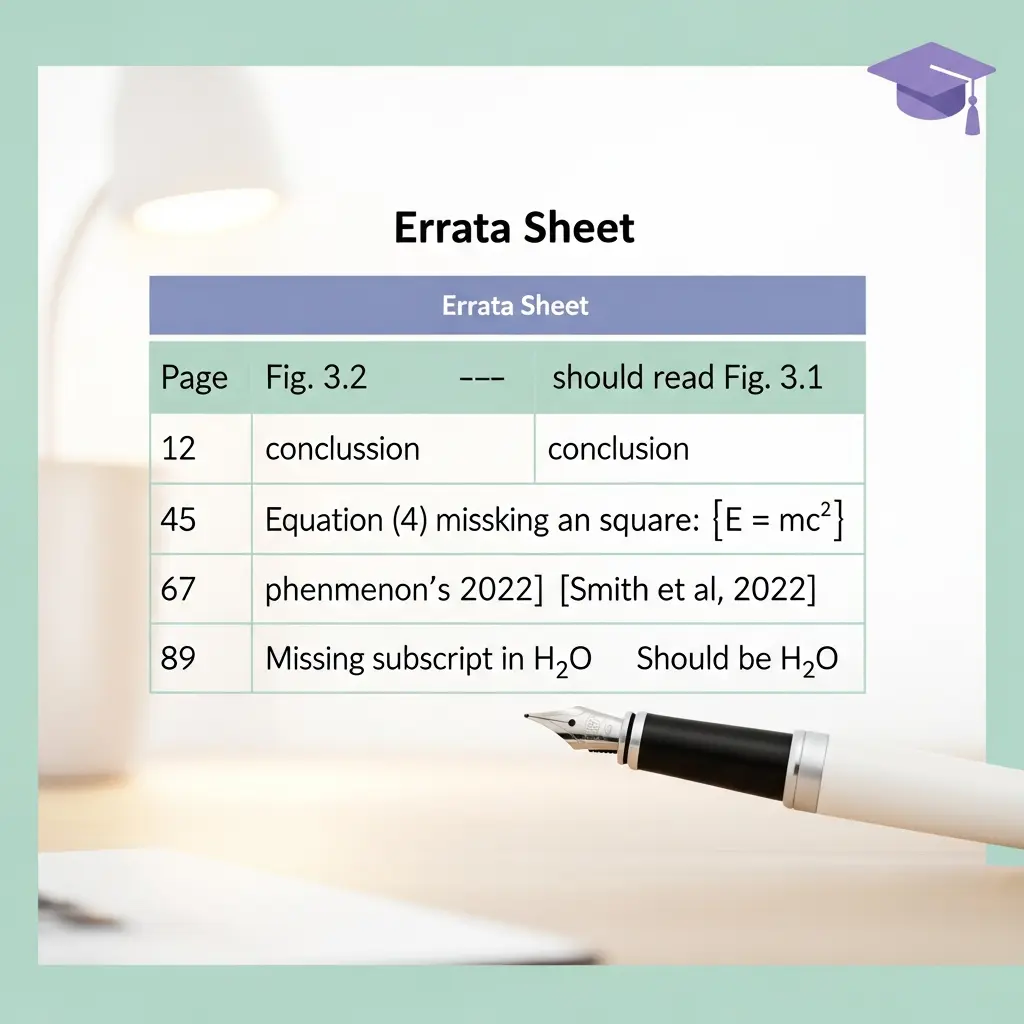
You submitted your thesis, passed your viva — and then found a typo on page 47. Or perhaps you noticed a reference formatted incorrectly, or a table label that reads “Figure” instead of “Table”. These discoveries are common, and they do not invalidate your research. What they require is a thesis errata sheet: a concise, formally structured document that logs the errors and their corrections, submitted to your institution’s library or graduate school so that readers of the archived version have an accurate record. Knowing how to write a thesis errata sheet correctly — including what qualifies, how to format the table, and how to obtain approval — is the difference between a clean archival record and an uncorrected permanent version of your work.
This guide covers the full errata sheet process for PhD and Master’s students at UK, Australian, North American, and Irish institutions in 2026. It also explains where errata sheets end and formal minor corrections begin, because conflating the two is one of the most common post-submission mistakes candidates make.
What Is a Thesis Errata Sheet?
An errata sheet (sometimes called an erratum page or corrigendum list) is a supplementary document that records errors in a published or archived work along with their corrections. In academic publishing, the distinction between an erratum and a corrigendum follows the convention established by bodies such as the Committee on Publication Ethics (COPE): an erratum corrects a production error introduced during the publishing process, while a corrigendum corrects an author’s own error. In thesis contexts, the terms are used interchangeably, and most universities simply call the document an “errata sheet” or “errata page.”
Crucially, an errata sheet does not replace or amend the original thesis file. The original submitted document remains on record. The errata sheet is attached to, or stored alongside, the archival record — in systems such as EThOS (UK), DART-Europe, ProQuest Dissertations (North America), or an institutional repository — so that anyone reading your thesis can cross-reference the corrections. This is how corrections work for all formally examined and archived academic work: the record of what was submitted is preserved intact, and the corrections exist alongside it.
For guidance on what happens before you reach the errata stage, see our guide to how to bind and submit your thesis, which covers the full post-write submission workflow. If you have not yet had your viva, our companion article on whether you can change your thesis title after submission explains the earlier correction pathways available before examination.
Errata Sheet vs. Minor Corrections: Key Differences
Many candidates confuse errata sheets with the formal minor corrections process, and they are not the same thing. Understanding the difference prevents errors in your post-viva workflow.
| Factor | Errata Sheet | Minor Corrections |
|---|---|---|
| Who initiates | The candidate (self-discovered errors) | Examiners (stipulated in the viva outcome) |
| Alters thesis file? | No — supplementary document only | Yes — the thesis is amended and resubmitted |
| Examiner review | Not required (supervisor approval only) | Internal examiner confirms completion |
| Deadline | Varies; often before final deposit or defence | Typically 1–3 months from viva outcome notification |
| Content changes allowed | Technical only — no change to meaning | Minor textual, argument, or data changes as specified |
| Degree impact | None — degree already awarded | Degree confirmed once corrections approved |
If your examiners have stipulated changes — even small ones like clarifying a sentence or updating a reference list — those go through the formal minor corrections process, not the errata route. See our dedicated guide to how to handle minor corrections after your viva for a full walkthrough of that process.
An errata sheet is appropriate when you discover errors after the examination has concluded, particularly after the thesis has been deposited in the institutional repository. For context on how institutions set word-count and formatting thresholds that trigger formal corrections, see our article on thesis formatting penalty statistics 2026.
Quick Reference: Errata vs Corrections at a Glance
| Error type | Use errata? | Use minor corrections? |
|---|---|---|
| Spelling / typographical error | Yes (if self-discovered) | Yes (if examiner-flagged) |
| Reference year incorrect | Yes | If examiner-flagged, use corrections route |
| Table/Figure numbering error | Yes | No |
| Incorrect statistical interpretation | No — seek minor corrections pathway | Yes |
| Additional literature review content | No | Only if examiner-stipulated |
Compiled from published institutional policies (UK, Australia, Ireland, North America). Always verify with your own graduate school.
What Types of Errors Qualify for an Errata Sheet?
The governing principle, consistent across UK, Australian, North American, and Nordic university policies, is that errata must be technical in nature and must not alter the intellectual content, argumentation, or conclusions of the thesis. The University of Oslo Faculty of Humanities guidelines state this explicitly: “you cannot make corrections that change the meaning or content of the thesis.”
Errors that typically qualify
- Spelling mistakes and typographical errors (e.g. “recieve” for “receive”, “teh” for “the”)
- Punctuation errors (missing full stops, incorrect comma placement, unclosed quotation marks)
- Errors in quotations (a word mistyped from the original source)
- Reference formatting errors (wrong journal volume, missing DOI, author name misspelled in bibliography)
- Incorrect or missing page numbers in cross-references (e.g. “see p. 23” when it should be “see p. 32”)
- Figure or table labelling errors (numbering out of sequence, caption text error)
- Minor factual slips that do not affect the argument (a date written incorrectly, a statistic transcribed wrongly from a cited source)
- Capitalisation inconsistencies
- Formatting irregularities (inconsistent heading levels, incorrect margin on one section)
Errors that do NOT qualify for an errata sheet
- Changes to the interpretation of findings or conclusions
- Additions of new data, tables, or analysis
- Restructuring of arguments or chapters
- Responding to substantive examiner critiques
- Updating literature reviews to include new publications
- Changing the abstract to alter how the thesis is summarised
If you are unsure whether a specific error crosses the line into substantive content, discuss it with your supervisor before proceeding. Most graduate schools have a research degrees officer or thesis team who can advise.
Step-by-Step: How to Write a Thesis Errata Sheet
Step 1 — Audit your submitted thesis systematically
Before you can write an errata sheet, you need a complete and accurate list of all qualifying errors. Do not rely on memory or chance discoveries. Open the submitted PDF and read through it methodically, chapter by chapter. Use the search function to catch recurring issues (e.g. a consistently misspelled technical term). Make a working list in a spreadsheet with columns for: Page, Location (line, footnote, section heading, table label), Error Text, and Corrected Text.
Catching errors before submission is always preferable to an errata sheet afterwards. Tools like Tesify Auto Bibliography catch reference formatting errors during the writing process — the kind of small citation slips that most commonly end up on errata sheets. But if errors have slipped through, a systematic post-submission audit is the next best approach.
Step 2 — Classify each error against your institution’s policy
Check your university’s graduate school website for their specific errata policy. Institutions differ in what they permit. The Aalto University guidelines specify that errata cover “contentual inaccuracies” in text or tables discovered after approval. The University of Oslo limits errata to language corrections, formatting changes, quote errors, and reference fixes. University of Pittsburgh’s ETD office uses a formal erratum cover page workflow requiring multi-stage institutional approval.
Cross-reference your list against your institution’s permitted categories. Remove anything that would change the meaning of the text. If you have discovered a substantive error — an incorrect statistical result, a misattributed theoretical framework, a data transcription error that affects a finding — that requires a different pathway, typically a discussion with your supervisor and potentially the graduate school about whether a formal correction to the archived version is possible and appropriate.
Step 3 — Build the errata table
The errata table is the core of the document. The standard column structure used by most institutions is:
| Page | Location | Original Text | Corrected Text |
|---|---|---|---|
| 14 | Line 7 | …the charachters of the model… | …the characters of the model… |
| 38 | Footnote 12 | Johnson et al. (2019) | Johnson et al. (2021) |
| 62 | Table 4.3 caption | Figure 4.3: Mean scores by condition | Table 4.3: Mean scores by condition |
| 91 | Para. 2, line 3 | …as discussed on p. 54… | …as discussed on p. 45… |
List errors in document order (ascending page number). This makes it easy for readers to follow along in the thesis. Use bold or underlining in the Corrected Text column to highlight the specific change within a longer phrase. Some institutions use abbreviation codes — for example, the University of Oslo uses Cor (language correction) and Cpltf (page layout or text format change) — so check whether your institution has its own convention.
Step 4 — Write the header block
Above the table, include a header block with all the identifying information. A standard header for a UK or Australian thesis contains:
- Author: Your full name as it appears on the thesis title page
- Thesis title: Full title as submitted
- Degree: e.g. Doctor of Philosophy, Master of Science by Research
- Institution and department
- Year of submission
- Date of errata sheet: The date you are submitting this document
- Certification statement: A sentence confirming that the corrections listed do not alter the intellectual content, conclusions, or examination outcome of the thesis. Example: “The corrections listed below are of a technical nature only and do not affect the substance, argument, or conclusions of the examined thesis.”
Keep the header to a single page if possible. Examiners, supervisors, and library staff reviewing the document want to quickly confirm the author and thesis identity before reading the table.
Step 5 — Obtain supervisor approval
Before submitting the errata sheet to your institution, send it to your primary supervisor for review. Supervisor approval is an explicit requirement at many universities: Aalto University’s guidelines, for example, state that you must “obtain approval from your thesis supervisor” and that their written approval must accompany the submission to the repository. Even at institutions that do not explicitly mandate it in writing, seeking supervisor sign-off is strongly advisable — they can confirm that none of the listed corrections inadvertently cross into substantive changes.
Most supervisors will respond to an errata sheet quickly, particularly if the list is short. Send it as a PDF with a brief covering email noting the number of corrections and confirming they are technical in nature.
Step 6 — Submit to your institution
Submission pathways vary by institution type:
- UK universities: Submit via the institutional repository or the library’s thesis team. In EThOS-linked repositories, the errata document is typically attached to the thesis record as a supplementary file. Contact your graduate school or research degrees office for the exact form or email address.
- Australian universities: Most use their own institutional repository systems. Contact the research degrees team at your graduate school — some have a specific form for post-award amendments.
- North American institutions: ProQuest (UMI) manages the archival record for many US and Canadian universities. Some institutions — like the University of Pittsburgh ETD office — have a formal multi-stage erratum request process requiring school-level and provost-level approval before the corrected version is uploaded. Check your graduate school’s ETD (electronic theses and dissertations) page for the exact workflow.
- Irish universities: Most use RIAN (the Irish Research eLibrary) or their institutional repository. Contact your graduate studies office.
Save a copy of your submitted errata sheet and any approval confirmation emails for your own records. If your thesis is later accessed by a researcher or assessed for promotion purposes, having a clean record of the correction history is useful.
Format and Template
There is no universal mandated template, but the format described in this guide matches the standard used across UK, Scandinavian, and North American institutions. When producing your document:
- Use A4 (UK/AU/IE) or US Letter (US/CA) page size, consistent with your thesis
- Use the same font and font size as your thesis (typically Times New Roman 12pt or Arial 11pt)
- Save as PDF/A (the archival PDF standard preferred by repositories — not PDF/A-3, which embeds files)
- File name convention:
Surname_ThesisTitle_ErrataMM-YYYY.pdfis widely used - Keep the document to one or two pages; if you have more than two pages of errors, consider whether some warrant the minor corrections pathway instead
Several institutions provide their own Word templates. Check your graduate school’s forms page before building from scratch — using an official template removes ambiguity about formatting requirements and shows you have followed institutional procedures.
Submission Process by Institution Type
To summarise the submission pathway differences at a glance:
| Region | Repository / System | Approval Required | Where to Submit |
|---|---|---|---|
| United Kingdom | EThOS / institutional repository | Supervisor | Library or graduate school thesis team |
| Australia | Institutional repository | Supervisor | Research degrees / graduate research office |
| United States | ProQuest / institutional ETD system | Faculty advisor + school-level + provost | ETD office (varies by institution) |
| Canada | ProQuest / institutional repository | Supervisor | School of Graduate Studies |
| Ireland | RIAN / institutional repository | Supervisor | Graduate studies office |
Regardless of region, the key principle is the same: contact your graduate school or library early in the process, confirm the exact submission pathway, and keep a record of all approvals.
Handling Examiner-Noted Errors
A nuance worth addressing: what happens when examiners note minor errors — a typo, a reference slip — during or after your viva, but your overall outcome is pass with minor corrections (or even a clean pass)?
The answer depends on how the error was noted:
- If the examiner listed the error in the formal corrections report: It goes through the minor corrections process, even if it is trivially small. The internal examiner will need to confirm it has been addressed before the degree is formally conferred. See the guide on handling minor corrections after your viva for this workflow.
- If the examiner mentioned it informally (verbally in the viva room) but did not list it in the written report: You can address it via an errata sheet after deposit. Document it in your working error list and process it through the errata pathway.
- If you received a clean pass and subsequently discovered the error yourself: This is squarely in errata sheet territory. The examination is complete; the errata sheet corrects the archival record.
If in doubt, email your internal examiner’s secretary or your graduate school to clarify which pathway applies. Do not simply leave an examiner-flagged error unaddressed on the assumption it was “only minor.”
For context on the full viva process and outcomes, see our guide to what a viva voce examination is.
Common Mistakes to Avoid
1. Using the errata sheet to make substantive changes
Attempting to revise arguments, update conclusions, or add missing literature via an errata sheet will be rejected by any institution. The errata route is strictly for technical corrections. If you feel a substantive issue needs addressing, speak to your supervisor about the formal post-award amendment process.
2. Submitting without supervisor approval
Even if your institution does not make supervisor approval explicit in its written policy, submitting an errata sheet without review leaves you exposed if a correction is later challenged. The supervisor sign-off step takes a day or two and is always worth it.
3. Listing errors in random order
Errata tables should be in ascending page order. A random ordering makes it significantly harder for readers to follow the corrections against the original text, and it signals a rushed document to the thesis office.
4. Being imprecise about the location
“Page 47, near the bottom” is not an adequate location reference. Specify line number, footnote number, section heading, table number, or paragraph number. Precision ensures the reader finds the exact error without scanning the page.
5. Forgetting to update your own archived copy
Once the errata sheet is formally lodged, annotate your personal copy of the thesis PDF (e.g. with PDF sticky notes) so that if you share your thesis with future collaborators or institutions, you have a personal record of corrections available immediately.
6. Submitting an errata sheet when minor corrections are required
If your viva outcome was “minor corrections required,” you cannot substitute an errata sheet for the formal corrections process. The degree is not confirmed until the corrections are approved by the internal examiner. Submitting an errata sheet in place of corrections will delay your degree award. Make sure you understand your viva outcome paperwork before choosing the errata pathway — if in doubt, contact your graduate school.
Catching these issues before submission is far easier than correcting them afterwards. The AI proofreading guide for thesis submission covers what automated tools can catch, what they miss, and how to combine them with human review for a thorough pre-submission check.
Frequently Asked Questions
What is a thesis errata sheet?
A thesis errata sheet is a separate document listing typographical, punctuation, reference, and minor formatting errors found in a submitted thesis after the examination process. It supplements the archived thesis without replacing it, so readers can note the corrections alongside the original text. It is distinct from the formal minor corrections process, which involves amending and resubmitting the thesis file itself.
Can an errata sheet change the meaning of my thesis?
No. University policies consistently prohibit errata that alter the intellectual content, argumentation, or conclusions of the thesis. The University of Oslo’s guidelines state explicitly: “you cannot make corrections that change the meaning or content of the thesis.” An errata sheet is limited to technical corrections — spelling, punctuation, reference formatting, and minor inaccuracies that do not affect the substance of the research.
When should I submit an errata sheet versus completing minor corrections?
Submit an errata sheet when errors are purely typographical or technical and were not flagged by examiners as substantive issues requiring formal attention. Complete formal minor corrections when examiners have specified required changes in the viva outcome report. Many universities require the minor corrections process for any error the examiners identify, even if small — the degree award depends on the internal examiner confirming those specific corrections are complete.
Do I need supervisor approval for an errata sheet?
Most institutions require supervisor approval before an errata sheet is lodged with the library or graduate school. Aalto University’s policy, for example, explicitly requires supervisor sign-off as part of the submission workflow before the errata is attached to the Aaltodoc record. Even where it is not explicitly mandated, seeking supervisor approval is strongly recommended to ensure none of the corrections inadvertently cross into substantive changes.
How is a thesis errata sheet formatted?
The standard format is a header block containing the author’s name, thesis title, institution, degree, submission year, and date of the errata — followed by a table with four columns: Page, Location (line, footnote, or section), Original Text, and Corrected Text. Errors are listed in ascending page order. The document should be saved as PDF/A and use the same font and page size as the thesis. Some institutions provide a Word template — check your graduate school’s forms or downloads page.
Will an errata sheet affect my degree outcome?
No. Submitting an errata sheet has no effect on your degree outcome. Your thesis was already examined and the degree awarded. An errata sheet simply ensures the archival record accurately reflects the intended text. The degree award stands on the examined version of the thesis; the errata is an administrative correction to the permanent record.
Write, polish, and reference your thesis — before errors reach the archival record
The best errata sheet is the one you never have to write. Tesify helps you draft, structure, and refine every chapter of your thesis — flagging inconsistencies, improving academic clarity, and keeping your writing on track from introduction to conclusion. Catch the errors at the writing stage, not after submission.
Write your thesis with AI
Structure, draft, cite, and format your thesis faster with Tesify’s AI writing tools, automatic bibliography, and plagiarism checker. Free to start, no credit card required.



Leave a Reply