
Reference Management Tools vs Zotero: Which Works Better for Researchers?
Reference management is one of those research skills that nobody teaches you properly — until you’ve spent three hours manually fixing a bibliography at 11pm before a submission deadline. Every researcher knows this pain. You’re juggling 80 sources across Google Scholar, JSTOR, and Web of Science, and suddenly your citation format is inconsistent, your page numbers are wrong, and APA 7th edition has a rule you’d never noticed before.
The right reference management tool eliminates that chaos entirely. But with Zotero, EndNote, Mendeley, and RefWorks all competing for your workflow, how do you know which one actually serves serious scholarly work? This guide cuts through the marketing and gives you a systematic, evidence-based comparison grounded in real research methodology and citation standards.
What Is Reference Management and Why Does It Matter?
Reference management sits at the intersection of research methodology, academic integrity, and scholarly communication. It’s not simply “keeping a list of sources” — it’s the systematic organisation, retrieval, and formatting of bibliographic data according to specific citation standards required by journals, universities, and funding bodies.
The academic stakes are real. A 2019 study published in the Journal of the Medical Library Association found that incorrect citations appear in a measurable proportion of published academic work, with formatting errors being among the most common and preventable issues (Maggio et al., 2019). For PhD candidates submitting theses or researchers targeting high-impact journals, citation errors carry reputational and ethical weight.
What most people miss is that reference management tools do far more than format citations. They serve as personal research databases — storing PDFs, enabling annotation, facilitating collaboration, and supporting reproducible research workflows. When you understand reference management at this level, choosing the right tool becomes a strategic decision, not just a convenience choice.
For a deeper grounding in how citation standards fit into broader research design, the Research Methodology Guide 2026: Complete Overview offers a systematic framework covering everything from ethical sourcing to reproducibility requirements.
Zotero: Capabilities, Strengths, and Limitations
Zotero is, by most objective measures, the most widely recommended reference manager in academic library circles. Developed by the Roy Rosenzweig Center for History and New Media at George Mason University and now supported by an independent nonprofit, Zotero has been open-source since its launch in 2006 — a fact that has profound implications for its citation style library, community support, and long-term reliability.
Harvard Library’s official research guides explicitly recommend Zotero as a primary reference management tool, noting its “ease of use and strong browser integration” alongside its completely free pricing model (Harvard Library, 2024). Columbia University Libraries similarly list Zotero among their endorsed tools for citation management, reflecting the institutional trust the software has earned across research universities.
Core Zotero Features Worth Understanding
- Browser connector: One-click capture from Google Scholar, JSTOR, PubMed, Web of Science, Amazon, and most library catalogue pages — automatically populating all bibliographic fields.
- PDF management: Built-in PDF reader with annotation, highlighting, and note-taking linked directly to reference records.
- Citation Style Language (CSL) integration: Access to over 10,000 citation styles via the open-source Citation Style Language repository, covering every major academic publisher and institution.
- Word processor plugins: Native plugins for Microsoft Word, LibreOffice, and Google Docs — allowing real-time citation insertion and automatic bibliography generation.
- Group libraries: Collaborative reference sharing for research teams and supervised PhD projects.
- ZoteroBib: A standalone, browser-based tool for quick bibliography generation — accessible at zbib.org — requiring no account or installation.
Where Zotero Has Limitations
Zotero’s free storage cap sits at 300MB, which fills quickly if you’re storing large PDF collections. Paid storage plans start at $20/year for 2GB and go up to $120/year for unlimited storage — still cheaper than most competitors, but worth budgeting for. The interface, while functional, feels less polished than Mendeley’s, and Zotero’s built-in PDF metadata extraction occasionally misidentifies fields for older or less common document types.
For a critical perspective on how automatic citation tools — including Zotero’s auto-import features — can introduce errors worth checking, see this analysis of automatic citation tools for academic work, which examines accuracy and verification requirements.
Reference Management Tools Compared: Zotero vs EndNote vs Mendeley vs RefWorks
Here’s where the decision framework gets concrete. The four dominant tools each serve different institutional and individual needs — and the cost differential is staggering when you do the maths over a typical five-year PhD programme.
| Feature | Zotero | EndNote | Mendeley | RefWorks |
|---|---|---|---|---|
| Cost | Free (storage upgrades from $20/yr) | ~$249.95 one-time or institutional | Free (Elsevier account required) | Institutional subscription only |
| Citation Styles | 10,000+ (open CSL library) | 7,000+ (EndNote styles) | ~7,000 (CSL-based) | Hundreds (curated set) |
| Open Source | Yes | No | No (Elsevier-owned) | No (ProQuest-owned) |
| Browser Integration | Excellent (Chrome, Firefox, Safari, Edge) | Limited (Capture tool) | Good (Web Importer) | Moderate |
| Word Processor Support | Word, LibreOffice, Google Docs | Word (deep integration), limited Google Docs | Word, LibreOffice | Word, Google Docs |
| Collaboration | Group libraries (free up to 25MB) | EndNote Online (limited free) | Groups (good) | Team sharing (institutional) |
| PDF Storage | 300MB free, paid plans available | Unlimited (local); 2GB online free | 2GB free (Elsevier account) | Cloud-only, institutional limits |
| Institutional Independence | Full (nonprofit ownership) | Clarivate-owned | Elsevier-owned (data privacy concerns raised by researchers) | ProQuest/Clarivate-owned |
The Mendeley ownership issue is worth flagging directly. Since Elsevier acquired Mendeley in 2013, several research communities — particularly in open science circles — have expressed concern about research data practices and the commercial incentives baked into a “free” tool owned by a major academic publisher. This doesn’t make Mendeley unusable, but it’s a factor worth weighing, especially for researchers at institutions with strong open-access commitments.
A systematic review published in the Journal of the Medical Library Association comparing EndNote, Mendeley, RefWorks, and Zotero concluded that all four tools perform core functions adequately, but Zotero and Mendeley offer the strongest value proposition for independent researchers, while EndNote remains dominant in biomedical fields where direct integration with PubMed and Web of Science is heavily used (Kratochvíl, 2017).
Citation Standards Support Across Tools: APA, MLA, Chicago, Harvard
Citation standards are not interchangeable — and the tool that handles APA 7th edition beautifully may stumble on OSCOLA (Oxford University Standard for Citation of Legal Authorities) or a specific journal’s hybrid house style. This is where Zotero’s open CSL library becomes a decisive advantage.
APA 7th Edition
APA 7th (American Psychological Association, 2020) introduced significant changes from the 6th edition — most notably the removal of publisher location for books, revised DOI formatting, and updated rules for citing social media, podcasts, and YouTube videos. All major reference managers have updated their APA styles, but Zotero’s community-maintained CSL style for APA 7th is updated rapidly and is verifiable against the official APA style manual.
MLA 9th Edition
MLA 9th (Modern Language Association, 2021) shifted to a container-based structure that prioritises flexibility across source types. Reference managers handle MLA formatting with varying degrees of accuracy — particularly for unusual source types like artworks, performances, and social media posts where the container logic requires human judgment. No tool yet fully automates the contextual decisions MLA 9th requires.
Chicago and Turabian
Chicago style’s two systems — Notes-Bibliography (common in humanities) and Author-Date (common in social sciences) — are both well-supported in Zotero and EndNote. The Chicago 17th edition (University of Chicago Press, 2017) is the current standard, and Zotero’s plugin handles footnote and endnote insertion natively within Word and LibreOffice.
Harvard Referencing
Here’s where it gets interesting: Harvard referencing is not a single standardised system. It’s an umbrella term for author-date referencing styles that differ meaningfully between universities, disciplines, and even departments. Zotero’s CSL library includes multiple Harvard variants, but selecting the correct institutional variant requires manual checking against your institution’s style guide. No automated tool can replace this verification step.
For a detailed walkthrough of how to set up consistent citation styles across these major systems, the guide on standardising citations in research methodology provides practical, style-specific instructions that complement the tool selection process.
Research Workflow Integration and Database Connectivity
A reference manager you don’t actually use during your research process is just a bibliography generator — which is a waste of its potential. The tools that transform research workflows are those that integrate tightly with the databases where scholars actually work.
Google Scholar Integration
Zotero’s browser connector works exceptionally well with Google Scholar. When you’re viewing a search results page, a folder icon appears in the browser toolbar — clicking it imports all visible results simultaneously. For single-paper views, a document icon captures the full bibliographic record plus any available PDF.
What most researchers don’t fully appreciate: Zotero can also import records directly from Google Scholar’s “Cite” function if the connector fails, supporting BibTeX, RIS, and other import formats. This redundancy matters when you’re working with older records or institutional repositories with non-standard metadata.
JSTOR, Web of Science, and PubMed
All three major academic databases have robust Zotero connector support. Web of Science exports in RIS format and integrates cleanly. PubMed, the National Library of Medicine’s database, is particularly well-integrated — critical for biomedical researchers who also use reference managers for systematic review protocols conforming to PRISMA guidelines.
EndNote holds an edge in direct PubMed integration, which explains its continued dominance in medical and clinical research environments. The Clarivate-developed connection file system for EndNote allows direct search and retrieval from within the application — Zotero requires the browser connector or manual export instead.
LaTeX and BibTeX Compatibility
For researchers writing in LaTeX — common in mathematics, physics, computer science, and some engineering fields — Zotero’s BibTeX export and Better BibTeX plugin (a third-party extension) provide reliable citation key management. This is an area where Zotero outperforms Mendeley’s BibTeX integration, which has been reported as inconsistent in its automatic export functionality.
Dataset Citation and Emerging Challenges in Reference Management
One largely overlooked area where all reference management tools currently struggle is dataset citation — and it’s becoming an increasingly important issue as research funders and journals require data availability statements and proper data attribution.
A 2025 study published in Data Science Journal specifically examined “Obstacles to Dataset Citation Using Bibliographic Management Software” and found that current tools — including Zotero — have significant gaps in handling dataset-specific metadata fields like version numbers, access dates for dynamic datasets, repository names, and data-specific identifiers like DOIs assigned through DataCite (Gregory et al., 2025). The study noted that none of the major reference managers yet provide complete support for dataset citation standards as defined by FORCE11 or DataCite’s metadata schema.
This is an area where researchers working with open data, reproducible research pipelines, or data-intensive fields (genomics, climate science, computational social science) should maintain manual verification workflows regardless of which reference manager they use. The broader literature on obstacles to dataset citation in bibliographic management software is worth reading directly if your work involves significant data citation requirements.
The practical implication: even the best reference management tool currently available is not a complete solution for all citation types. Treating automated citation generation as a starting point — not an endpoint — remains essential scholarly practice.
Choosing the Right Reference Management Tool: A Decision Framework
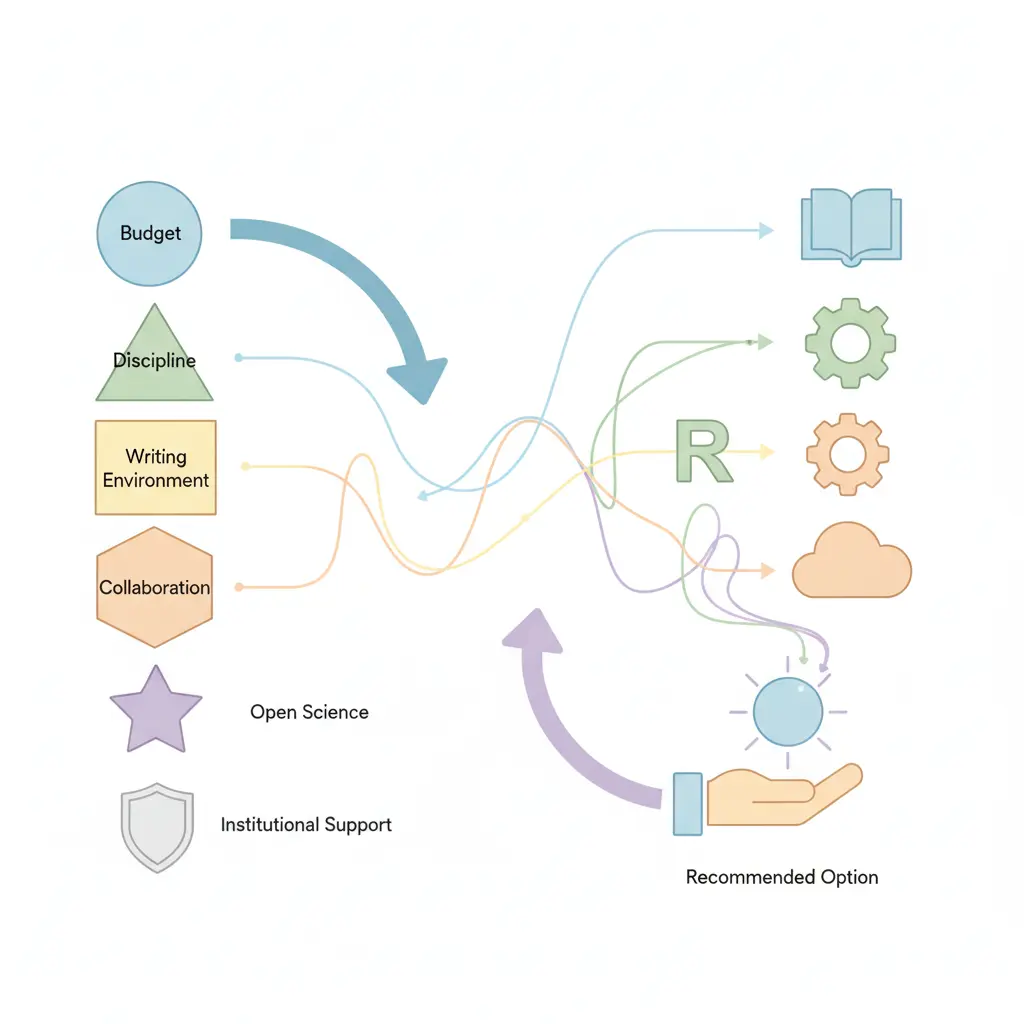
The “best” tool depends on variables specific to your research context. Here’s a structured framework rather than a one-size-fits-all recommendation.
Decision Criteria by Researcher Profile
- Budget constraint: If you have no institutional access to paid tools, Zotero is the clear choice. Its free tier covers the majority of research workflows, and the storage cost is minimal compared to alternatives.
- Discipline: Biomedical and clinical researchers benefit from EndNote’s PubMed integration and the tool’s dominance in those communities (which matters for sharing libraries with supervisors and collaborators). Humanities scholars often prefer Zotero’s Chicago style handling and PDF annotation. Social scientists tend to split between Zotero and Mendeley.
- Writing environment: LaTeX users should prioritise Zotero with Better BibTeX. Heavy Microsoft Word users may find EndNote’s CWYW (Cite While You Write) plugin marginally more stable for very long documents (200+ pages). Google Docs users benefit from Zotero’s 2023 Google Docs integration improvements.
- Collaboration requirements: Zotero group libraries work well for small to medium research teams. Larger institutional projects with complex permission structures may benefit from RefWorks’ institutional controls.
- Open science commitments: If your research aligns with open-access principles, FAIR data practices, or institutional open science policies, Zotero’s nonprofit structure and open-source codebase align most consistently with those values.
- Institutional provision: Check whether your university provides free access to EndNote, RefWorks, or other tools. Many UK, US, Australian, and Canadian universities provide institutional licences — making the cost argument for Zotero less decisive if you have free access to alternatives.
Setting Up Zotero for Scholarly Research: Step-by-Step
Fair warning: this takes about 30 minutes to configure properly, but that investment pays dividends across every research project you’ll ever work on. Here’s the setup sequence that produces the most reliable scholarly workflow.
- Download Zotero desktop application from zotero.org (available for Windows, macOS, Linux). Create a free account — this enables sync across devices and group library access.
- Install the browser connector for your primary browser (Chrome, Firefox, Safari, or Edge). Verify it’s working by visiting a Google Scholar results page — you should see a folder icon in your browser toolbar.
- Install the word processor plugin. In Zotero desktop, go to Edit > Preferences > Cite > Word Processors and install the plugin for your word processor. Restart the word processor after installation.
- Install your institution’s citation style if it isn’t in the default library. Go to Edit > Preferences > Cite > Styles > Get Additional Styles. Search for your required style — APA 7th, Chicago 17th Notes-Bibliography, Harvard (your institutional variant), MLA 9th, or a specific journal style.
- Set up your folder structure before you start collecting. Create collections (Zotero’s term for folders) by project, not by source type — e.g., “Chapter 2 Literature Review” rather than “Journal Articles.” This mirrors how you’ll actually use the sources.
- Test a full citation cycle. Import a paper from Google Scholar using the connector, verify all metadata fields are correct (check author names, journal title, year, volume, issue, pages, DOI), open a Word document, and insert a test citation using the Zotero toolbar. Generate a test bibliography and check it against the official style guide.
- Enable PDF auto-renaming (Edit > Preferences > General > Automatically rename attached files). This keeps your PDF collection searchable and organised as it grows.
- Add Better BibTeX if you use LaTeX. Install this third-party extension from retorque.re/zotero-better-bibtex/ for clean, stable citation key management and automatic BibTeX export.
For a visual walkthrough of these steps, this complete beginner’s guide to using Zotero covers the setup process in detail with screen demonstrations.
One more thing: always verify auto-imported metadata against the original source. Zotero’s metadata retrieval is accurate for most peer-reviewed journal articles with DOIs, but errors in author names (particularly non-Latin scripts), journal abbreviations, and page ranges do occur — especially for older digitised material. For researchers building robust scholarly workflows around citation standards and reference management, that final manual check is never optional.
Frequently Asked Questions About Reference Management Tools and Zotero
Is Zotero good enough for a PhD thesis or doctoral dissertation?
Yes — Zotero is used by PhD candidates and researchers at institutions including Harvard, Oxford, MIT, and the University of Melbourne for managing hundreds to thousands of references in long-form academic documents. Its stability in long Word documents has improved significantly since Zotero 6 (2022), and the Google Docs plugin now supports thesis-length documents reliably. For theses exceeding 300 pages with complex citation requirements, test your full setup early in the writing process rather than discovering issues at submission.
Can Zotero handle more than one citation style in the same document?
Zotero generates a bibliography in one citation style per document — you can’t mix APA and Chicago in the same automated bibliography. If you need to switch styles (for example, reformatting a paper for a different journal), Zotero can regenerate the entire bibliography in a new style in seconds. For documents requiring footnote citations (Chicago Notes-Bibliography or OSCOLA) alongside a reference list, Zotero’s footnote insertion handles this through Word’s native footnote system.
How does Zotero compare to Mendeley for medical and health sciences research?
Both tools handle medical citation styles (Vancouver, NLM, AMA) adequately, but the clinical research community has historically favoured EndNote for its PubMed integration and MEDLINE connectivity. Mendeley is widely used in biomedical fields and benefits from Elsevier database integration, though its Elsevier ownership raises data privacy concerns for some researchers. Zotero’s PubMed connector works reliably, and for researchers prioritising open-source and institutional independence, Zotero is a viable alternative even in health sciences contexts.
What’s the difference between Zotero and ZoteroBib?
Zotero is the full desktop application with library management, PDF storage, word processor integration, and sync capabilities. ZoteroBib (at zbib.org) is a lightweight, browser-based tool that generates individual citations without requiring an account or installation — ideal for quick citation checks or undergraduate assignments. ZoteroBib doesn’t store your library or integrate with word processors; it’s a convenience tool, not a research management system.
Does Zotero work with institutional repository databases like JSTOR and Web of Science?
Yes — Zotero’s browser connector captures metadata directly from JSTOR, Web of Science, Scopus, PubMed, ProQuest, EBSCOhost, and most institutional library catalogues. When you’re on a JSTOR article page, for example, the connector detects the content type and imports full bibliographic data including abstract, keywords, and linked PDF where your library access permits. The capture quality is generally excellent for peer-reviewed material from these databases, though manual verification of all fields remains good practice.
Can I import an existing bibliography from Word or another tool into Zotero?
Importing from other reference managers is straightforward: most tools export in RIS (.ris) or BibTeX (.bib) format, which Zotero imports cleanly via File > Import. Importing references from a plain-text bibliography (such as a Word document reference list) requires manual entry or third-party tools like Anystyle.io, which parses formatted references into structured data. Direct import from formatted text is not a native Zotero feature, so migrating from an unstructured bibliography takes effort.
References
- American Psychological Association. (2020). Publication manual of the American Psychological Association (7th ed.). APA.
- Columbia University Libraries. (2024). Reference & citation management. library.columbia.edu
- Gregory, K., Khalsa, S. J., Michener, W. K., Psomopoulos, F. E., de Waard, A., & Wu, M. (2025). Obstacles to dataset citation using bibliographic management software. Data Science Journal, 24. https://doi.org/10.5334/dsj-2025-017
- Harvard Library. (2024). Get Zotero: Research guides at Harvard Library. guides.library.harvard.edu
- Kratochvíl, J. (2017). Comparison of the accuracy of bibliographical references generated for medical citation styles by EndNote, Mendeley, RefWorks and Zotero. Journal of the Medical Library Association, 105(4), 350–357. https://doi.org/10.5195/jmla.2017.111
- Maggio, L. A., Sewell, J. L., & Artino, A. R. (2019). The literature review: A foundation for high-quality medical education research. Journal of Graduate Medical Education, 8(3), 297–303.
- Modern Language Association. (2021). MLA handbook (9th ed.). MLA.
- University of Chicago Press. (2017). The Chicago manual of style (17th ed.). University of Chicago Press.
Deepen Your Research Methodology Practice
Reference management is one piece of a much larger research methodology puzzle. If this comparison was useful, these resources will take your scholarly practice further:
- Explore the full Research Methodology Guide 2026 for a systematic overview of research design, ethics, and reproducibility standards
- Get style-specific citation guidance in our guide to standardising citations in 2025 — covering APA 7th, MLA 9th, Chicago, and Harvard in detail
- Understand the accuracy limits of automation in our analysis of automatic citation tools for academic work
Share this article with your research group, department, or library colleagues — and if you have questions about citation standards or reference management workflows, the Tesify research team is here to help.
Write your thesis with AI
Structure, draft, cite, and format your thesis faster with Tesify’s AI writing tools, automatic bibliography, and plagiarism checker. Free to start, no credit card required.





Leave a Reply