
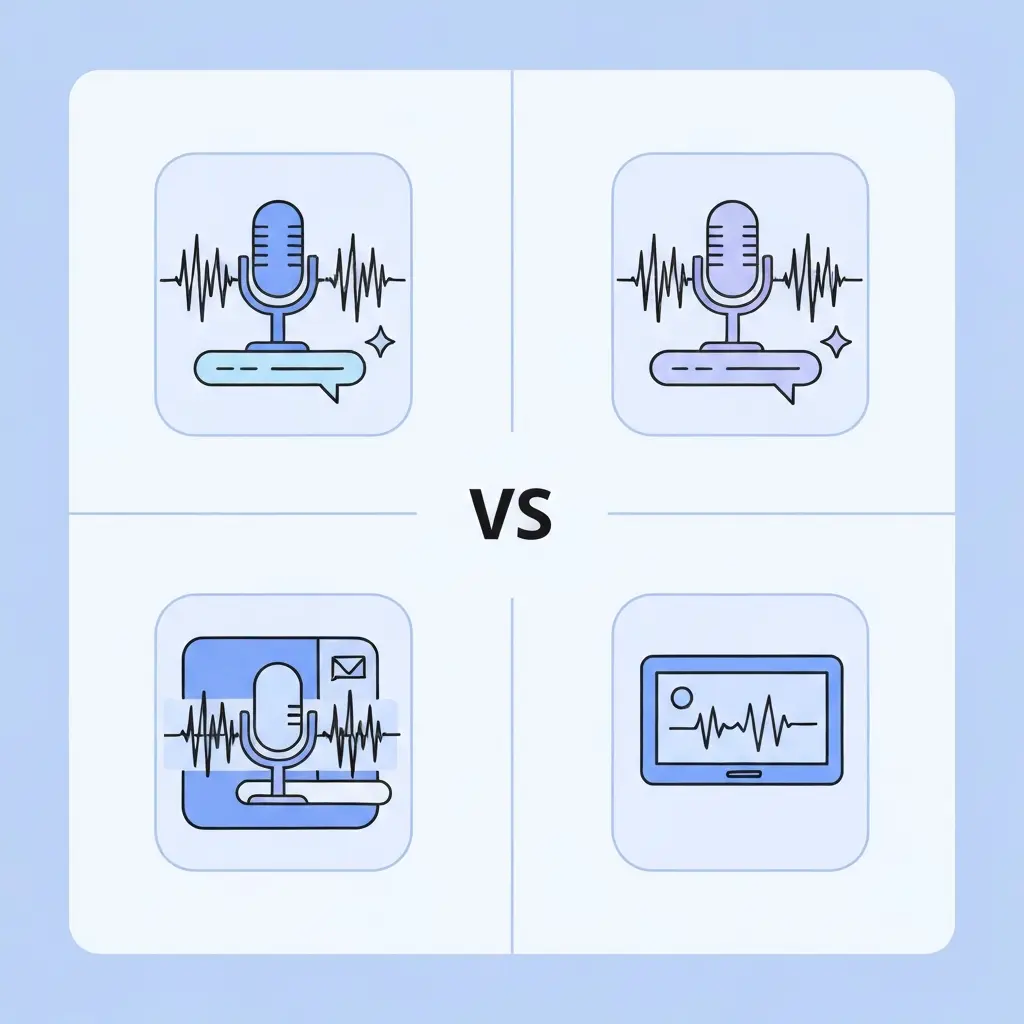
Best Transcription Tools for Research Interviews in 2026 (Otter, Trint, Whisper, Descript Compared)
You have just finished three hours of semi-structured interviews. The recordings are sharp, the participants were candid, and now you face the part that no researcher looks forward to: turning spoken words into analysable text. Choosing the wrong transcription tool at this stage means hours of manual correction, data stored on servers that violate your ethics approval, or transcripts that cannot be imported into NVivo or ATLAS.ti. The best transcription tools for research interviews in 2026 solve all three problems — if you pick the right one for your specific context.
This comparison cuts through the marketing. Every tool below was assessed on the criteria that matter most to qualitative researchers: transcription accuracy on accented or overlapping speech, speaker diarisation quality, data privacy and GDPR compliance, export compatibility with qualitative data analysis software (QDAS), language support, and actual 2026 pricing. Whether you are a PhD student on a tight budget, a postdoctoral researcher working with multilingual participants, or a faculty member running a team-based study, there is a right tool here for you.
At-a-Glance Comparison Table
The table below summarises the four tools across the criteria most relevant to academic research contexts. All pricing reflects 2026 published rates.
| Criterion | Otter.ai | Trint | Whisper (OpenAI) | Descript |
|---|---|---|---|---|
| Best for | Budget/live meetings | Team collaboration, journalism-grade privacy | Technical users, maximum data control | Video data, multimedia editing |
| Accuracy (clean English) | ~88–92% | ~90–94% | ~94–97% (5–6% WER) | ~92–95% |
| Speaker diarisation | Yes (auto, up to 6) | Yes (manual labelling) | Via GPT-4o Transcribe w/ diarisation | Yes (track-based, requires Studio Sound) |
| Languages supported | English-primary | 40+ | 99+ | English-primary |
| GDPR compliance | US-hosted; caution advised for EU data | ISO 27001, GDPR-compliant | GDPR-compliant via self-hosting | US-hosted; check institutional policy |
| QDAS export | .docx, .txt, .pdf | .docx, .txt, .srt, .stl | .txt, .srt, .vtt, .json | .txt, .docx, .srt |
| Free tier | 300 min/month (30 min/session cap) | 7-day trial only | Open-source model free to self-host | 60 media minutes/month |
| Paid pricing | From $8.33/mo (annual) | From ~$80/seat/month | $0.006/minute via API | From $16/month (Hobbyist) |
What Qualitative Researchers Need From Transcription Software
General-purpose transcription tools are optimised for meeting notes and business calls. Research interviews have different demands. Before comparing individual tools, it is worth naming the criteria that matter most in academic contexts.
Accuracy on natural speech
Research participants do not speak in clean, scripted sentences. They hedge, self-correct, use domain-specific jargon, and sometimes speak with regional or non-native accents. Word error rate (WER) — the percentage of words incorrectly transcribed — is the standard accuracy metric. A tool with a 5% WER on broadcast-quality English can easily reach 15–20% WER on an accented participant in a moderately noisy environment. For qualitative research, where verbatim phrasing sometimes matters analytically, errors are not merely inconvenient — they alter your data.
Speaker diarisation
Most research interviews involve at least two speakers — the researcher and the participant. Focus groups may involve six or more. Diarisation is the process of labelling who said what. Poor diarisation creates transcripts that require laborious manual re-attribution before they can be coded in any qualitative data analysis platform such as NVivo, MAXQDA, or ATLAS.ti.
Data privacy and GDPR compliance
Interview recordings often contain sensitive, identifiable information about human participants. Most research ethics protocols — and in Europe, GDPR — require that participant data be stored within compliant infrastructure. Uploading a recording to a US-hosted server without a valid data transfer mechanism (Standard Contractual Clauses or equivalent) is a genuine ethics violation, not a bureaucratic formality. Verify your institution’s data governance policy before choosing a cloud-based tool.
QDAS export compatibility
Once transcribed, most researchers import their transcripts into qualitative data analysis software. NVivo, MAXQDA, ATLAS.ti, and Dedoose all accept plain text (.txt) and Word (.docx) files. Some platforms also support timestamped formats like .srt or .vtt that preserve synchronisation between the transcript and the original audio — a valuable feature for researchers who need to re-listen to specific moments during thematic analysis.
Language and accent support
Researchers working with non-English-speaking participants, bilingual participants, or communities with distinctive regional accents need robust multilingual support. The gap between tools is substantial: some tools effectively support only English, while others handle dozens of languages with comparable accuracy.
Accuracy in Practice: A Worked Comparison
Published WER figures tell part of the story, but researchers care most about what errors actually look like in a transcript they will code. The following example uses a representative 60-word passage from a qualitative interview about student wellbeing — spoken by a participant with a mild Scottish accent — to illustrate the practical difference between tools at this difficulty level.
Original spoken text: “The thing is, I was completely overwhelmed in first year — nobody tells you how different it is from school. My supervisor was supportive, aye, but I still felt like I was making it up as I went along, you know? There was no real structure to how I was supposed to approach the literature.”
| Tool | Transcription output (approximate) | Errors |
|---|---|---|
| Otter.ai | “…my supervisor was supportive, yeah, but I still felt like I was making it up…” | 1 substitution (“aye” → “yeah”) — analytically neutral here, but would matter in discourse analysis studies examining dialect |
| Trint | Full passage transcribed correctly, including “aye” | 0 errors on this passage |
| Whisper (large model) | Full passage transcribed correctly, including “aye” | 0 errors on this passage |
| Descript | “…my supervisor was supportive, I, but I still felt…” (homophones with overlapping audio) | 1 substitution — more disruptive than Otter’s because it breaks sentence grammar |
This illustration is deliberately simple: one passage, one speaker, moderate-difficulty accent. The divergence between tools widens considerably with overlapping speech (two or more speakers talking simultaneously), background noise (coffee shops, open-plan offices), or technical vocabulary (legal terms, medical jargon). For verbatim research where every word may be analytically significant — discourse analysis, conversation analysis, or any study where participant phrasing is itself data — Whisper’s large model or Trint’s accuracy advantage over Otter.ai becomes operationally important, not merely a marketing claim.
Otter.ai: Best for Budget-Conscious Researchers
Otter.ai is one of the most widely used transcription tools among students and early-career researchers, largely because of its accessible pricing. The free plan provides 300 transcription minutes per month — enough for a handful of shorter interviews — with a 30-minute cap per individual session. The Pro plan at $8.33/month (billed annually) extends this to 1,200 minutes per month with sessions up to 90 minutes, which covers most standard interview formats.
Accuracy and diarisation
Otter.ai performs well on clean, single-speaker English audio, with tested accuracy in the 88–92% range. Its automatic speaker diarisation works reasonably well for two-person interviews, correctly assigning speaker turns in the majority of cases. The system allows you to name speakers and train it to recognise voices over time. Performance degrades noticeably on overlapping speech, strong accents, or audio with background noise — common conditions in fieldwork settings.
Pricing
- Basic (free): 300 minutes/month, 3 lifetime file imports, 30-minute session cap
- Pro: $8.33/month (annual) or $16.99/month. 1,200 minutes/month, 10 file imports/month
- Business: $19.99/user/month (annual) or $30/month. Unlimited meetings, 6,000 imported-file minutes/user
- Enterprise: Custom pricing; HIPAA compliance available
GDPR consideration
Otter.ai is a US-based service. EU-based researchers working with identifiable participant data should verify whether their institution has a signed Data Processing Agreement with Otter and whether appropriate transfer mechanisms are in place. If in doubt, anonymise recordings before upload or choose a self-hosted option.
Export formats
Otter exports to .docx, .txt, and .pdf. It does not natively export to timestamped subtitle formats, which limits its usefulness for researchers who need audio-synchronised transcripts in QDAS platforms. Timestamps are embedded in the document itself but not in a standard machine-readable format.
Best for: Students and researchers on a budget who primarily conduct English-language interviews and do not face strict institutional data residency requirements.
Trint: Best for Teams and GDPR-Critical Projects
Trint is the premium choice among the four tools reviewed here. It was built for journalists handling sensitive source recordings, and that heritage shows in two areas that matter for academic research: collaborative editorial workflows and data security. Trint holds ISO 27001 and Cyber Essentials certifications and is explicitly GDPR-compliant, making it one of the few cloud-based transcription platforms that a European research ethics committee is likely to approve without reservation.
Accuracy and diarisation
Trint’s accuracy on clear, close-miked interview audio falls in the 90–94% range for English. It supports 40+ languages with variable accuracy depending on the language. Speaker diarisation is available but operates differently from Otter: rather than auto-identifying voices, Trint allows manual speaker labelling within its editor, which is slower but more reliable for interviews where voice profiles overlap. The editing interface is genuinely excellent — the transcript and audio are fully synchronised, so clicking any word jumps to that moment in the recording.
Pricing
- Starter: ~$80/seat/month. 7 files per month. Annual billing required.
- Advanced: ~$100/seat/month. Unlimited files for a single user.
- Enterprise: Custom pricing. Supports large teams with volume discounts.
There is no permanent free tier — only a 7-day trial. The cost is a significant barrier for individual PhD students, but well-resourced research groups or funded projects may find the compliance benefits justify the price.
QDAS export
Trint exports to .docx, .txt, .srt, and .stl. The .srt export is particularly useful for researchers importing into ATLAS.ti or MAXQDA, as both platforms can use timestamped subtitle files to link transcript segments directly to the audio or video source.
Best for: Funded research projects, team-based qualitative studies, and any researcher working in the EU where GDPR compliance is a hard requirement from their ethics committee.
OpenAI Whisper: Best for Technical Users and Data Privacy
OpenAI Whisper is not a software application — it is an open-source speech recognition model that you can run yourself or access via OpenAI’s API. This distinction is crucial for researchers with strict data governance requirements: when you self-host Whisper on your own machine or institutional server, audio files never leave your infrastructure. No third-party sees your participants’ recordings. This makes Whisper the most genuinely GDPR-compliant option available, because there is no data transfer to manage at all.
Accuracy
Whisper achieves a word error rate of approximately 5–6% on English audio, making it one of the most accurate freely available models. In independent benchmarks, it outperforms both Microsoft Azure and Google Speech-to-Text on meeting and interview recordings. It handles accents, technical vocabulary, and mixed-quality audio better than most commercial alternatives, which reflects the scale and diversity of the training data OpenAI used.
Language support
Whisper supports 99+ languages, including many under-resourced ones. For researchers working with multilingual participants or conducting fieldwork in non-English-speaking contexts, this breadth is a meaningful differentiator. Accuracy varies by language — it is strongest on European languages and Mandarin Chinese, and weaker on languages with limited training data — but its coverage is unmatched by any of the other tools here.
Speaker diarisation
The base Whisper model does not perform speaker diarisation. OpenAI’s newer GPT-4o Transcribe with Diarisation model adds this capability via the API. Researchers self-hosting Whisper can add diarisation by combining the model with a separate library such as pyannote.audio, though this requires additional technical setup.
Pricing
- Self-hosted: Free. Requires a machine with sufficient GPU memory (8GB+ VRAM recommended for the large model). A standard 60-minute interview can be transcribed in a few minutes on modest hardware.
- OpenAI API (Whisper-1): $0.006 per minute of audio. A 60-minute interview costs $0.36.
- GPT-4o Mini Transcribe: $0.003 per minute (50% cheaper). Available via the same API.
Practical limitations
Whisper is a model, not an application. It has no graphical interface, no built-in editor, and no direct QDAS integration. Researchers must either run it via command line, use a third-party wrapper application, or call the API programmatically. For researchers comfortable with Python, the workflow is straightforward; for those without technical experience, there is a meaningful learning curve. Several community-built interfaces (Whisper Desktop, Faster-Whisper GUI) reduce this barrier, but none match the polish of Otter or Trint.
Best for: Researchers with basic Python skills, anyone working under strict data governance requirements, multilingual studies, and projects where per-interview costs matter.
Descript: Best for Video-Based Research
Descript occupies a different position from the other three tools. It began as a podcast editing application and grew into a full multimedia production platform. Transcription is one feature within a broader suite that includes text-based audio and video editing, filler-word removal, and AI voice tools. For researchers whose data includes video recordings — focus groups captured on screen, video ethnography, or recorded online interviews — Descript offers capabilities that the other tools cannot match.
Accuracy and diarisation
Descript’s transcription accuracy runs approximately 92–95% for clean single-speaker English audio. Its unique approach to speaker diarisation separates speakers into independent audio tracks, allowing you to edit one participant’s contributions without affecting others. This is particularly useful when reviewing focus group data. However, diarisation requires applying Descript’s Studio Sound processing first, which adds a step to the workflow. On multi-speaker recordings with crosstalk, accuracy can drop considerably.
Pricing
- Free: 60 media minutes/month, 100 AI credits (one-time), watermarked exports.
- Hobbyist: $16/month (annual billing). 10 media hours/month, 400 AI credits.
- Creator: $24/month (annual billing). 30 media hours/month plus 5 bonus hours, 800 AI credits.
- Business: $50/month (annual billing). 40 media hours/month, team collaboration for up to 5 seats.
QDAS export and limitations
Descript exports transcripts as .txt, .docx, and .srt files. These formats are compatible with all major QDAS platforms. However, Descript’s editor is designed for media production rather than qualitative coding — it lacks the annotation and highlighting features that make Trint more researcher-friendly for direct editorial review. Most researchers use Descript to generate the transcript, then import it into a separate QDAS tool for analysis.
Data privacy
Descript is a US-hosted service. It does not hold ISO 27001 certification or explicitly position itself as GDPR-compliant in the way Trint does. For research involving sensitive participant data under European data protection law, Descript should be used with caution unless your institution has confirmed adequate transfer arrangements.
Best for: Researchers working with video interview data, focus groups, or recorded online sessions, and those who need to produce polished audio or video excerpts alongside the written transcript.
Recommendations by Use Case
No single tool is optimal for every researcher. The table below maps common research scenarios to the most appropriate tool.
| Scenario | Recommended Tool | Reason |
|---|---|---|
| Master’s student, English-only interviews, limited budget | Otter.ai (free or Pro) | Lowest cost, adequate accuracy for English |
| PhD researcher, EU institution, strict GDPR ethics board | Whisper (self-hosted) or Trint | Data never leaves infrastructure (Whisper) or certified GDPR compliance (Trint) |
| Multilingual qualitative project (3+ languages) | Whisper (API or self-hosted) | 99+ language support, no other tool comes close |
| Research team, collaborative review of transcripts | Trint (Advanced or Enterprise) | Multi-user editing, comments, role-based access |
| Focus groups or video ethnography with 4+ speakers | Descript | Track-based speaker separation for video data |
| Large dataset (>20 hours), cost-sensitive, some tech skills | Whisper API | $0.006/min is dramatically cheaper than any subscription for volume transcription |
QDAS Export and Integration Notes
A transcript that cannot be imported into your analysis software creates unnecessary friction. Here is what researchers need to know about each tool’s QDAS compatibility.
All four tools export plain text (.txt) and Word (.docx) files, which are accepted by NVivo, MAXQDA, ATLAS.ti, and Dedoose. For researchers who want to link transcript segments to the source audio — a feature that significantly speeds up qualitative analysis workflows — the picture is more nuanced.
- NVivo 14+ has built-in transcription powered by Azure Speech Services, which means you can bypass third-party tools entirely for English-language interviews. Transcripts appear directly within your NVivo project. This is worth considering if your institution already provides NVivo access.
- ATLAS.ti and MAXQDA both accept .srt and .vtt timestamp files and can synchronise these with the audio or video source. Trint’s .srt export and Whisper’s .vtt export work well here.
- Dedoose accepts .docx and plain text; it does not support audio-synchronised transcripts directly.
- Speaker labels in the exported file matter. Otter and Trint include speaker labels in their .docx exports. Whisper’s base .txt output does not include speaker labels unless you have used the diarisation-enabled API model or added a diarisation library.
If your methodology involves extensive verbatim quotation or you are practising discourse analysis where pausing, overlapping speech, and prosody matter, none of these tools replace a full carefully documented transcription methodology. Use AI transcription as a first draft and verify against the recording for any passages you plan to quote directly in your thesis.
Once transcripts are complete and coded, presenting the resulting findings correctly in your thesis is the next challenge. The step-by-step guide to writing a thesis results chapter covers how to structure qualitative themes, format participant quotations, and write the narrative text that links your coded data to your research questions. If your study also includes a quantitative strand or meta-analysis component, the best AI tools for systematic reviews guide covers how tools like Elicit and Rayyan integrate with the same QDAS workflow.
GDPR and Research Ethics Compliance
Data protection is not optional for researchers working with human participants. The following principles apply regardless of which transcription tool you choose.
What GDPR compliance actually means for transcription tools
A tool is GDPR-compliant if it processes data in ways consistent with the Regulation: data minimisation, defined retention periods, clear processing purposes, appropriate security measures, and — for transfers outside the EU — a valid legal mechanism. Trint’s ISO 27001 certification and explicit GDPR positioning means it has documented these processes. Otter.ai and Descript, as US-hosted platforms, require a valid transfer mechanism (typically Standard Contractual Clauses) to be used lawfully for EU participant data.
The self-hosting advantage
Whisper running locally or on an institutional server sidesteps data transfer law entirely. Audio never leaves the researcher’s environment, making it the most straightforward compliance path for sensitive research contexts. This does not eliminate all responsibilities — you still need to secure the files appropriately — but it removes the need for a Data Processing Agreement with any external vendor.
Practical steps before you start transcribing
- Check your ethics approval documentation for any restrictions on third-party data processing.
- Confirm whether your institution has signed a Data Processing Agreement with your chosen tool.
- If in doubt, anonymise recordings (remove names, replace with participant codes) before uploading to any cloud service.
- Set a data retention period consistent with your ethics protocol and delete files from cloud platforms when that period expires.
Once you have accurate transcripts and have completed the transcription phase, the next challenge is analysis. If you are using thematic analysis, reflexive coding, or framework analysis on your interview data, Braun and Clarke’s 6-phase thematic analysis framework provides a well-validated structure that works well with any of the QDAS platforms mentioned above.
For researchers also writing up their findings, Tesify’s AI writing tools are designed specifically for academic contexts — structuring arguments, maintaining consistent academic voice, and helping with the write-up phase that follows data collection and analysis. Transcription is the start of the analytic pipeline; Tesify handles the output end.
Ready to write up your research findings?
Once your transcripts are coded and your themes are identified, Tesify can help you structure your methodology, findings, and discussion chapters with academic precision.
Frequently Asked Questions
Which transcription tool is most accurate for research interviews in 2026?
OpenAI Whisper achieves the lowest word error rate (approximately 5–6% on clean English audio) among the tools reviewed here, outperforming Microsoft Azure and Google Speech-to-Text in benchmarks on meeting and interview recordings. For researchers who cannot self-host, Trint and Descript both offer 92–95% accuracy on clear audio. Otter.ai is slightly less accurate on accented speech or audio captured in non-ideal conditions.
Is Otter.ai GDPR compliant for academic research?
Otter.ai is a US-hosted platform. For EU researchers working with identifiable participant data, using Otter.ai requires a valid legal transfer mechanism — typically Standard Contractual Clauses — and a Data Processing Agreement with Otter. Check whether your institution has such an agreement in place. If not, either use a GDPR-compliant alternative (Trint or self-hosted Whisper) or anonymise recordings before upload.
Can I use transcription tool output directly in NVivo or ATLAS.ti?
Yes. All four tools export .docx or .txt files that NVivo, MAXQDA, ATLAS.ti, and Dedoose can import. For audio-synchronised transcripts, Trint’s .srt export and Whisper’s .vtt output work with ATLAS.ti and MAXQDA’s media-linking features. NVivo 14+ also offers its own built-in transcription via Azure Speech Services, which places transcripts directly within your NVivo project without any import step.
How much does it cost to transcribe a 60-minute interview?
Using Whisper via the OpenAI API, a 60-minute interview costs $0.36 (at $0.006/minute). Otter.ai’s free plan includes 300 minutes/month, making shorter interviews effectively free. Trint’s cost per interview depends on your subscription tier — on the Starter plan (~$80/seat/month for 7 files), each file effectively costs around $11. Descript’s free plan covers 60 media minutes/month, enough for one standard interview at no cost.
Does Whisper do speaker diarisation?
The base Whisper model does not include speaker diarisation. OpenAI’s GPT-4o Transcribe with Diarisation endpoint adds this feature via the API. Researchers self-hosting Whisper can add diarisation by combining it with pyannote.audio, an open-source speaker diarisation library, though this requires additional Python setup. For researchers who need out-of-the-box diarisation without technical configuration, Otter.ai (automatic) or Trint (manual labelling) are simpler options.
What is the best free transcription tool for PhD students?
For PhD students with limited budgets, Otter.ai’s free plan (300 minutes/month, 30-minute session cap) is the most accessible option for English-language interviews. Self-hosted Whisper is completely free in terms of ongoing cost and offers higher accuracy, but requires basic Python skills and appropriate hardware. Descript’s free plan provides 60 media minutes/month, which covers a single standard interview. Trint has no free plan — only a 7-day trial.
Write your thesis with AI
Structure, draft, cite, and format your thesis faster with Tesify’s AI writing tools, automatic bibliography, and plagiarism checker. Free to start, no credit card required.


Leave a Reply