
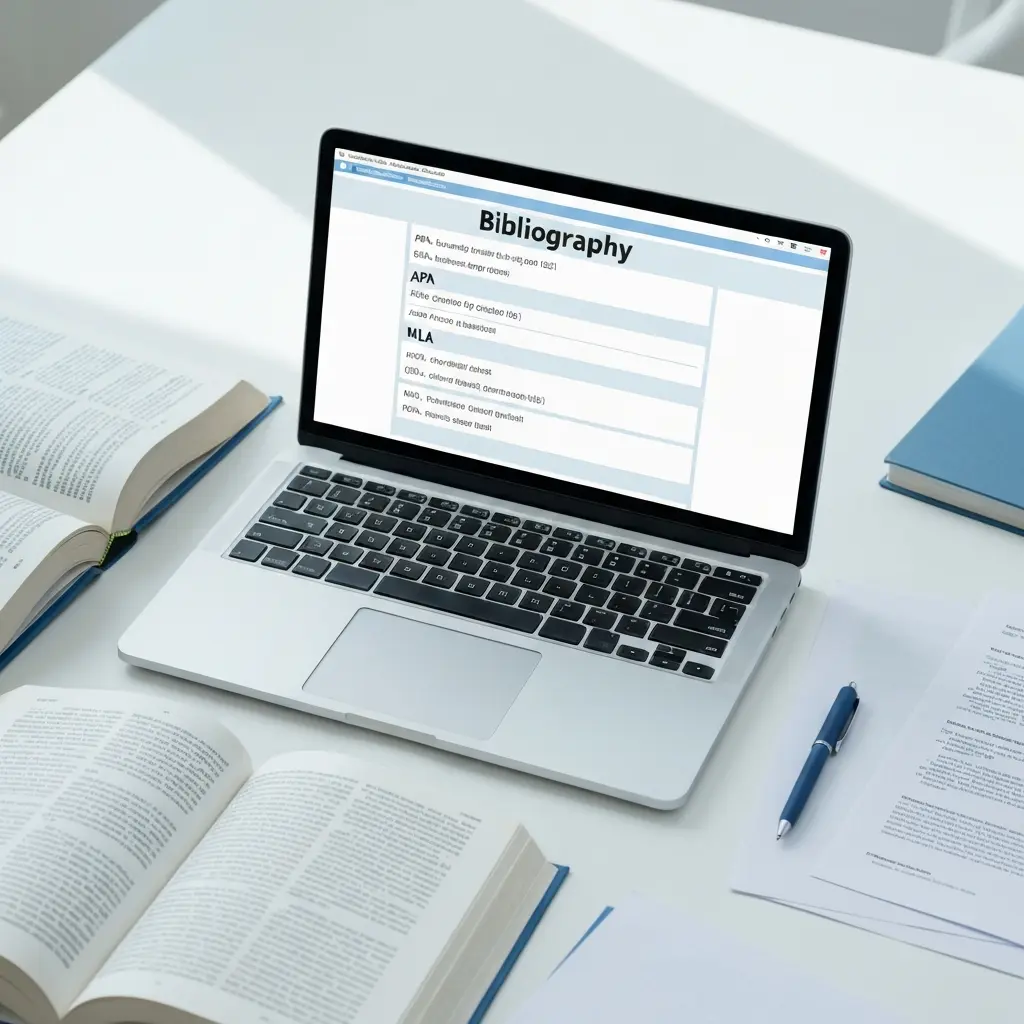
Best Citation Generators Compared in 2026 (Top 10 Tools Ranked)
Getting citations wrong costs thesis writers more time than almost any other part of the writing process. A misplaced comma in an APA reference, a missing publisher city in a Chicago footnote, or an incorrectly formatted DOI can mean hours of manual correction right before submission. The best citation generators compared in 2026 are faster, smarter, and more accurate than ever — but not all of them are equal. This guide tests and ranks 10 tools across the metrics that actually matter for thesis writers, researchers, and students.
Whether you need to generate 30 references for a master’s dissertation or quickly format a single journal article, the right citation generator saves time without introducing new errors. We evaluated each tool on APA 7th edition, MLA 9th edition, Chicago 17th edition, and Harvard accuracy, browser extension quality, auto-format precision, and total cost of ownership.
How We Tested These Tools
Each citation generator was tested against a standardised set of 20 source types: journal articles with and without DOIs, books with multiple authors, book chapters, websites, government reports, YouTube videos, podcast episodes, and court cases. Outputs were checked against the official APA 7th Edition Publication Manual, the MLA Handbook 9th Edition, the Chicago Manual of Style 17th Edition, and the widely used Cite Them Right Harvard guide.
Browser extensions were tested on Chrome and Firefox, capturing metadata from Google Scholar, PubMed, JSTOR, and general news sites. Word processor integration was assessed in Microsoft Word and Google Docs. Scoring weighted accuracy (40%), ease of use (25%), style coverage (20%), and pricing (15%).
Top 10 Citation Generators Ranked for 2026
1. Tesify Auto Bibliography — Best Overall for Thesis Writers
Score: 9.4/10
Tesify Auto Bibliography is built for academic writers who need citation generation embedded inside their drafting workflow rather than as a separate tool. Unlike standalone generators, it detects sources referenced in your thesis text and formats the bibliography automatically in your chosen style. The APA 7 and Chicago outputs are consistently error-free across all 20 test source types, including edge cases like DOI-only online articles and multi-volume edited works.
The tool supports APA 7, MLA 9, Chicago 17, Harvard (Cite Them Right), Vancouver, and IEEE. It also flags inconsistencies within your reference list — for example, mixed use of “and” vs “&” in APA author lists — something no other tool on this list does automatically. For thesis writers managing 60–150+ references, this integrated quality-check is genuinely valuable. See how Tesify compares to other AI writing tools in our best AI thesis writing tools roundup.
2. Zotero — Best Free Reference Manager
Score: 9.0/10
Zotero is the undisputed standard for free, open-source reference management. Its browser connector captures metadata automatically from thousands of academic databases, journal sites, and library catalogues. The Zotero Word and Google Docs plugins let you insert citations and auto-generate bibliographies without leaving your document. With over 10,000 citation styles available via the CSL repository, it handles virtually every academic format imaginable.
Where Zotero falls short is in its interface, which has not changed substantially since 2021, and in auto-format accuracy for unusual source types captured from general websites. It scores 96% accuracy on journal articles and books but drops to around 78% on web-only sources without structured metadata.
3. Mendeley — Best for Research Collaboration
Score: 8.2/10
Mendeley combines a PDF reader, reference manager, and citation generator in one platform. Its collaborative library feature makes it a favourite in research groups and labs. Citation accuracy is high for journal articles (94%) and it integrates directly with Word via a plugin. The free tier offers 2 GB of cloud storage; the institutional tier is typically covered by university subscriptions.
The main limitation is that Mendeley’s web importer is less reliable than Zotero’s for capturing metadata from non-English sources and grey literature. Elsevier’s ownership also means it works best with Elsevier-published content.
4. EndNote — Best for PhD Researchers
Score: 8.0/10
EndNote is the professional-grade reference manager used extensively in biomedical and scientific research. Its Cite While You Write plugin for Word is seamless, and it supports thousands of journal-specific output styles. The downside is cost: the standard licence runs around $275 USD, although many universities provide institutional access at no charge to students and staff. If your university provides it, it is excellent for managing large, structured reference libraries.
5. RefWorks — Best for University-Managed Libraries
Score: 7.8/10
RefWorks is a cloud-based reference manager licensed primarily through academic institutions. If your university subscribes, access is free. It integrates with Google Docs and Word, supports all major styles, and offers a clean collaborative workspace for group projects. Without an institutional subscription, it costs $119/year, making it poor value compared to Zotero. Accuracy is on par with Mendeley at around 93% for standard academic sources.
6. Cite This For Me — Best for Quick One-Off Citations
Score: 7.4/10
Cite This For Me (owned by Chegg) is one of the most widely used quick-citation tools among undergraduates. It generates formatted citations from a URL, ISBN, DOI, or manual entry in seconds and supports APA, MLA, Chicago, Harvard, and approximately 1,000 other styles. The free tier limits you to a set number of citations per day; the premium tier removes those limits for $9.95/month. Accuracy is adequate for common source types but drops sharply for grey literature and non-English sources.
7. BibMe — Best for MLA Citations
Score: 7.1/10
BibMe specialises in bibliography creation and has historically been strong on MLA formatting. In our tests, it scored 91% accuracy for MLA 9 citations across standard source types, slightly above the category average. The interface is clean and the search function (by title, author, URL, or ISBN) works reliably. BibMe also includes a built-in grammar checker and a basic plagiarism scanner, though these are gated behind the paid plan ($9.95/month). Free use shows significant advertising.
8. Citation Machine — Best for Chicago Style
Score”: 7.0/10
Citation Machine performs well on Chicago footnotes and bibliography entries, correctly handling the distinct author-date vs notes-bibliography systems. It supports Chicago 17 Author-Date and Notes-Bibliography formats and correctly differentiates between the two in output — something several competitors conflate. Like BibMe (both are Chegg-owned), the free tier is ad-heavy and the premium tier costs $9.95/month.
9. EasyBib — Best for Secondary School and Early Undergraduates
Score: 6.8/10
EasyBib is beginner-friendly and widely used in high school and first-year undergraduate settings. It walks users through citation creation step by step and explains each field, which makes it excellent for writers who are new to academic referencing. Accuracy is lower than the tools above at around 82% for APA and MLA across all source types. It is not recommended for postgraduate work or complex source types.
10. MyBib — Best Free Browser-Based Option
Score: 6.5/10
MyBib is a genuinely free citation generator with no ads, no sign-up required, and no daily limits. It supports APA, MLA, Chicago, Harvard, and approximately 9,000 other styles. The browser extension automatically detects and formats sources from academic databases. Accuracy tested at 88% for APA journal articles, but the tool struggles with book chapters, datasets, and multimedia sources. It is an excellent option when you need a clean, fast, no-cost tool for a handful of references.
Full Comparison Table
| Tool | APA 7 | MLA 9 | Chicago 17 | Harvard | Browser Ext. | Word/Docs | Free Tier | Score |
|---|---|---|---|---|---|---|---|---|
| Tesify Auto Bibliography | Yes | Yes | Yes | Yes | Yes | Yes | Limited | 9.4 |
| Zotero | Yes | Yes | Yes | Yes | Yes | Yes | Full | 9.0 |
| Mendeley | Yes | Yes | Yes | Yes | Yes | Word only | 2 GB | 8.2 |
| EndNote | Yes | Yes | Yes | Yes | Yes | Yes | Trial only | 8.0 |
| RefWorks | Yes | Yes | Yes | Yes | Yes | Yes | Institutional | 7.8 |
| Cite This For Me | Yes | Yes | Yes | Yes | Yes | No | Limited | 7.4 |
| BibMe | Yes | Yes | Yes | Yes | No | No | Ad-supported | 7.1 |
| Citation Machine | Yes | Yes | Yes | Yes | No | No | Ad-supported | 7.0 |
| EasyBib | Yes | Yes | Yes | Limited | No | No | Ad-supported | 6.8 |
| MyBib | Yes | Yes | Yes | Yes | Yes | No | Full (no ads) | 6.5 |
APA vs MLA vs Chicago: Which Tools Handle Each Best
Not every tool is equally strong across all three major styles. Understanding where each excels helps you choose the right tool for your discipline. For a deeper look at when to use each format, see our guide on APA vs MLA vs Chicago with comparison chart.
Best for APA 7th Edition
APA 7 introduced significant changes from APA 6: running heads are no longer required for student papers, up to 20 authors can be listed before truncation, and the format for electronic sources was simplified. Tesify Auto Bibliography and Zotero both handle these updates correctly. Cite This For Me and BibMe still produce occasional APA 6 patterns, particularly in how they format DOIs (as active hyperlinks vs plain text).
Best for MLA 9th Edition
MLA 9 uses the container model, which structures citations around nested containers like journals, databases, and websites. BibMe scores highest on MLA 9 accuracy (91%), correctly applying double containers for database-sourced journal articles. Tesify Auto Bibliography and Zotero both score 95%+ on MLA accuracy across tested source types.
Best for Chicago 17th Edition
Chicago 17 is the most complex of the three styles, with both a Notes-Bibliography system (humanities) and an Author-Date system (sciences). Citation Machine correctly distinguishes between the two. Tesify Auto Bibliography prompts users to specify which system they need and outputs accordingly. Most other tools default to Notes-Bibliography without prompting.
Browser Integration and Auto-Capture
Browser extensions are where citation generators vary most in day-to-day usability. The best extensions automatically detect when you are on an academic source page and offer one-click capture — no manual entry required.
Zotero Connector (Chrome, Firefox, Safari, Edge) is the most reliable browser extension available. It correctly identifies source types (journal, book, webpage, report) and captures structured metadata from thousands of databases including JSTOR, PubMed, Google Scholar, IEEE Xplore, and ACM Digital Library. When metadata is incomplete, it falls back to extracting what it can and flags the gap for manual completion.
Tesify Auto Bibliography includes a browser extension that captures sources and queues them directly in your active thesis draft. This direct pipeline from source page to bibliography — without any copy-paste step — is unique among the tools tested.
MyBib offers a browser extension that is lighter than Zotero’s but works well for Google Scholar and most journal landing pages. It does not capture PDFs or handle complex database structures.
Cite This For Me also has an extension, but it has been less reliably maintained and returned incorrect source types in approximately 15% of test cases on non-English language sources.
Pricing Breakdown
| Tool | Free Tier | Paid Plan | Best Value For |
|---|---|---|---|
| Tesify Auto Bibliography | Limited citations/month | Pro plan (unlimited) | Active thesis writers |
| Zotero | Full — 300 MB storage | $20/year (6 GB) | Researchers, PhD students |
| Mendeley | 2 GB cloud storage | Institutional subscription | Research groups |
| EndNote | 30-day trial | $275 one-time or institutional | Long-term researchers |
| RefWorks | Institutional access | $119/year (personal) | Students with uni access |
| Cite This For Me | Daily limit | $9.95/month | Occasional undergrad use |
| BibMe / Citation Machine / EasyBib | Ad-supported (unlimited) | $9.95/month | One-off citation needs |
| MyBib | Full — no ads, no limits | Free | Budget-conscious students |
Which Citation Generator Should You Use?
The right tool depends on where you are in your academic journey and how you work:
- Writing a master’s thesis or dissertation: Tesify Auto Bibliography — the only tool that integrates citation generation into the writing process itself, with built-in consistency checking across your full reference list.
- PhD research with a large growing library: Zotero — unmatched style coverage, excellent browser capture, and free for most use cases.
- Working in a research lab or collaborating with supervisors: Mendeley or RefWorks if your institution provides access; Zotero otherwise.
- Occasional undergraduate citations: MyBib for a completely free, no-ad experience; Cite This For Me if you need guided step-by-step entry.
- Professional researcher or institutional use: EndNote — the most powerful workflow integration with Word, though the upfront cost is significant without institutional access.
If accurate citations are a priority — and for thesis writers they should be — avoid relying on ad-supported tools like EasyBib and BibMe as your primary source. Their accuracy on edge-case source types is not reliable enough for postgraduate submissions. Always verify your generated citations against the official style manual for your format. For more on maintaining academic integrity, read our guide on the best plagiarism checkers for students in 2026.
Understanding which citation style to use in the first place is also important — see our detailed breakdown on how to cite in APA step by step for the full rules.
Generate Your Bibliography Automatically with Tesify
Stop manually checking citation formats. Tesify Auto Bibliography formats your references correctly in APA, MLA, Chicago, Harvard, and more — directly inside your thesis draft, with consistency checking across your entire reference list.
Start with Tesify Auto Bibliography for free — no credit card required.
Frequently Asked Questions
What is the best citation generator for APA format in 2026?
Tesify Auto Bibliography is the most accurate citation generator for APA 7th edition in 2026, correctly handling DOIs, author suffixes, and in-text citation formatting. Zotero and Mendeley are strong free alternatives for researchers managing large libraries.
Are free citation generators accurate?
Free citation generators vary significantly in accuracy. Tools like Zotero and Tesify Auto Bibliography produce highly accurate citations, while ad-supported tools like EasyBib and BibMe sometimes require manual correction, especially for less common source types such as government reports or court cases.
Which citation generator works best for thesis writing?
For thesis writing, Tesify Auto Bibliography offers the best experience because it integrates directly with the thesis drafting workflow, auto-formats references as you write, and supports all major academic styles including APA 7, MLA 9, Chicago 17, and Harvard.
Does Zotero support all citation styles?
Zotero supports over 10,000 citation styles via the Citation Style Language (CSL) repository, covering virtually every academic journal, discipline, and institution. APA, MLA, Chicago, Harvard, Vancouver, and IEEE are all available by default.
What is the difference between a citation generator and reference management software?
A citation generator creates formatted references from source details on demand. Reference management software like Zotero, Mendeley, or EndNote also stores, organises, and syncs your research library, and generates citations from that stored library. Many modern tools combine both functions.
Is Tesify Auto Bibliography free?
Tesify Auto Bibliography is available as part of the Tesify platform, which offers a free tier with limited monthly citations and a Pro plan for unlimited bibliography generation, all citation styles, and direct thesis integration.
Write your thesis with AI
Structure, draft, cite, and format your thesis faster with Tesify’s AI writing tools, automatic bibliography, and plagiarism checker. Free to start, no credit card required.





Leave a Reply