
Overleaf vs Word vs Tesify for Thesis Writing in 2026: When LaTeX Wins
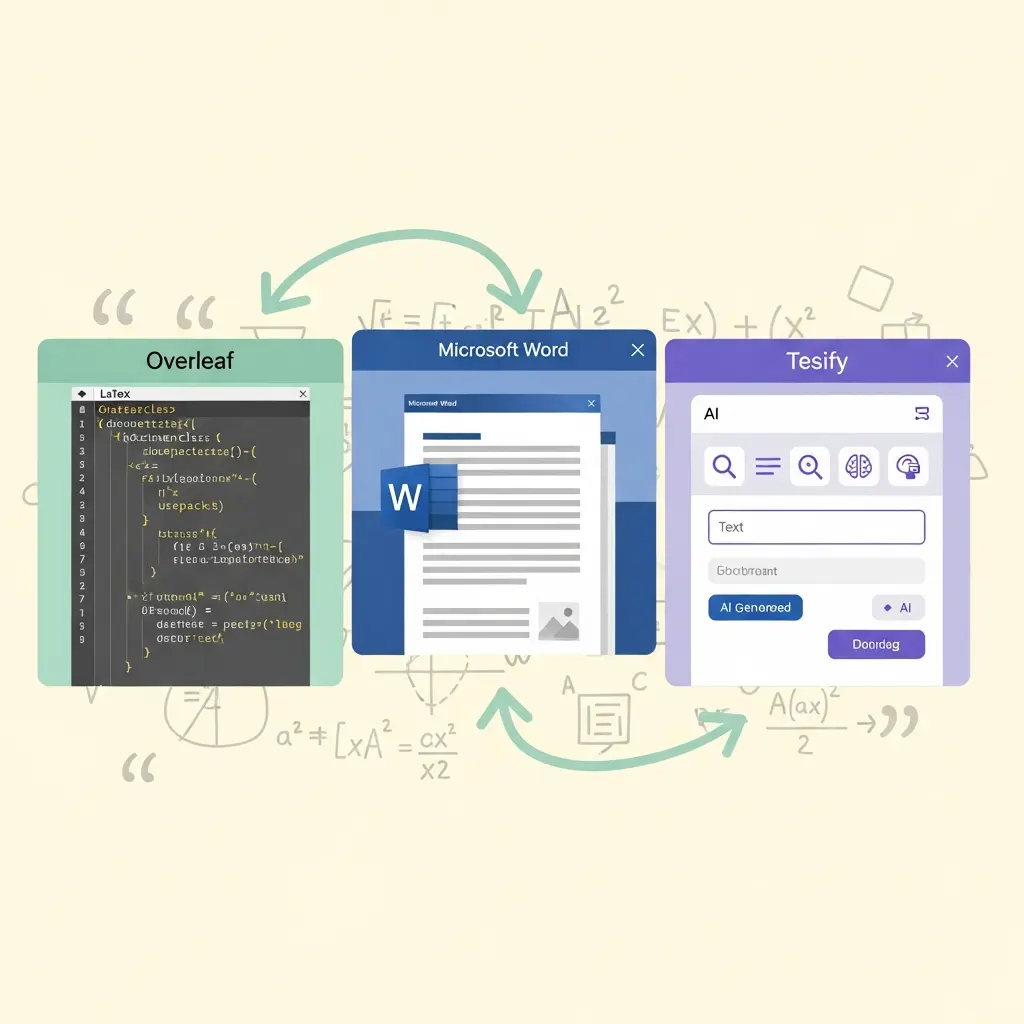
The choice between Overleaf and Word for your thesis is not a matter of taste — it is a technical decision with real consequences for your submission quality, collaboration workflow, and the time you spend fixing formatting errors at 11 pm before a deadline. If you are writing a STEM dissertation full of equations, or submitting chapters to IEEE journals during your PhD, LaTeX in Overleaf is almost certainly the right choice. If your supervisor marks up .docx files with Track Changes and your department has never heard of BibTeX, Word is the pragmatic one. And increasingly, a third category of tool — AI-assisted drafting platforms like Tesify — sits upstream of both, helping you get your argument and bibliography structured before you commit to either editor.
This comparison covers the specific strengths of each platform in 2026, the real cost of LaTeX’s learning curve, how BibTeX stacks up against Word’s citation tools, and gives you an honest discipline-by-discipline verdict so you can make the right call for your thesis, not a generic one.
Side-by-Side Comparison Table
Before diving into detail, here is the at-a-glance matrix covering the criteria that actually matter for thesis writing:
| Criterion | Overleaf (LaTeX) | Microsoft Word | Tesify |
|---|---|---|---|
| Best for | STEM, engineering, maths, journal articles | Humanities, social sciences, collaborative revision | Fast first drafts, bibliography generation, any discipline |
| Equation handling | Excellent (native) | Adequate (equation editor, awkward for complex maths) | Not applicable (drafting tool) |
| Bibliography / citations | BibTeX / BibLaTeX — automatic, style-perfect | Built-in + Zotero/Mendeley plugin — functional but error-prone | Auto bibliography generation, exports to any style |
| Collaboration | Real-time (paid), 1 collaborator free | Track Changes, comments — universally understood | Personal drafting tool |
| Learning curve | Moderate (1–2 weeks to thesis-ready) | Low (most students already know it) | Very low (guided AI interface) |
| Formatting stability | Very high (deterministic typesetting) | Variable (layouts shift between machines/versions) | Exports structured text; formatting is downstream |
| Template ecosystem | Extensive (thousands of university and journal templates) | Many university templates available in .docx | Guided chapter structure built in |
| Large document handling | Excellent (multi-file projects, no slowdown) | Sluggish above ~200 pages with images | Chapter-level drafting, no document size issue |
| AI assistance | Overleaf AI (5 uses/day free, 10/day Standard) | Microsoft Copilot (Microsoft 365 subscription) | Core product is AI thesis drafting |
| Cost (2026) | Free plan available; Standard from ~$21/mo | Microsoft 365 Personal from ~$7/mo; Office 2024 perpetual ~$150 | Free to start |
| Offline access | Browser-based only (no offline mode) | Full offline via desktop app | Browser-based |
Overleaf and LaTeX: What You Actually Get
Overleaf is the dominant cloud-based LaTeX editor with more than twelve million registered users worldwide. It brings LaTeX — a document preparation system first released in the 1980s and still the standard for scientific publishing — into a browser-based interface with real-time collaboration, template libraries, and integrated compilation. For thesis writers, this means you get the typographic precision of LaTeX without installing TeX distributions on your local machine.
Where Overleaf genuinely excels
Mathematical notation. LaTeX renders complex equations with typographic accuracy that Word’s equation editor cannot match at scale. A thesis chapter with dozens of inline equations, multi-line derivations, and custom operators compiles cleanly in LaTeX; in Word, the same chapter requires constant manual fiddling with spacing and alignment, and equations often render differently on different machines.
Deterministic layout. LaTeX’s typesetting engine produces the same output every time, regardless of operating system, screen resolution, or software version. This is not a trivial advantage: a common Word thesis problem is formatting that looks correct on the student’s laptop but shifts when the examiner or print shop opens it on a different system. LaTeX eliminates this category of error.
Multi-chapter project management. Large theses — a 300-page PhD with separate chapter files, appendices, and a custom preamble — are a structural nightmare in a single Word document. Word starts to slow down, cross-references break, and the table of contents misbehaves. In LaTeX you use input{} or include{} to split chapters into separate .tex files, compile them together, and maintain a clean master document. Overleaf handles this natively.
Journal and university templates. If you plan to submit chapters for journal publication, most STEM journals publish official LaTeX class files and style guides. Your thesis chapter can become a journal submission with a template swap and minimal reformatting. Overleaf’s template gallery contains thousands of verified templates for universities and publishers including IEEE, Springer, Elsevier, and Oxford.
Version history. Overleaf automatically stores a full revision history. The free plan provides a rolling 24-hour history; paid plans provide unlimited history. For a thesis, this is a meaningful safety net.
Overleaf’s real limitations
Overleaf requires an internet connection — there is no offline mode. If your university library has unreliable Wi-Fi during a submission crunch, this is a genuine problem. You can use a local LaTeX installation (TeX Live or MiKTeX) as a fallback, but the editor experience is then different from Overleaf.
Collaboration on Overleaf’s free plan is capped at one collaborator per project. A supervisor relationship — where you want the supervisor to be able to comment on a shared document — requires either a paid plan or sharing a read-only link combined with emailed .pdf feedback, which is less fluid than Word’s Track Changes workflow.
Microsoft Word for Thesis Writing in 2026
Microsoft Word remains the default thesis tool for the majority of students globally, particularly in the UK, Australia, and North America across humanities and social sciences. Word 2026 (via Microsoft 365) adds Microsoft Copilot AI integration, improved real-time co-authoring, and enhanced accessibility features — but its core thesis-writing strengths and weaknesses are unchanged.
Where Word genuinely works
Supervisor feedback workflow. Track Changes and Comments in Word are universally understood. Your supervisor, second marker, and external examiner all know how to use them. Asking a humanities supervisor to review LaTeX output via a compiled PDF is possible but imposes friction. In most UK and Australian universities, the standard supervision workflow is: student submits .docx, supervisor adds comments with Track Changes, student revises. This is a real institutional constraint, not a laziness argument.
Styles and heading hierarchy. When used properly — relying on Heading styles rather than manual formatting — Word’s TOC, figure list, and cross-reference features are robust. The University of Michigan Library’s Word for Dissertations guide and similar university resources emphasise this: Heading 1, Heading 2, and body styles set up correctly at the start of a project make page numbering, section breaks, and automatic TOC generation reliable. The problem is that many students skip styles and format everything manually, which causes the instability Word critics cite.
Accessibility and ubiquity. Word runs offline, is available on every platform, and is already paid for by most students through institutional Microsoft 365 licences. There is no setup friction, no new syntax to learn, and no dependency on internet connectivity.
Where Word falls short for theses
Heavy equation editing in Word is workable but slow. The Word equation editor handles standard undergraduate-level maths adequately but becomes cumbersome for research-level content: multi-line aligned equations, custom operators, and numbered equation environments all require workarounds that LaTeX handles natively.
Document corruption is a real, if infrequent, risk with large Word files. A 300-page thesis with embedded figures is a fragile object. Saving often, using separate chapter files linked via RD fields or a master document, and maintaining backups are essential precautions that many students learn too late.
BibTeX vs Word Citations: The Bibliography Problem
Bibliography management is one of the most consequential practical differences between the two platforms, and it is often underweighted in generic comparisons.
In LaTeX, citations work via BibTeX or its more modern replacement BibLaTeX. You maintain a .bib file containing structured reference entries. When you write cite{Smith2023} in your text, LaTeX compiles the reference automatically in whatever citation style your document class specifies — APA, Chicago, IEEE, Vancouver, or a custom university style. Change one line in your preamble and your entire bibliography reformats. There are no manual errors, no mismatched reference styles, and no duplicate entries.
The standard workflow for LaTeX thesis writers in 2026 is to manage references in Zotero with the Better BibTeX plugin, which auto-exports a live-synced .bib file to Overleaf. This means your reference library and your thesis stay in sync: add a paper to Zotero and it is immediately citable in your LaTeX document.
Word’s built-in citation tool is functional but error-prone. Style bugs in Microsoft’s citation engine have been a recurring complaint for years — styles don’t always match the official specification, hanging indents are inconsistent, and some citation types (government reports, archived documents, legal sources) produce malformed output. The Zotero Word plugin is significantly more reliable and is the recommended approach for Word thesis writers. Mendeley’s Word plugin works but is regarded as clunkier; Elsevier’s ownership of Mendeley has made some academic communities wary of long-term dependency.
The LaTeX Learning Curve in 2026
The most common objection to Overleaf is the learning curve. The honest answer is that it is real but overestimated — and it has become substantially smaller in 2026 than it was five years ago.
Most students reach thesis-productive LaTeX proficiency in one to two weeks of focused learning. The basics — creating a document, adding sections, inserting figures, writing equations, and compiling a bibliography — can be learned in a few hours using Overleaf’s own documentation and the Overleaf template gallery. The template gallery is the key shortcut: rather than building a document from a blank preamble, you start from a verified university template and modify it. The structural and formatting decisions are already made.
Where the learning curve becomes steeper:
- Custom table formatting. LaTeX tables are notoriously counterintuitive. The
booktabsandlongtablepackages help, but producing a complex multi-page table still requires more effort than dragging a table in Word. - Figure placement. LaTeX’s float system can put figures somewhere unexpected. Understanding
[h!],[H](fromfloatpackage), and[htbp]placement options is necessary for tight control. - Error messages. LaTeX compilation errors are cryptic for beginners. A missing brace or a misused command produces an error that points to the wrong line and uses terminology unfamiliar to non-programmers.
The AI in Overleaf (5 uses/day on the free plan) now helps with exactly these pain points — it can fix compilation errors and suggest correct package usage. Combined with the large community on TeX Stack Exchange, the practical barrier to LaTeX in 2026 is much lower than its reputation suggests.
The honest counter-argument: if your submission is in three weeks and you have never touched LaTeX, switching to Overleaf now is not the right move. The learning curve is manageable across a full year; it is a poor bet when you are under acute deadline pressure.
Where Tesify Fits: AI Drafting Before You Open Either Editor
The Overleaf vs Word debate assumes you are starting with a blank document and a clear argument. The more common student reality is that you have a topic, a pile of papers, and uncertainty about how to structure your chapters. This is precisely where Tesify adds value, and it is orthogonal to the Overleaf vs Word question.
Tesify is an AI thesis writing platform that helps you draft chapters, structure arguments, and generate bibliographies before you have committed to an editor. The workflow is:
- Use Tesify to outline and draft your chapter or section with AI assistance.
- Use Tesify’s Auto Bibliography to generate formatted citations for the sources you are using — in APA, Chicago, Harvard, IEEE, or Vancouver.
- Import the drafted text into your Overleaf project or Word document for revision, formatting, and supervisor feedback.
This is not a “use Tesify instead of Overleaf” proposition. Tesify handles the blank-page problem and the citation formatting problem; Overleaf or Word handles the final typesetting and document management. For students who get stuck in the drafting phase — writer’s block, unclear argument structure, bibliography chaos — Tesify addresses the bottleneck that has nothing to do with which editor you use.
The Tesify AI Editor is also useful mid-thesis for improving academic tone, tightening prose, and checking argument clarity — tasks that Word’s Copilot and Overleaf’s AI are not purpose-built for. See the wider comparison of AI editing tools in our Tesify vs Trinka vs Writefull guide for detail on this use case.
For students using Overleaf who want AI drafting support, the combination is: Tesify for first drafts and argument structure → BibTeX / Zotero for references → Overleaf for final typesetting and compilation. Each tool does what it is designed for. If you need to choose between evidence-synthesis AI tools to feed your literature chapters, our comparison of Elicit vs Consensus vs Scite for literature review covers that upstream workflow.
Discipline-by-Discipline Verdict
There is no universal answer to “which tool should I use?” The right answer depends on your discipline, your supervisor, and your submission context.
Physics, mathematics, engineering, and computer science
Use Overleaf. LaTeX is the standard in these fields. Your supervisor almost certainly uses it, journal templates are LaTeX-first, and the equation-handling advantages are decisive. If you are submitting chapters to IEEE, ACM, or Springer venues, your LaTeX source becomes your journal submission with minimal reformatting.
Chemistry, biology, and medicine
Overleaf for most; Word acceptable for clinical work. Chemistry and biology increasingly use LaTeX, especially for structure-heavy or statistics-heavy content. Clinical medicine and nursing remain Word-dominant, partly because NHS and hospital research environments are built around Microsoft infrastructure and Word-based clinical documentation.
Economics and quantitative social sciences
Overleaf is common and recommended. Economics departments at leading UK and US universities have broadly adopted LaTeX. Regression tables, formal notation, and journal submission norms all favour LaTeX. The stargazer and knitr integration with R for reproducible economics output is particularly strong.
Psychology and education
Word with Zotero. APA style is the standard, supervisor workflows are .docx-based, and the quantitative content rarely reaches a complexity level where LaTeX’s equation handling is necessary. If you are running SPSS or R output, export to Word-compatible tables.
History, literature, philosophy, and the humanities
Word is the right choice. Footnote-heavy styles (Chicago, MHRA) are manageable in Word with Zotero. Supervisors use Track Changes. Examiners expect .docx or PDF exports from Word. There is no meaningful advantage to LaTeX for text-only or lightly formatted humanities theses, and the learning investment is not recoverable.
Architecture, design, and arts
Word or InDesign, case by case. For text-heavy architecture theses, Word works; for portfolio-style submissions with complex image layouts, many architecture schools accept InDesign output or Word with manually placed figures. LaTeX’s figure handling is not well-suited to design-intensive documents.
Whichever editor you choose, you will likely benefit from tools that sit upstream of it. Our guide to 30 free research tools for PhD students covers the broader toolkit by category.
Pricing Comparison (2026)
| Plan | Overleaf | Microsoft Word | Tesify |
|---|---|---|---|
| Free | Unlimited projects, 1 collaborator/project, 5 AI uses/day, 24hr history | Word Online (browser only, limited features) | Free to start |
| Entry paid | Standard ~$21/mo (10 collaborators, track changes, 10 AI uses/day) | Microsoft 365 Personal ~$7/mo (full desktop app + Copilot) | See tesify.app for current plans |
| Student discount | Available via institutional licences (many universities provide free Overleaf Pro) | Most universities provide Microsoft 365 free | Free tier available |
| Offline | No (browser only) | Yes (desktop app) | No (browser only) |
A practical note on Overleaf’s pricing: many UK, Australian, and North American universities hold institutional Overleaf licences, giving students free access to Standard features (or Professional). Check your library or IT services portal before paying for a personal subscription. At institutions like Oxford, Cambridge, MIT, and the University of Toronto, Overleaf Professional is typically available at no cost to students and staff.
Making the Decision: A Practical Checklist
If you are still undecided after the discipline verdict above, run through this checklist:
- Does your thesis contain more than five complex equations or mathematical derivations? If yes, lean toward Overleaf.
- Does your supervisor provide feedback exclusively via Track Changes on .docx files? If yes, Word is the practical choice unless you can convert to PDF and receive emailed annotations.
- Are you planning to submit chapters to STEM journals during your PhD? If yes, LaTeX pays dividends — your thesis chapters become journal submissions with minimal reformatting.
- Does your university provide a LaTeX thesis template on Overleaf? If yes, this removes the structural setup barrier and makes Overleaf the lower-friction choice than it might appear.
- Are you within 8 weeks of submission and have never used LaTeX? If yes, stay in Word. The learning investment is not recoverable at this stage.
- Are you stuck at the drafting stage, unable to structure your argument? This is a Tesify problem, not an Overleaf-or-Word problem. Start with AI-assisted drafting and choose your editor once the substance is there.
For the majority of students comparing writing tools, the comparison that is closest to this one is the Scrivener vs Word vs Obsidian debate. Our Scrivener vs Word vs Obsidian comparison covers the text-editor angle without the LaTeX dimension, and is worth reading if you are a humanities or social sciences student deciding between long-form writing tools.
If your concern is specifically getting the referencing right — a common point of anxiety for students using any editor — our guide on how to reference correctly with AI covers the practical steps regardless of which writing environment you choose.
And for students who want to improve the quality of their prose once the draft is in place — cutting passive voice, tightening hedging language, improving paragraph flow — see our comparison of AI tools for improving academic writing quality.
Frequently Asked Questions
Is Overleaf better than Word for a thesis?
Overleaf (LaTeX) is better than Word for STEM, engineering, and any thesis with heavy maths, complex figures, or journal submission requirements. Word is better when your supervisor or collaborators don’t use LaTeX, or when your discipline (social sciences, humanities) has no tradition of LaTeX use. The right answer is discipline-specific, not universal.
How long does it take to learn LaTeX for a thesis?
Most students can write a structured thesis in LaTeX within one to two weeks of focused learning. Basic document creation takes a few hours; mastering tables, figures, and custom formatting takes longer. Overleaf’s template gallery and in-editor documentation significantly reduce the learning curve — start from a university-specific template rather than a blank document.
Is Overleaf free for thesis writing?
Yes. Overleaf’s free plan supports unlimited projects, sharing with one collaborator per project, and basic AI assistance (5 uses/day). The Standard paid plan adds up to 10 collaborators, real-time track changes, and an extended AI allowance. For most solo thesis writers the free plan is sufficient, and many universities provide Overleaf Professional to students at no cost through institutional licences.
What is BibTeX and why does it matter for a thesis?
BibTeX is LaTeX’s native bibliography system. You store references in a .bib file and cite them with cite{key} commands; LaTeX compiles the bibliography automatically in whichever style you specify — APA, Chicago, IEEE, etc. This eliminates the manual formatting errors that are common when using Word’s built-in citation tool or Mendeley plugin. The recommended 2026 setup is Zotero with the Better BibTeX plugin, which auto-exports a live-synced .bib file to Overleaf.
Can I use Tesify if I am writing in Overleaf?
Yes. Tesify works as a drafting and structuring layer regardless of your final editing environment. Use Tesify to develop your argument, auto-generate bibliography entries, and check your draft; then paste or adapt the output into your Overleaf project. The two tools address different stages of the writing workflow and are complementary rather than competing.
Which thesis writing tool is best for humanities students?
Word remains the default for humanities disciplines such as history, literature, and philosophy, primarily because supervisors and examiners expect .docx files and use Track Changes for feedback. Use Zotero as your reference manager for reliable Chicago or MHRA output. Tesify adds value for humanities students by helping structure arguments, generate bibliography entries, and draft literature review sections before the editing stage.
Ready to start your thesis draft?
Whether you end up in Overleaf or Word, Tesify helps you get unstuck on structure, citations, and first-draft prose — before formatting decisions slow you down. The Auto Bibliography feature generates correct citations in your required style, and the AI editor helps tighten your academic writing once the draft is in place.
Write your thesis with AI
Structure, draft, cite, and format your thesis faster with Tesify’s AI writing tools, automatic bibliography, and plagiarism checker. Free to start, no credit card required.





Leave a Reply