
Best Dissertation Writing Software: Free vs Paid Comparison 2026
Choosing the wrong software to write your dissertation is a decision you will regret at chapter four. Some tools collapse under the weight of a 20,000-word document. Others make formatting a nightmare when your supervisor requests changes, or lock your work behind a subscription that expires before your viva. In 2026, students have better options than ever — but the gap between free and paid tools is narrower than the marketing suggests, and the most important question is not “what is best in general” but “what is best for how you actually write.”
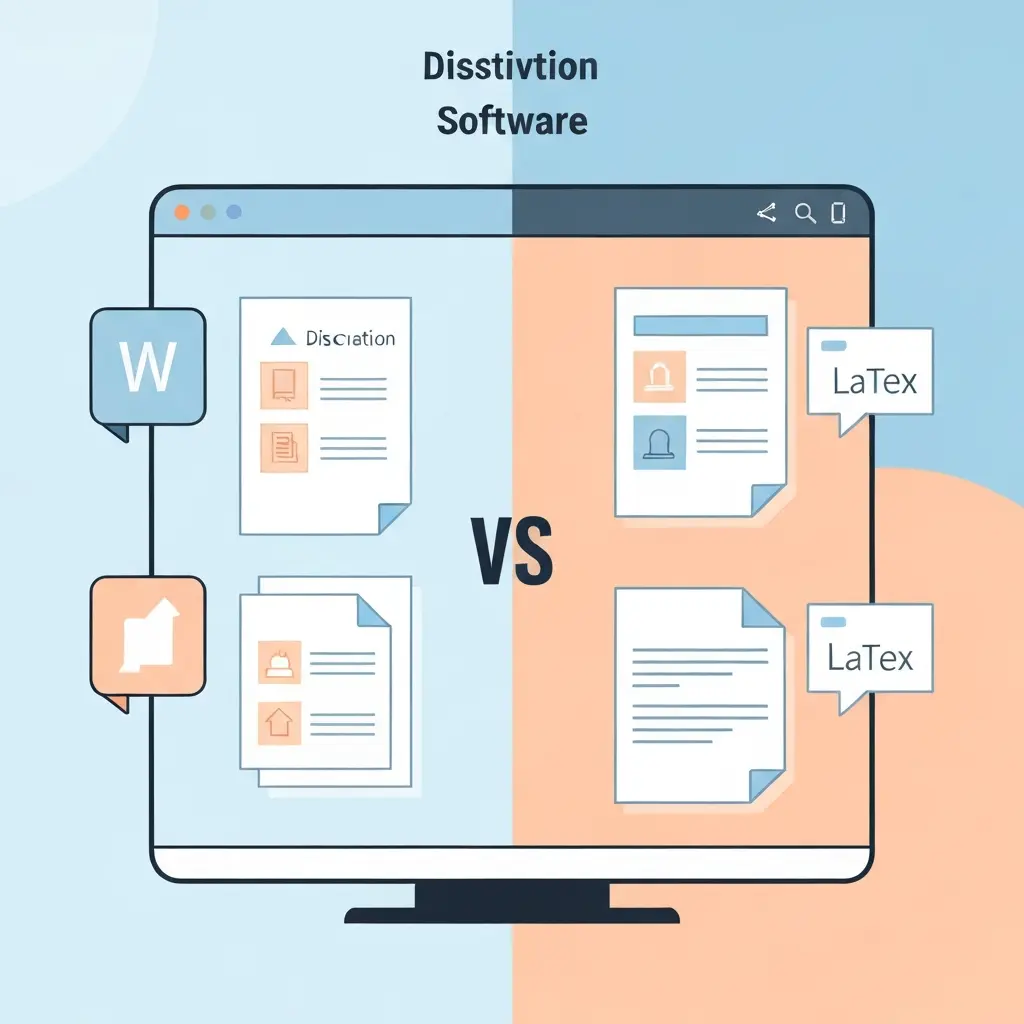
This comparison covers the best dissertation writing software across free and paid tiers — Microsoft Word, Google Docs, Scrivener, LaTeX/LyX, and Tesify Write — with honest assessments of where each falls short, not just where it excels.
Free vs Paid Dissertation Writing Software: 2026 Comparison
| Tool | Cost | AI Features | Handles Long Docs | Collaboration | Plagiarism Check | Citation Tools |
|---|---|---|---|---|---|---|
| Microsoft Word | Free via uni / £6/mo | Copilot (paid) | Yes | Track changes | No (add-on) | Basic built-in |
| Google Docs | Free | Gemini (limited free) | Moderate | Real-time | No | Via add-ons |
| Scrivener | $59 one-time | No | Excellent | Limited | No | No |
| LaTeX / LyX | Free (open source) | No | Excellent | Overleaf (paid) | No | BibTeX (excellent) |
| Tesify Write | Free tier + paid | Yes (thesis-tuned) | Yes | Supervisor sharing | Yes (built-in) | Auto Bibliography |
Microsoft Word — The Supervisor-Safe Standard
Most supervisors expect a Word document. Track Changes is the accepted mechanism for annotating drafts in every field outside STEM. Word handles footnotes, endnotes, section-level page numbering, and custom heading styles reliably at dissertation length. For humanities and social sciences students especially, there is no functional argument against Word as the writing environment.
The catch in 2026: AI features require Microsoft 365 Copilot at an additional cost. The built-in citation tool is basic and limited in style support. Most UK and Australian universities provide Microsoft 365 free for enrolled students — check your student email portal before paying. If your university provides access, Word is effectively free and fully capable.
Best for: Humanities, social science, law, and business students whose supervisors use Word for feedback.
Google Docs — Best Free Option for Collaborative Drafting
Google Docs is the most accessible dissertation writing tool available — genuinely free, reliable, and with real-time collaboration that is useful when sharing drafts with supervisors or co-authors. For students who do not have reliable access to Microsoft Office, it is a serious alternative that handles dissertation-length documents acceptably, though it can slow slightly above 50,000 words.
The limitations are meaningful: offline access requires deliberate setup, citation management needs add-ons (Paperpile integrates best), and the built-in AI (Gemini) is a general assistant rather than a thesis-specific tool. For a dissertation that stays under 40,000 words, Google Docs is entirely sufficient. For a full PhD thesis of 80,000+ words, the performance ceiling can become frustrating.
Best for: Undergraduates and Masters students on a zero budget, and anyone who writes with supervisor feedback in real time.
Scrivener — Best Structure Tool for Complex Long-Form Writing
Scrivener is not a word processor — it is a project management tool for long-form writing. Its corkboard view lets you see all your chapters as cards and rearrange them freely. The Binder keeps research notes, source documents, and draft chapters in a single project. For PhD students who are organising a 100,000-word thesis across years of research, Scrivener’s structural tools are genuinely transformative.
At $59 as a one-time purchase with a 30-day trial, it is affordable. The barrier is the learning curve — it takes several hours to set up Scrivener properly for academic writing, and students who try to use it like Word almost always give up. There is also no AI integration, no plagiarism checking, and no built-in citation tool. It is purely a writing and organisation environment.
The standard workflow for Scrivener users: write and organise in Scrivener, compile to Word or PDF for submission, manage references in Zotero, and use Tesify or Grammarly for writing quality checks. That is multiple tools for a workflow that thesis-specific tools like Tesify handle in one place.
Best for: PhD students writing 80,000+ word theses who are comfortable with a learning curve and primarily need structural organisation.
LaTeX / LyX — Best for STEM and Technical Disciplines
LaTeX is the industry standard for mathematics, physics, engineering, computer science, and any discipline where typeset equations matter. If your thesis contains substantial mathematical notation, LaTeX is not optional — the output quality is categorically better than Word’s equation editor, and many STEM journals expect LaTeX submissions.
LyX provides a “what you see is what you mean” interface that makes LaTeX accessible without learning markup syntax directly. Overleaf is the online LaTeX editor that has become the standard for collaborative scientific writing, though real-time collaboration requires a paid tier.
For students outside STEM, LaTeX is overkill. The time investment in learning it (typically 10-20 hours to become functional) is only justified when the typesetting quality is a genuine requirement of your field.
Best for: STEM PhD students, especially those in mathematics, physics, statistics, or engineering writing for journal submission or institutions with LaTeX thesis templates.
Tesify Write — Best AI-Integrated Dissertation Writing Tool in 2026
Tesify Write is designed from the ground up for thesis and dissertation writing. Unlike general writing tools adapted to academic use, every feature reflects the specific challenges of long-form academic writing: maintaining consistent argument across chapters, tracking citation coverage, checking originality section by section, and managing a bibliography that grows across months.
The AI layer is trained on academic writing specifically, which means the suggestions for methodology sections sound like methodology sections, not blog posts. The built-in plagiarism checker runs on the current draft and flags passages that need either better paraphrasing or a citation you may have missed. Auto Bibliography generates APA, MLA, Harvard, Chicago, and Vancouver formatted reference lists that update automatically as you add or remove sources.
The free tier covers the core writing and bibliography features. For students who want the full AI drafting capabilities — chapter outlines, section generation, literature review assistance — the paid tier is the most complete dissertation writing environment available in 2026.
Free vs Paid Dissertation Software: Is It Worth Paying?
The honest answer: most students do not need to pay for their core writing software. Google Docs and Word (via university licence) cover the fundamentals. Where paid tools deliver genuine value is in AI-assisted drafting, integrated plagiarism checking, and structural organisation for very long documents.
The cost-benefit calculation looks like this:
- If you are writing a 10,000-word undergraduate dissertation: free tools are entirely sufficient.
- If you are writing a 25,000-word Masters dissertation: a tool like Tesify Write pays for itself in saved time if you use the AI drafting and plagiarism features actively.
- If you are writing an 80,000-word PhD thesis: the structural and AI tools in either Scrivener (for organisation) or Tesify Write (for AI + integrity) justify their costs in the first month.
The one paid tool that is hardest to justify for most students in 2026 is standalone Scrivener without a plan to use it intensively. Its features are genuinely excellent but only if your writing process aligns with its structure-first philosophy.
What to Look for in Dissertation Writing Software
Before choosing, answer these four questions:
- What format does your supervisor expect? If they annotate Word documents, start in Word or a tool that exports cleanly to .docx.
- How long is your dissertation? Under 30,000 words — any tool works. Over 60,000 — performance and structural organisation matter.
- Does your discipline require specialist typesetting? STEM with equations — LaTeX. Everything else — Word-compatible tools are fine.
- Do you need integrated AI or plagiarism checking? If yes, Tesify Write is the strongest purpose-built option. If you prefer modular tools, combine Zotero + Word + Grammarly.
For help with specific chapters, our guides on how to write a research methodology chapter and how to do a literature review will walk you through the structural requirements of each section.
Frequently Asked Questions
What software do most PhD students use to write their thesis?
Surveys consistently show Microsoft Word as the most widely used thesis writing tool, followed by LaTeX (dominant in STEM disciplines) and Google Docs. Scrivener has a dedicated user base among humanities PhD students. In 2026, AI-integrated tools like Tesify Write are growing in adoption among students who want assistance throughout the writing process rather than just at the editing stage.
Is Scrivener worth it for a dissertation?
Scrivener is worth it if you have a complex, long dissertation (typically PhD level, 60,000+ words) and you benefit from visual structural organisation. Its corkboard and outlining tools are excellent for managing an argument that evolves across many chapters. It is not worth it if you just need a word processor, your dissertation is under 30,000 words, or your supervisor requires Word-native tracked changes (Scrivener exports to Word but it is not a live collaboration environment).
Can I write a dissertation entirely in Google Docs?
Yes. Google Docs handles dissertation-length documents well up to approximately 40,000-50,000 words before performance can degrade. Add Paperpile for citation management, use heading styles consistently for a table of contents, and you have a fully functional free dissertation writing environment. The main limitation is that complex formatting requirements — such as specific margin settings for binding, section-specific page numbering, or very large tables — are easier to manage in Word.
Should I use LaTeX or Word for my dissertation?
Use LaTeX if your discipline involves substantial mathematical or technical notation, your university or department provides a LaTeX thesis template, or you are writing for journal submission in a STEM field. Use Word if your supervisor uses Word for feedback, your discipline is in humanities, social sciences, law, or business, or you need to meet a submission deadline soon and do not have time to learn LaTeX properly. There is no meaningful quality difference for non-STEM dissertations.
What free dissertation writing software is available in 2026?
Fully free dissertation writing software in 2026 includes: Google Docs (free, cloud-based), Microsoft Word via university Microsoft 365 licence (check your student portal), LaTeX/Overleaf (free tier with limitations), LyX (open source, free), and Tesify Write (free tier with core writing and bibliography features). Zotero is free for reference management. Grammarly has a limited free grammar-checking tier. Most students can write a complete dissertation without spending anything if they check their institutional software access first.
Does dissertation writing software help with plagiarism?
Most general-purpose writing tools do not include plagiarism checking — you need a separate tool for that. Exceptions include Grammarly (built-in plagiarism checker in premium) and Tesify Write (built-in plagiarism detection as part of the thesis environment). If you are using Word or Google Docs, you will need to run your dissertation through a separate checker such as Tesify’s plagiarism checker or your university’s Turnitin submission before final submission. Running a check before submission — not just at the end — is strongly recommended.
One tool for your entire dissertation
Tesify Write combines AI-assisted drafting, auto bibliography, and built-in plagiarism checking — the three tools most dissertation writers juggle separately.
Write your thesis with AI
Structure, draft, cite, and format your thesis faster with Tesify’s AI writing tools, automatic bibliography, and plagiarism checker. Free to start, no credit card required.



Leave a Reply