

Arizona State University Thesis and Dissertation Formatting Rules (2026): Margins, Fonts, Order and the Format Wizard
Every large graduate school runs its own format check before a thesis or dissertation can be accepted, and the rules are specific enough that a document written to a generic “APA-style” template will often fail on the first submission attempt. Arizona State University’s Graduate College publishes its exact formatting requirements in a public Format Manual, and this guide walks through what that manual actually specifies — margins, fonts, spacing, document order and pagination — sourced directly from ASU’s own current guidance.
1. Margins
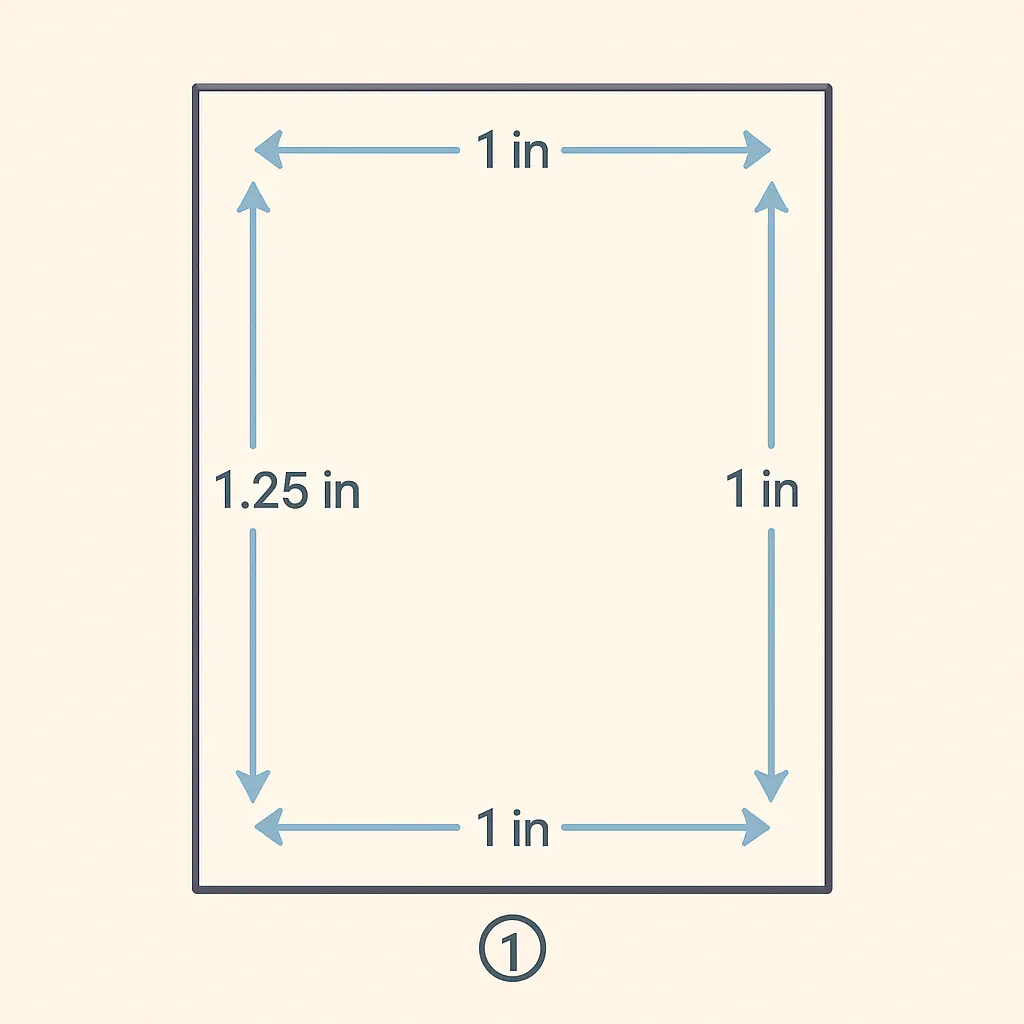
ASU’s Graduate College states the requirement plainly: “Every page of your document must meet the margin requirements of 1.25 inches on the left and right, and 1 inch on the top and bottom.” This applies uniformly across the whole document — preliminary pages, main text, and back matter alike — and is one of the first checks a format reviewer runs, since an inconsistent margin on even a single page (common when a table or figure is inserted with its own formatting) is an easy, visible failure point.
2. Fonts
The Graduate College requires a TrueType font, held consistent in both typeface and size throughout the preliminary pages, main text and back matter — the only stated exception is that footnotes and endnotes may use a smaller point size than the body text. Approved options include Arial at 10pt, Times New Roman at 12pt, and Georgia at 11pt, among others listed in the manual. Mixing fonts between chapters, or switching size when pasting in content from another document, is a common and easily avoidable formatting failure.
3. Line Spacing and Its Exceptions
Body text must be double-spaced throughout, but ASU’s manual lists specific, named exceptions where single-spacing (or another format) is expected instead: block quotations, appendices, table and figure captions, the content inside tables themselves, footnotes, endnotes, reference-list citations, and the optional biographical sketch. Applying double-spacing uniformly without these exceptions — or, just as often, applying single-spacing to the main body text by mistake — is a frequent first-submission error.
4. Required Document Order
ASU specifies an exact sequence for the front matter and back matter, and a document that mixes these out of order is one of the most common reasons a submission bounces back for correction. The required order:
- Title page
- Copyright page (optional; a copyright fee applies if included)
- Abstract
- Dedication (optional)
- Acknowledgments (optional)
- Table of contents
- List of tables (if the document contains tables)
- List of figures (if the document contains figures)
- Other lists (as applicable)
- Preface (optional; must be under 10 pages)
- Main text
- Endnotes (if endnotes rather than footnotes are used)
- References
- Appendices
- Biographical sketch (optional)
5. Pagination Rules
The title page carries no visible page number. Preliminary pages — abstract onward — use lowercase Roman numerals, beginning with “i” on the abstract page itself. The main text and everything that follows (endnotes, references, appendices) switch to Arabic numerals, restarting at “1” on the first page of the main text. Every page number is centered and positioned exactly 1 inch from the bottom of the page — a precise placement rule that a default word-processor page-number setting will not automatically match without adjustment.
Worked Example: What a Compliant Title Page Looks Like
Applying the rules above concretely: a compliant ASU title page carries the full document title, the student’s name, the degree being conferred, the department or school, the semester and year of conferral, and the names of the supervisory committee members — laid out within the 1.25in/1in margins, in the same approved font used throughout the rest of the document, with no visible page number (the title page is the one page in the whole document that is excluded from the numbering sequence entirely, not even carrying an invisible “i”). For guidance on the title itself rather than the page layout around it, our directory of dissertation title examples by discipline shows how strong titles are built across different fields.
6. The Format Wizard
ASU’s Graduate College offers a tool called the Format Wizard, which generates a Word or LaTeX document pre-built to ASU’s format standards — handling the preliminary-page structure, margin settings and pagination automatically rather than requiring a student to configure each rule manually from the written manual. Starting a thesis or dissertation document from the Format Wizard’s output, rather than retrofitting an existing draft to match the rules afterward, is the more reliable route to passing a first format check.
7. Checking Your Own Document Before Submission
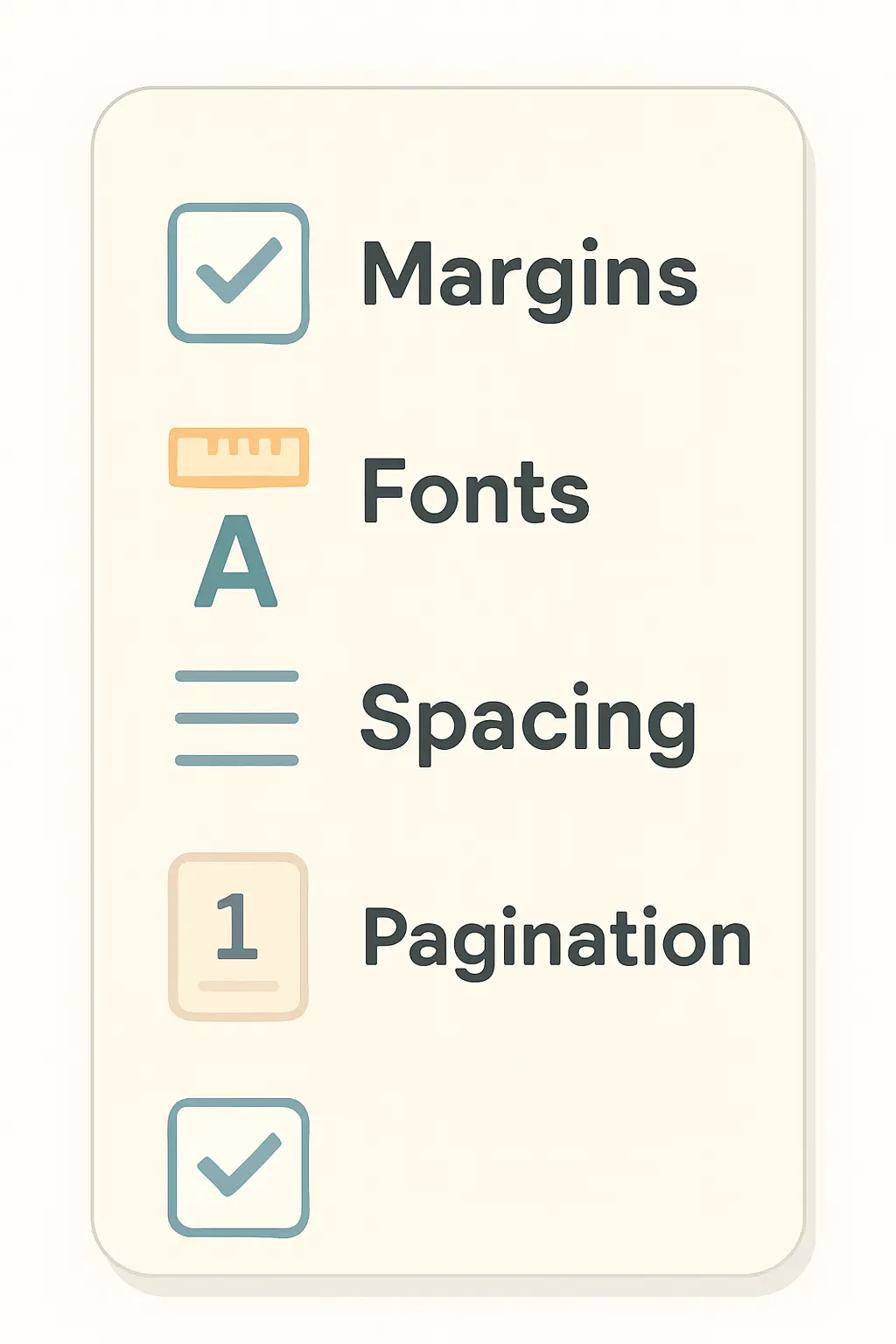
Before relying on the Format Wizard alone or submitting for review, work through the manual’s requirements as an explicit checklist against your actual document rather than assuming a template you started from months ago still matches: confirm margins on every page including any page containing a landscape-oriented table or large figure (these are the pages most likely to have been formatted separately and forgotten); search your document for font inconsistencies using your word processor’s “select similar formatting” tool rather than eyeballing it; verify the Roman-to-Arabic pagination switch lands exactly on the first page of the main text, not the last preliminary page; and confirm every optional element you have included (dedication, preface, biographical sketch) sits in the correct position in the required sequence, since adding an optional section is a common source of an out-of-order document.
8. Common Formatting Mistakes ASU Reviewers Flag
- Inconsistent margins around inserted tables or figures — a pasted image or table that carries its own margin settings rather than conforming to the 1.25in/1in document-wide rule.
- Font drift — a different typeface or size appearing in a section copied from another document or a different chapter draft.
- Wrong pagination numeral system — Arabic numerals continuing from the preliminary pages instead of restarting at “1” on the main text, or vice versa.
- Document order errors — a list of figures placed before the list of tables, or an optional element (dedication, preface) inserted in the wrong sequence relative to the required elements around it.
- Uniform double-spacing with no exceptions applied — block quotes, table content and reference entries left double-spaced when the manual specifies otherwise.
These are formatting requirements specific to ASU — always confirm against your own institution’s current manual before assuming any rule here transfers directly, since format requirements are genuinely idiosyncratic between graduate schools even among large US universities. For the general chapter-by-chapter structure a thesis or dissertation follows independent of formatting mechanics, see our guide on how many chapters a thesis should have, and for citation-style mechanics that sit alongside these formatting rules, see our decision guide to choosing a citation style for your thesis. If you are still scoping how long your document needs to be before you start applying these formatting rules, our data-driven guide to average thesis word count by discipline gives typical ranges sourced from university regulations.
9. Why Format Compliance Is a Separate Gate From Content Approval
A thesis or dissertation at a large research university typically passes through two genuinely separate reviews: your committee approves the intellectual content, and the Graduate College separately checks that the submitted document meets the university’s formatting manual — a process focused entirely on presentation, not argument. These two reviews run on different timelines and are conducted by different people, which is why a thesis can pass its defense with a strong committee evaluation and still be returned for formatting corrections before the degree is officially conferred. Building in time between your defense and your final submission deadline for this formatting pass — rather than assuming defense approval is the last step — avoids a late scramble against a graduation deadline.
Frequently Asked Questions
What are ASU’s margin requirements for a thesis or dissertation?
1.25 inches on the left and right margins, and 1 inch on the top and bottom margins, applied consistently across every page of the document — preliminary pages, main text and back matter alike.
What fonts does ASU’s Graduate College accept?
A TrueType font held consistent throughout the document. Approved options listed in the manual include Arial at 10pt, Times New Roman at 12pt, and Georgia at 11pt, among others. Footnotes and endnotes may use a smaller point size than the body text.
Does ASU require double-spacing throughout the whole document?
No. Body text must be double-spaced, but block quotations, appendices, table and figure captions, table content, footnotes, endnotes, reference-list citations, and the optional biographical sketch are specific named exceptions.
What is the ASU Format Wizard?
A tool provided by ASU’s Graduate College that generates a Word or LaTeX document pre-formatted to ASU’s thesis and dissertation standards, handling preliminary-page structure, margins and pagination automatically rather than requiring manual configuration against the written manual.
Does passing my defense mean my formatting is automatically approved?
No. Committee approval of your content and the Graduate College’s separate format review are two distinct gates, typically run by different people on different timelines. Build in time after your defense specifically for the formatting review rather than treating defense approval as the final step before graduation.
Do these ASU rules apply at other universities too?
No — treat these as specific to ASU. Formatting requirements (margins, fonts, pagination style, document order) are set independently by each graduate school and vary meaningfully even between similarly sized US research universities. Always check your own institution’s current format manual rather than assuming another university’s rules transfer.
Format Your Thesis With Confidence
Tesify’s AI-powered academic writing tool helps you draft and structure your thesis or dissertation, so applying your institution’s specific formatting rules — margins, fonts, pagination and document order — is a final formatting pass rather than a rebuild.
Write your thesis with AI
Structure, draft, cite, and format your thesis faster with Tesify’s AI writing tools, automatic bibliography, and plagiarism checker. Free to start, no credit card required.





Leave a Reply