

Quick answer: An MLA style heading is the block of four lines at the top left of the first page of an MLA paper: your name, your instructor’s name, the course, and the date, each on its own double-spaced line. MLA papers do not need a separate title page unless your instructor asks for one.
Above the heading, a running header with your last name and the page number sits in the top-right corner of every page. Below the heading, the title is centered in title case, with no bold, italics or underlining. That is the whole MLA style heading in one paragraph, but small details, such as the date format, group projects and what changes when a title page is required, are where students lose marks.
This guide walks through each line of the MLA style heading under the ninth edition of the MLA Handbook, shows correct examples for common situations, covers the running header and title, and explains how to set it all up in Word and Google Docs.
The MLA style heading line by line
| Line | What goes there | Illustrative example |
|---|---|---|
| 1 | Your full name | Daniela Ortiz |
| 2 | Your instructor’s name, with the title they use | Professor Hamid Nasser |
| 3 | Course name or number (and section, if used) | ENGL 2010 |
| 4 | Date, in day month year order | 14 March 2026 |
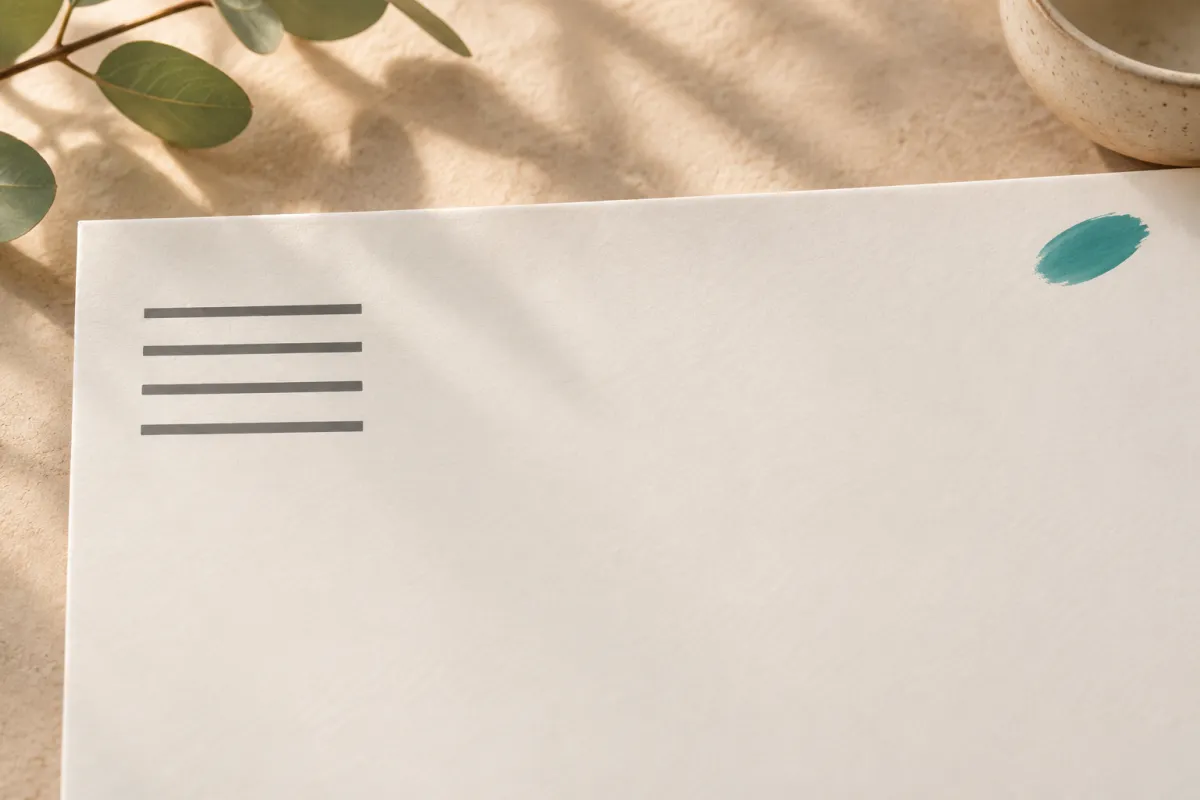
All four lines start at the left margin, one inch from the top of the page, and are double-spaced like the rest of the paper. There is no extra blank line between them, and nothing is bold or centered.
How to write the date in an MLA heading
MLA uses the day-month-year order: 14 March 2026. In the heading, it is common to write the month in full. In the works-cited list, months longer than four letters are abbreviated (14 Mar. 2026), but that abbreviation rule applies to citations, not to the heading. Do not use a comma between month and year, and do not use numeric dates such as 03/14/2026, which can be read differently in different countries.
Which date should you use? Your instructor may specify the due date or the submission date. If no one specifies, the due date is the safe choice, because it is the date the assignment belongs to.
The running header: last name and page number
MLA places a header in the upper right corner of every page, half an inch from the top and flush with the right margin. It contains your last name, a space, and the page number: Ortiz 1. There is no “p.” or “page”, no comma, and no hyphen.
- Use your word processor’s header and automatic page numbering, never type numbers manually on each page.
- Include the header on the first page as well, unless your instructor tells you to omit it there.
- For a group paper, follow your instructor’s preference; one common approach is to list all last names, or to use the first author’s last name only.
Students coming from APA often confuse this with APA’s page header. APA student papers use only a page number in the top right, with no name; our guide to the APA cover page explains that system.
The title below the MLA heading
After the date, press Enter once and center the title. Keep these rules in mind:
- Use title case: capitalize the first word, the last word and all principal words.
- Do not bold, underline, italicize, enlarge or put the title in quotation marks.
- Do italicize or quote titles of other works you mention inside your title, as you would in your text, for example: Memory and Silence in Beloved.
- Do not add an extra blank line between the title and the first paragraph; the double spacing continues.
A strong title for an essay often has two parts separated by a colon: a short descriptive phrase and a precise subtitle, such as Unequal Commutes: Public Transport Access and School Attendance in Two Cities.
Correct MLA heading examples
The examples below are illustrative and show only the top of page one.
Individual essay:
Daniela Ortiz
Professor Hamid Nasser
ENGL 2010
14 March 2026
(centered title follows)
Group project:
Daniela Ortiz, Kwame Boateng, and Lea Hoffmann
Dr. Sarah Kim
HIST 3305: Modern Europe
2 May 2026
For a group project, MLA’s guidance is to list each author on the first line or on separate lines, depending on your instructor’s preference. Whichever you choose, keep the remaining three lines the same.
Paper with a required title page: when an instructor asks for a separate title page, the heading information moves there, and the first page of the text normally begins with the centered title and the running header, without repeating the four-line heading. Follow the instructions you were given exactly, since title page layouts for MLA are set by instructors, not by the handbook.
Why MLA uses a heading instead of a title page
MLA style grew out of literature and language courses, where papers are usually short and read by a single instructor. A compact heading on the first page gives the reader everything they need, namely who wrote the paper, for whom, for which course and when, without spending a whole page on it. APA and many thesis templates, by contrast, assume a document that may circulate more widely and so put this information on a separate title page. Knowing the reason helps when instructions are ambiguous: if the paper is a standard course essay in MLA, the four-line heading is the expected choice; if it is a formal document with front matter, a title page set by the department is more likely.
The heading also works with the running header. Because every page carries your last name and a page number, a marker can put pages back in order, or identify a single printed page, without a cover sheet.
Setting up the MLA style heading in Word
- Set all margins to one inch (Layout, Margins, Normal).
- Choose a readable 12-point font such as Times New Roman, and set line spacing to 2.0 with 0 points before and after paragraphs.
- Insert the header: Insert, Page Number, Top of Page, Plain Number 3. Type your last name and a space before the number, and right-align it.
- At the top left of the page, type the four heading lines, pressing Enter after each.
- Center the next line for the title, then return to left alignment and indent the first line of each paragraph by half an inch.
Setting up the MLA style heading in Google Docs
- Open File, Page setup, and confirm one-inch margins.
- Select all text and set line spacing to Double, and remove extra space before and after paragraphs in Format, Line and paragraph spacing.
- Insert, Headers and footers, Header. Right-align it, type your last name and a space, then Insert, Page numbers and choose the option that shows numbers on all pages.
- Type the four heading lines at the top left, then center the title on the next line.
Many students build a reusable template once and save it, which also helps keep every assignment consistent across a semester.
Common MLA heading mistakes
- Putting the heading in the header area instead of in the body of the page.
- Bolding or centering the heading lines.
- Adding a title page when the assignment does not ask for one.
- Using numeric dates or month-day-year order.
- Typing “Page 1” or “pg. 1” in the running header.
- Making the title larger, bold or underlined.
- Using single spacing in the heading and double spacing in the body.
For a full overview of margins, block quotations, tables and the works-cited page, see our MLA format guide for the 9th edition, and if you switch between styles in different courses, our comparison of the difference between MLA and APA format lays out the key changes side by side.
MLA heading rules in longer projects and theses
The four-line heading is designed for essays and research papers. Senior theses, honors projects and master’s theses in humanities departments that use MLA for citations usually follow a university or departmental template for the front matter instead: a formal title page, sometimes an approval page and abstract, then chapters with their own headings. In that case, MLA governs the citations and the works-cited list, while the template governs the layout of the opening pages.
If your thesis is divided into chapters and sections, MLA does not prescribe a fixed heading system the way APA does. Keep section headings consistent in style and level, and use your department’s format when one exists. Our complete MLA 9 reference covers headings inside the body of a paper.
Special cases: instructor names, courses and dates
The four lines look simple, but real assignments raise questions that the basic template does not answer. These conventions keep your MLA style heading correct and respectful:
- Instructor titles. Use the title your instructor uses: Professor, Dr., or Mr., Ms. or Mx. followed by the last name. If a teaching assistant grades the paper but the course has a lead instructor, follow the course instructions; many students list the instructor who set the assignment.
- Two instructors. For team-taught courses, list both names on line 2, joined by “and”.
- Course names. A course code, such as PSYC 1101, is enough. Add the section number or course title if your university uses several sections of the same course and the instructor has asked for it.
- Online and asynchronous courses. The heading does not change. Use the course code from your learning platform.
- Drafts and revisions. If you submit several drafts, keep the original heading and update only the date, unless your instructor asks you to label the version.
- Take-home exams and portfolios. Use the same four lines; add any student ID your instructor requests below the date only if asked.
When a department provides its own cover sheet or template, that template wins. MLA’s heading is a default for papers without other instructions, not a rule that overrides your course.
A 30-second check before you submit
- Four heading lines at the top left, double-spaced, plain text.
- Date in day month year order, matching the due date.
- Last name and automatic page number in the top-right header on every page.
- Title centered, title case, not bold, not underlined, not enlarged.
- One-inch margins, 12-point readable font, double spacing throughout.
- No title page unless the assignment asks for one.
- Works Cited on a new page, with the header and page numbering continuing.
Running through this list takes less than a minute and catches nearly every heading error markers comment on.
Where Tesify fits
Formatting is the last layer; the structure of each chapter comes first. Start structuring your thesis in Tesify: it helps you structure your thesis chapter by chapter, and 50,000+ students have written 230,000+ chapters with it. Every word stays 100% written by you.
Frequently asked questions (FAQ)
What are the four lines of an MLA heading?
Your name, your instructor’s name, the course name or number, and the date, each on its own double-spaced line at the top left of the first page.
Is the MLA heading double-spaced?
Yes. The heading uses the same double spacing as the rest of the paper, with no extra space between lines.
Does an MLA paper need a title page?
No. MLA papers normally start with the heading on the first page. Use a separate title page only if your instructor or department asks for one.
How do I write the date in MLA format?
Use day, month and year, such as 14 March 2026, without commas.
What goes in the MLA header on each page?
Your last name followed by a space and the page number, in the top-right corner, half an inch from the top of the page.
Where does the MLA heading go?
In the body of the first page, starting at the top left margin. It does not go in the header area, which holds only your last name and the page number.
How do I format an MLA heading for a group project?
List all group members’ names on the first line or on separate lines, as your instructor prefers, then give the instructor, course and date as usual.
Is the title bold in MLA format?
No. The title is centered and in title case, but it is not bold, italicized, underlined or enlarged.
Write your thesis with AI
Structure, draft, cite, and format your thesis faster with Tesify’s AI writing tools, automatic bibliography, and plagiarism checker. Free to start, no credit card required.





Leave a Reply