
Academic CV Template Not Working? Real Fix for Academia
You’ve downloaded the template. You’ve filled in every section. You’ve even triple-checked the margins. And yet — the admissions panel doesn’t call, the scholarship committee passes, and that faculty position goes to someone else. Sound familiar?
Here’s the uncomfortable truth: most academic CV templates are broken by design. They’re built for the average applicant, not for the specific institution, country, or programme you’re targeting. A template that “looks fine” can still destroy your university admissions application if the structure doesn’t match what Oxford, MIT, or the Fulbright Programme actually expects.
This guide breaks down every major reason your academic CV template isn’t working — and gives you the exact fix for each one. Whether you’re applying for university admissions, postgraduate programmes, research fellowships, or competitive scholarships, the details here will change how you approach your CV.
1. Why Academic CV Templates Fail (and No One Tells You)
Most students assume a template is a template. It isn’t. An academic CV is fundamentally different from a professional résumé — and templates designed for corporate job hunting actively hurt your academic application.
Here’s where it gets interesting: the biggest template failures aren’t cosmetic. They’re structural. The wrong section order signals to an admissions reader that you don’t understand how academia works. A missing “Publications” header (even if you have no publications yet) can imply you haven’t thought about research output. A template built for a US résumé submitted to a UK university looks amateurish to anyone who’s read 300 applications that week.
According to the IIE Open Doors 2024 Report, over 1.1 million international students were enrolled at US institutions in 2023–24 — all competing with domestic applicants whose CVs are already tuned to local expectations. Standing out requires more than good grades.
What most people miss is this: academic hiring committees and scholarship panels read CVs in under 90 seconds on first pass. Your template’s visual hierarchy either works in that window or it doesn’t. There’s no middle ground.
The Three Root Causes of Template Failure
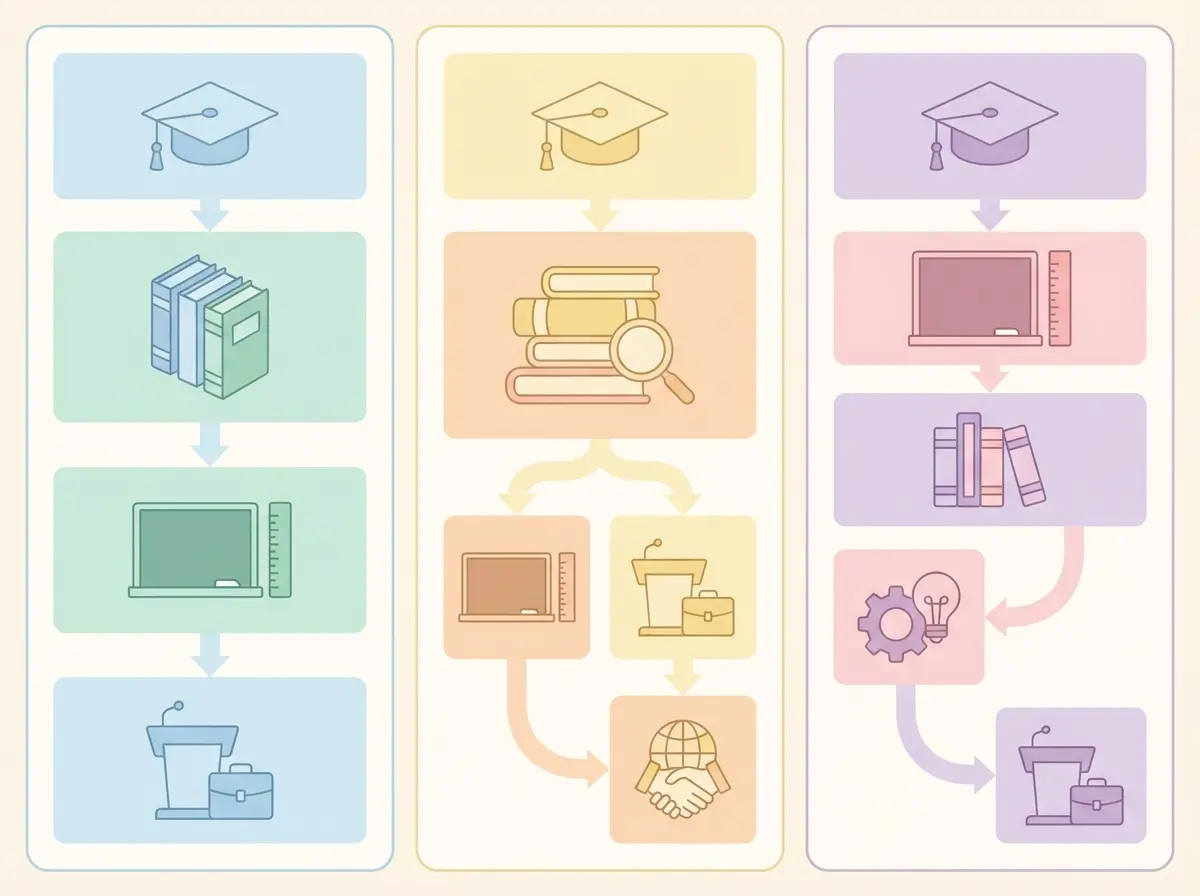
- Wrong template category: Using a business résumé template for an academic application, or a US academic template for a UK institution.
- Static structure: The template doesn’t flex for your career stage (undergraduate vs. PhD vs. early-career researcher).
- Platform incompatibility: The template renders beautifully in Word but breaks when converted to PDF or uploaded to a submission portal.
Fair warning: fixing these problems takes effort upfront. But you only do it properly once.
2. UK vs US vs Australia: Academic CV Differences That Matter
There’s no universal academic CV. What works at Harvard won’t necessarily land you a place at UCL, and what impresses the University of Melbourne admissions team differs from both. These aren’t minor stylistic preferences — they reflect genuinely different academic cultures.
| Feature | United Kingdom | United States | Australia / New Zealand |
|---|---|---|---|
| Length | 2–4 pages (early career); 6+ pages (established) | No strict limit; starts at 2 pages, grows with career | 3–5 pages standard; selection criteria often separate |
| Photo included? | No — strongly discouraged | No — never included | No — not standard practice |
| Personal statement | Brief profile (2–3 lines max) | Not typically on CV; separate document | Optional; sometimes replaced by key achievements |
| Teaching experience | High priority for lectureships | Critical for faculty positions; include TA roles | Required; include curriculum development |
| Publications format | Chicago or house style | APA or discipline-specific | APA standard; ERA journal rankings often cited |
| Referees | Named on CV with contact details | “Available on request” is acceptable | Named on CV; 3 referees standard |
The UCAS application process in the UK has its own specific requirements that differ entirely from a standalone CV. If you’re applying through the standard undergraduate route, the UCAS application guidance is the authoritative source — don’t rely on a generic template for this.
For US university admissions, understanding how your academic record translates across systems is just as important as the document format itself. The Crash Course guide on how to apply to college covers the structural expectations clearly for students new to the US system.
Canada and Ireland: Often Overlooked
Canadian academic CVs largely follow the US model but with stronger emphasis on NSERC, SSHRC, or CIHR grant history for research roles. Irish universities (Trinity, UCD, UCC) align more closely with UK conventions — treat them the same unless the job posting specifies otherwise.
3. Twelve Common Academic CV Formatting Errors With Real Fixes
These aren’t hypothetical mistakes — they’re the ones that appear most often when academics and postgraduate applicants submit for review. Each one has a practical fix you can apply today.
-
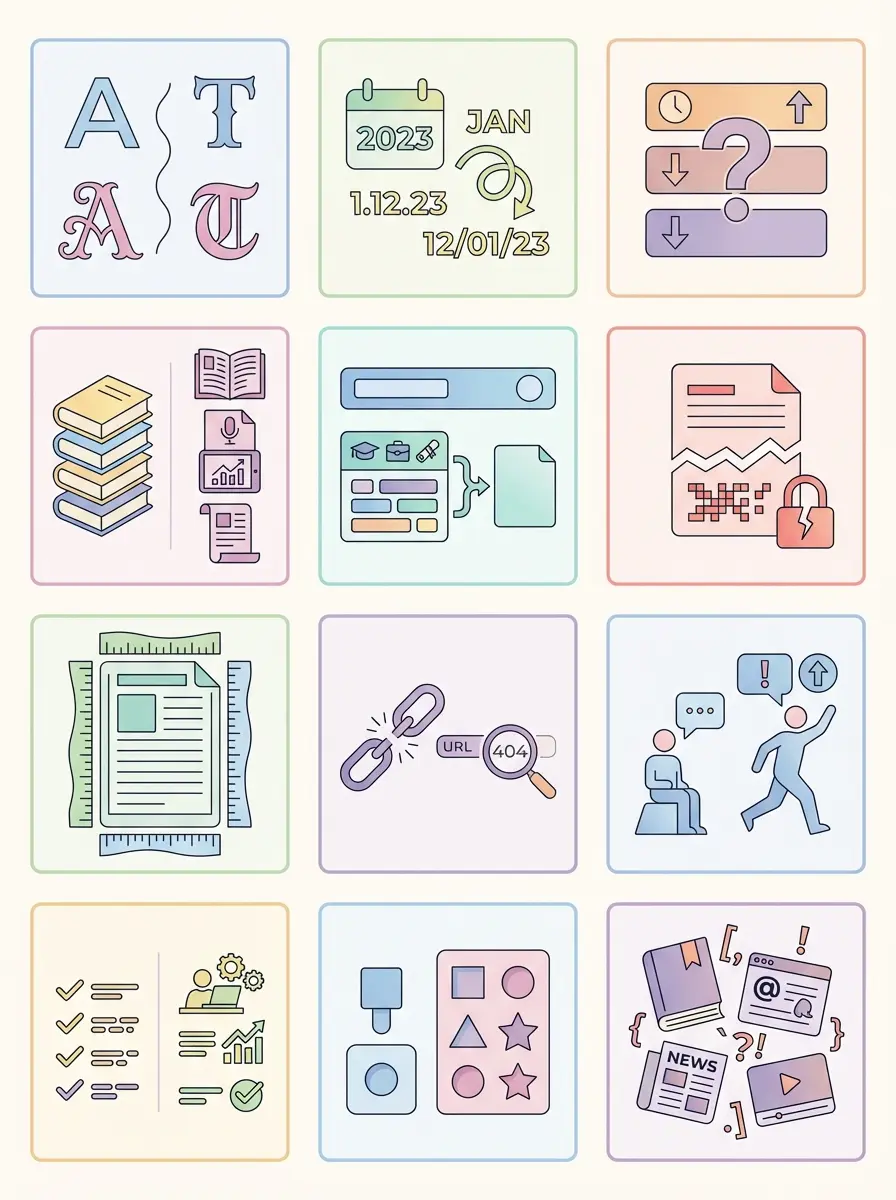
Wrong font choice for digital submission. Times New Roman was designed for print. For on-screen reading and ATS (Applicant Tracking System) parsing, Georgia, Garamond, or Calibri 11pt perform better.
Fix: Switch to Georgia 11pt for body text, 13pt for H2 section headers. -
Inconsistent date formatting. Mixing “Sept 2021” with “09/2021” and “September 2021” signals carelessness to any reader who’s spent time reviewing applications.
Fix: Pick one format (Month YYYY) and apply it document-wide using Find & Replace. -
Missing reverse-chronological order. Most recent experience must appear first. This is non-negotiable. Templates sometimes default to oldest-first, especially older Word templates.
Fix: Audit every section. Education, publications, conferences — all reverse-chronological. -
Section headers that aren’t standard. “Work History” means nothing in academia. The correct headers are: Education, Research Experience, Publications, Grants & Funding, Teaching Experience, Academic Service, Professional Memberships, References.
Fix: Rename all sections to standard academic terminology. -
No differentiation between peer-reviewed and non-peer-reviewed publications. Mixing blog posts, conference proceedings, and journal articles in one unlabelled list looks like padding.
Fix: Create sub-sections: “Peer-Reviewed Journal Articles,” “Book Chapters,” “Conference Proceedings.” -
Broken PDF rendering from Word templates. Tables, text boxes, and columns in Word frequently collapse or shift in PDF export, especially with older .doc format files.
Fix: Export to PDF and check every page before submission. Better yet, use a LaTeX-based template (more on this below). -
Margin abuse. Reducing margins to 0.5 inches to squeeze content onto fewer pages is immediately visible and signals poor judgment.
Fix: Keep margins at 1 inch (2.54cm). If you need more space, cut content — don’t compress margins. -
Passive voice throughout. “Research was conducted” tells the reader nothing about your role. “Led a 3-person research team investigating X” does.
Fix: Rewrite every bullet point to start with an active past-tense verb: Led, Designed, Analysed, Published, Secured. -
Omitting DOIs or URLs for publications. Modern academic CVs include DOIs (Digital Object Identifiers) for every published work. It makes verification easy and signals professional awareness.
Fix: Add DOI links to every published paper or article citation. -
Listing responsibilities instead of outcomes. “Taught undergraduate seminars” is weak. “Taught 3 undergraduate seminars per semester; 94% student satisfaction rating (2023)” is strong.
Fix: Add one quantified outcome per major role where data is available. -
One-size CV for every application. Submitting an identical CV to a teaching-focused institution and a research-intensive university is a strategic error.
Fix: Create a “master” CV with all content, then edit down to a tailored version for each submission — emphasising teaching or research as relevant. -
Incorrect citation style for the discipline. Humanities CVs citing in APA, STEM CVs using MLA — both signal that the applicant doesn’t know their own field’s conventions.
Fix: Use the dominant citation style for your discipline. For formatting accuracy, automated tools like those covered in our guide on automatic citation tools and their accuracy can help — but always verify the output manually.
4. Section-by-Section Academic CV Breakdown
Every section of your academic CV has a job. When a section isn’t doing its job, it wastes space and dilutes the sections that are working.
Contact Information and Header
Include: full name (as it appears on publications), institutional email, ORCID ID, LinkedIn (optional but increasingly expected), personal academic website or ResearchGate profile. Never include: date of birth, marital status, nationality (unless specifically requested — some international fellowship applications ask for this).
Education
List degrees in reverse-chronological order. Include: degree title, institution, year of completion (or expected), thesis title (for postgraduate degrees), supervisor name (for PhD). Undergraduate dissertation titles are worth including if they’re directly relevant to your application area.
Research Experience
This is the section most junior academics undervalue. Every research assistantship, lab placement, fieldwork project, or data collection role belongs here. Frame each entry with: role title, institution, dates, 2–3 bullet points describing methods used and outputs produced.
Publications
If you have no publications yet, don’t omit the section. List “Manuscript under review” or “Work in progress” entries with working titles — this shows research activity and ambition. For formatting and citation style guidance at the institutional level, the university dissertation formatting requirements guide covers how different institutions handle bibliographic standards and submission formatting in detail.
Grants, Funding, and Awards
List every grant you’ve held or co-held, even small travel grants and departmental bursaries. Include: grant name, funding body, amount (if you’re comfortable disclosing), year, and your role (PI, Co-I, Research Assistant). For fellowships and scholarships — Fulbright, Rhodes, Chevening, Erasmus — put these in a dedicated, prominent position near the top of your CV.
Teaching Experience
For postgraduate and early-career researchers, this section needs more attention than most templates give it. Include: course name and level, institution, your role (lecturer, teaching assistant, seminar leader), year(s), and class size where notable. Curriculum development, course design, and student supervision roles each get their own entries.
Academic Service and Affiliations
Conference organisation, journal peer reviewing, departmental committee membership, student society leadership — all of these belong here. They signal that you’re an active member of your academic community, not just a passive researcher.
5. Tailoring Your Academic CV for Scholarships
Scholarship applications are not the same as job applications, and your CV shouldn’t be identical for both. Scholarship committees aren’t hiring — they’re investing. They want to see potential, trajectory, and fit with the programme’s values.
The most competitive scholarships in English-speaking countries — Rhodes (Oxford), Chevening (UK government), Fulbright (US-UK exchange), Marshall Scholarship, Gates Cambridge, and Erasmus Mundus — each have distinct expectations.
What Scholarship Committees Actually Look For
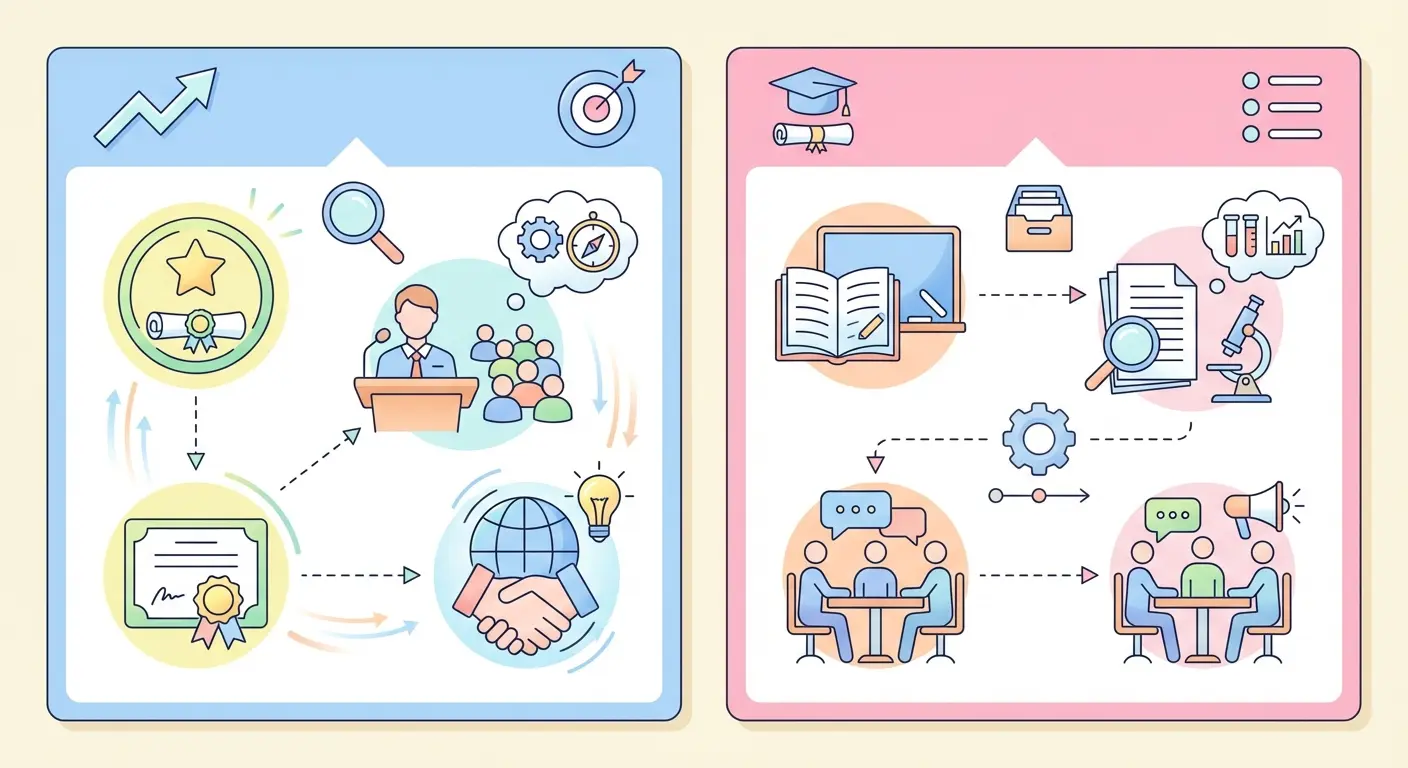
- Intellectual coherence: Does your CV tell a consistent story? Are your degree choices, research projects, publications, and extracurricular activities pointing in the same direction?
- Leadership evidence: Not just titles — specific examples of initiatives you started or led.
- Impact beyond academia: Community engagement, policy work, public communication of research.
- Fit with the scholarship’s mission: A Chevening CV should emphasise potential for UK-based leadership. A Fulbright CV should highlight academic excellence and cultural exchange potential.
For a practical breakdown of how to approach scholarship applications strategically, the College Board BigFuture scholarship application guide covers the foundations well, and Mark Kantrowitz’s Forbes guide on winning college scholarships includes data-backed strategies that apply across funding levels.
For US students applying for federal financial aid, the Federal Student Aid FAFSA steps guide is the definitive resource — your academic CV is a separate document from the financial aid application, but both need to be aligned in how they present your academic identity.
Scholarship-Specific CV Adjustments
Cut everything that doesn’t serve the narrative. A 4-page CV for a job application becomes a sharp 2-page CV for a scholarship — because scholarship reviewers are reading hundreds of applications and your value needs to land fast. Prioritise: academic awards, community impact, research outputs, and leadership roles. Remove: detailed technical skills lists, irrelevant work experience, conference attendance without a presentation role.
6. Best Tools and Templates That Actually Work
The template you use matters less than how you use it — but starting with the right foundation saves significant time.
LaTeX Templates (Recommended for Research Roles)
LaTeX produces the most consistently formatted academic CVs, particularly for STEM fields. The Overleaf academic CV template is the most widely used starting point — it’s free, browser-based, and produces clean PDF output every time. The learning curve is real but manageable for a one-time setup.
Word Templates (Recommended for Humanities and Social Sciences)
For humanities disciplines, a clean Word template with properly styled heading levels (using Word’s built-in heading styles, not manual bold text) produces professional results. The jobs.ac.uk academic CV layout guide includes practical examples specifically built for UK academic positions — this is one of the most referenced resources in the UK higher education sector.
AI Writing Tools for CV Restructuring
AI tools can accelerate CV restructuring significantly — particularly for rewriting passive descriptions into active, outcome-focused language. What most people miss is that AI tools are useful for drafting and restructuring but not reliable for citation formatting or institutional compliance checks.
For doctoral students working on research documentation more broadly, the AI writing assistant guide for doctoral students covers practical usage strategies, limitations, and how to avoid over-reliance on AI-generated content in academic documents — the same principles apply directly to CV writing.
If you’re simultaneously working on your thesis or dissertation alongside your CV (a common situation for PhD applicants and postdoctoral candidates), Tesify’s AI-assisted thesis platform handles automatic bibliography formatting in APA, MLA, Chicago, and Vancouver — which directly reduces the time you spend standardising citations across your CV and your research documents. Over 9,000 students already use it to manage the formatting complexity that derails academic submissions.
Plagiarism Checking for Academic CVs
This surprises people, but plagiarism checking your CV is increasingly relevant. If you’re using AI tools to generate or reword descriptions, running a check through a tool like Tesify’s plagiarism checker against academic databases (JSTOR, ProQuest, EThOS) ensures your phrasing is genuinely original — particularly important for research statement sections and publication abstracts included within the CV.
7. Academic CV Checklist Before You Submit
Print this out. Seriously — reading your own CV on paper catches errors that screen reading misses every time.
Structure and Format
- ☐ CV uses the correct country convention (UK / US / Australia / Canada / Ireland)
- ☐ All sections use standard academic headers
- ☐ Reverse-chronological order throughout every section
- ☐ Consistent font, size, and spacing document-wide
- ☐ Margins at minimum 1 inch / 2.54cm on all sides
- ☐ Page numbers included (except on page 1)
- ☐ PDF export checked — no broken tables, shifted text, or missing characters
Content Quality
- ☐ ORCID ID included in header
- ☐ All publications formatted in correct discipline citation style
- ☐ DOIs included for all published works
- ☐ Under-review manuscripts clearly labelled
- ☐ Each role described with active verbs and at least one quantified outcome
- ☐ No unexplained gaps in dates
- ☐ Referees listed with full contact details (or “available on request” for US applications)
Tailoring
- ☐ CV has been customised for this specific institution/programme/scholarship
- ☐ Most relevant sections appear first for this application type
- ☐ Skills section (if included) uses terminology from the job posting or programme description
- ☐ Length is appropriate for career stage and application type
Final Checks
- ☐ Read aloud from start to finish (catches awkward phrasing immediately)
- ☐ Had at least one other person in your field review it
- ☐ File named correctly: Firstname_Lastname_AcademicCV_2025.pdf
- ☐ Submitted before the deadline — not in the last 10 minutes
FAQ: Academic CV Problems Answered
What’s the difference between an academic CV and a résumé?
An academic CV is a comprehensive record of your entire scholarly career — publications, grants, teaching, conferences, and service — with no page limit. A résumé is a targeted 1–2 page summary of work experience for a specific job. In the UK and Australia, “CV” is used for both contexts; in North America, “résumé” refers to the short professional version and “CV” specifically to the academic long-form document.
How long should an academic CV be for a PhD application?
For a PhD application, 2–3 pages is standard and appropriate. At this stage, you’re not expected to have an extensive publication record. Focus on research experience, your undergraduate and master’s thesis work, any conference presentations, awards, and relevant skills. A longer CV isn’t impressive at this stage — it suggests poor judgement about what’s relevant.
Should I include a personal statement in my academic CV?
In the UK, a very brief profile (2–3 lines) at the top of the CV is acceptable and common for early-career academics. In the US, a personal statement is almost always a separate document — it doesn’t belong on the CV itself. For Australian applications, check the job or programme listing specifically; some institutions request a separate “statement addressing selection criteria.”
Can I use the same academic CV for every scholarship application?
No — and this is one of the most common reasons strong candidates get rejected. Each major scholarship (Fulbright, Rhodes, Chevening, Gates Cambridge) has a distinct mission and selection criteria. Your CV needs to be tailored to emphasise the qualities each programme values. Keep a master version with everything, then edit strategically for each application.
Why does my Word academic CV template look different after PDF conversion?
This happens because Word uses text boxes, columns, and tables that don’t always translate cleanly to PDF. The fix is to either rebuild your CV in LaTeX (which produces consistent PDFs) or use Word’s built-in heading styles rather than manually formatted text, and export using “Save as PDF” rather than printing to PDF. Always open and read the PDF before submitting — never assume it looks the same.
What should I do if I have no publications for my academic CV?
Don’t omit the Publications section — its absence is conspicuous. Instead, include “Manuscripts in Preparation” or “Work Under Review” with working titles and target journals. If you’ve presented at any conferences, list those under Conference Presentations. For undergraduate applicants, your dissertation or a notable essay submitted for publication counts as research output worth mentioning.
Build Your Academic Foundation Properly
An academic CV is one document in a larger portfolio of academic work — and every piece needs to meet the same standard. Whether you’re navigating university admissions, chasing scholarships, or applying for research positions, getting your academic tools right from the start makes every subsequent application stronger.
If you’re simultaneously managing a dissertation, thesis, or research paper alongside your applications, the formatting burden alone can derail both. Share this guide with a classmate, colleague, or supervisor who’s currently preparing academic applications — it’s the kind of resource that saves hours of frustrating trial and error.





Leave a Reply